


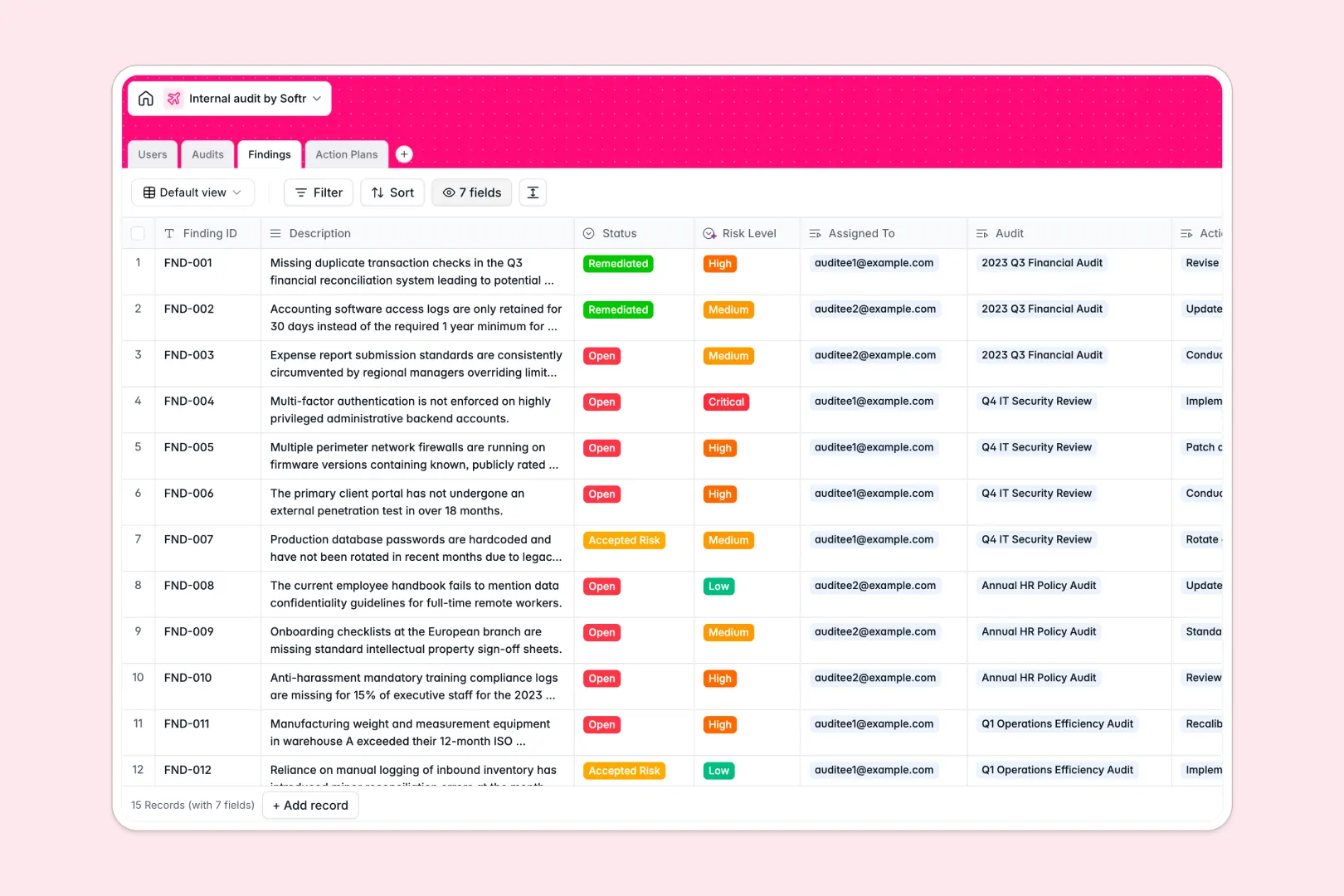
Your Internal Audit database at a glance
This template gives your team a structured, reliable system to plan audits, track findings, and drive remediation. Move away from disconnected workbooks and keep your compliance data organized in one place.
The database connects four core tables: Users, Audits, Findings, and Action Plans. When an auditor logs a new finding, it automatically links to the parent audit and flags the assigned action plan owner.
Even better, built-in AI automatically generates executive summaries from your audit scopes. It also instantly classifies risk levels on new findings, saving your team hours of manual categorization.
Why internal audits get messy in Excel
Managing compliance in spreadsheets quickly turns into a version control nightmare. As findings multiply and action plans get delayed, critical risk data gets lost in endlessly scrolling rows.
What a structured database changes
In a relational database, data maintains strict integrity. Audit dates stay as dates, dropdowns like department names remain standardized, and file attachments like remediation evidence live directly inside the record.
Instead of breaking fragile VLOOKUPs, you simply connect items natively. Link a high-risk finding directly to the responsible employee without copying and pasting names across rows.
This is exactly what Softr Databases are designed for. They enforce structure as your compliance operations scale, ensuring one table perfectly represents one specific business object.
What you can do with this template
You can instantly assign risk levels to new gaps using native Database AI agents. As soon as a description is typed, the AI reads it and categorizes the risk as Low, Medium, High, or Critical.
You can also easily summarize complex remediation tasks into catchy action plan titles using AI. This keeps your dashboard views clean, actionable, and ready for executive review.
-
Users
Directory of internal staff and auditors with roles and assignment logs
-
Audits
Manage audit missions with AI generating concise executive summaries
-
Findings
Identify audit gaps and risks using AI to classify and assess severity
-
Action Plans
Track remediation tasks with AI-generated titles to resolve findings
Who is this Internal Audit database for
This database offers immediate clarity for teams managing compliance and operational risk:
- Compliance Officers: Track high-level audit engagements and monitor overall risk exposure in real time.
- Internal Auditors: Log specific gaps easily and assign action items directly to responsible departments.
- Department Heads: View exactly which remediation tasks their team needs to complete.
- Risk Managers: Rely on automated AI risk scoring to prioritize the most critical vulnerabilities instantly.
How to take it further
Start by customizing the database to match your specific terminology and requirements. You can easily add new departments to the dropdown categories or change the status fields to fit your workflow.
Next, bring your exact history into the system. You can easily bulk import previous audit logs, users, and findings via CSV so nothing gets left behind.
Finally, when your team is ready, you can build a secure portal for your auditees using Softr's interface builder. External stakeholders or specific departments can log in to view only their assigned action plans and submit evidence directly.
By leveraging users and permissions, you guarantee that HR only sees HR audits, while central Admins see everything. A well-structured database makes launching these custom, enterprise-ready apps effortless.
-
1
-
2
-
3
-
4
Frequently asked questions
-
What is an internal audit database?
-
Why use a no-code database to build an internal audit system?
-
How can AI help managing data for internal audits?
-
Can I build an app with this internal audit database?
-
Is this Internal Audit database free?
-
How is an internal audit database different from Excel?
Start building today. It's free!
Build and launch your first app in under 30 minutes.