


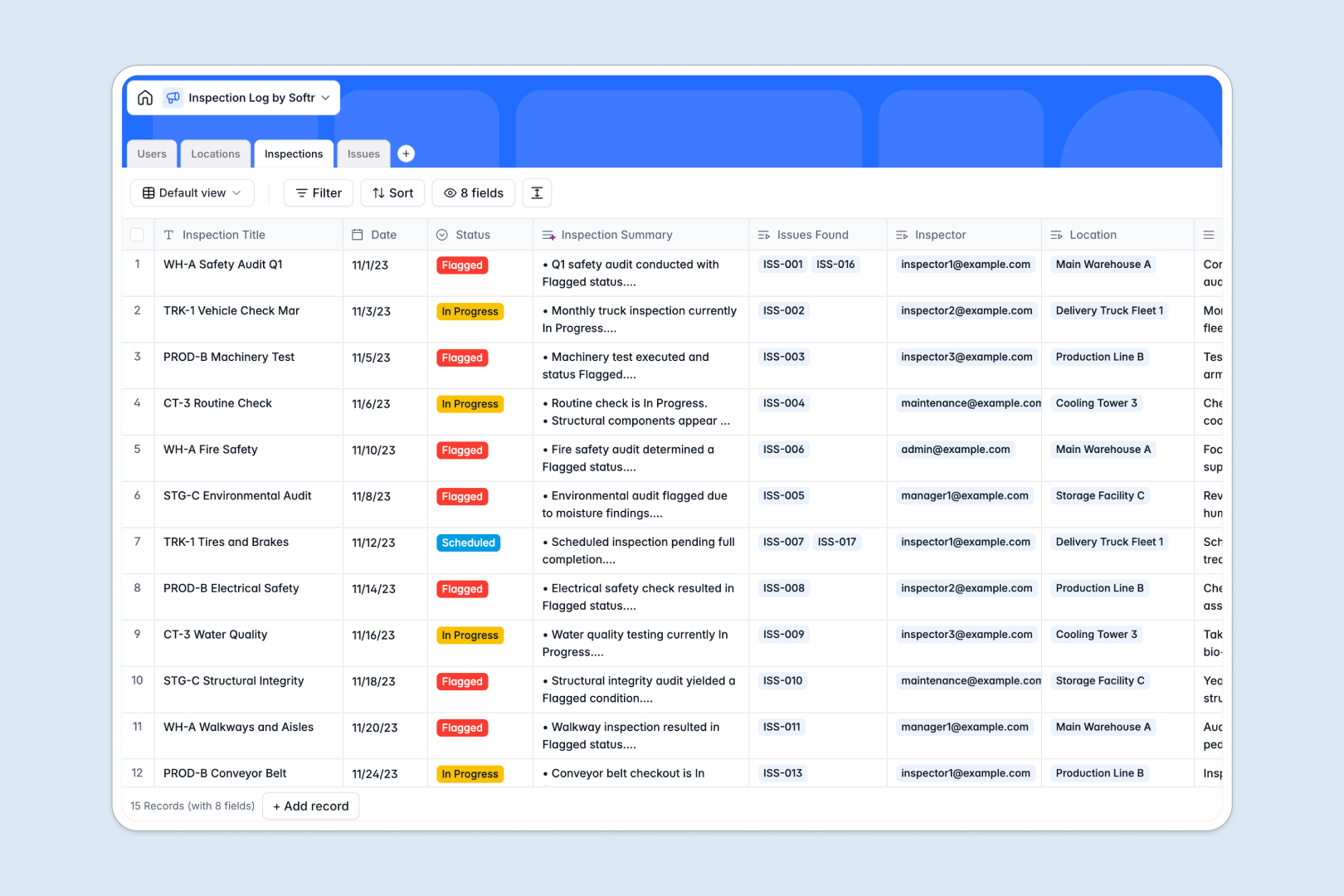
Your Inspection Log database at a glance
This ready-to-use template helps teams record audit events, flag critical defects, and track site repairs in real time. It unifies operations across facilities and equipment so your team maintains full compliance without delays.
Four connected tables link Inspections directly to Locations, assign Issues to team members in Users, and calculate audit histories automatically. Everything stays organized around the specific assets you inspect.
Built-in AI fields automatically summarize lengthy audit notes, classify defect severity from incident descriptions, and generate actionable step-by-step resolution plans instantly.
When field audits require more than just raw records
Managing compliance and field inspections across multiple facilities requires coordination between site inspectors, facility managers, and remediation contractors. While a relational base structure solves organization, scaling an operational workflow involves more than storing records in a shared backend.
What changes with a database built for apps
Field audits move fast, and adding every field technician, auditor, and external contractor to your backend quickly runs into strict per-seat billing and restrictive access settings.
Softr Databases provide full relational power with unlimited collaborators on all plans, generous storage limits, and a built-in interface layer. You get linked tables, rollups, and typed fields without worrying about extra user costs as your field staff grows.
Because permissions and interfaces are native to the platform, you can turn your audit records into branded technician portals and management dashboards without stitching third-party tools together.
What you can do with this template
Assign inspections to specific auditors and link each audit directly to buildings, machinery, or vehicles with full photo evidence attached. Issues flagged during an audit connect right back to the inspector and the exact asset location.
Native Database AI agents analyze issue descriptions on entry, automatically tagging severity levels and drafting repair guides so maintenance leads can resolve defects faster.
-
Users
Manage inspectors and staff profiles, roles, and assigned issue records
-
Locations
Track inspection facilities, equipment assets, addresses, and history
-
Inspections
Log inspection events and status with AI-generated notes summaries
-
Issues
Track defects with AI severity classification and auto-generated fix plans
Who is this Inspection Log database for
This template is designed for teams that need clear visibility into safety, compliance, and asset conditions across multiple sites.
- Facility Managers: Monitor building compliance, schedule recurring safety checks, and track defect remediation across properties.
- Field Inspectors: Log onsite findings, upload photo evidence, and flag critical issues directly from mobile devices.
- Operations Directors: Maintain complete audit trails and track resolution progress across all equipment and machinery.
- EHS Teams: Standardize environmental health and safety reporting while ensuring high-severity hazards receive immediate action.
How to take it further
1. Customize the database
Tailor the template to your industry standards by modifying select choices in the Category or Severity fields. Add custom fields such as signature attachments, compliance codes, or barcode IDs to fit your existing auditing protocol.
2. Import your existing data
Bring your existing equipment lists, facility registers, and historical audit records into the database using a fast CSV upload. You can also connect your external enterprise systems via API to automatically sync new assets and user profiles.
3. Build a full app around it
When you are ready to give your team a dedicated portal, you can build an app on top of this database in seconds. Describe what you need in one prompt and the AI Co-Builder generates field forms, technician portals, and executive dashboards connected directly to your tables.
Set up custom users and permissions so field inspectors only see their assigned audits while facility managers manage all issues across every site.
-
1
-
2
-
3
-
4
Frequently asked questions
-
What is an inspection log database?
-
Why use a no-code database to build an inspection log system?
-
How can AI help managing data for an inspection log?
-
Can I build an app with this inspection log database?
-
Is this Inspection Log database free?
-
How is this Inspection Log different from an Airtable template?
Start building today. It's free!
Build and launch your first app in under 30 minutes.