


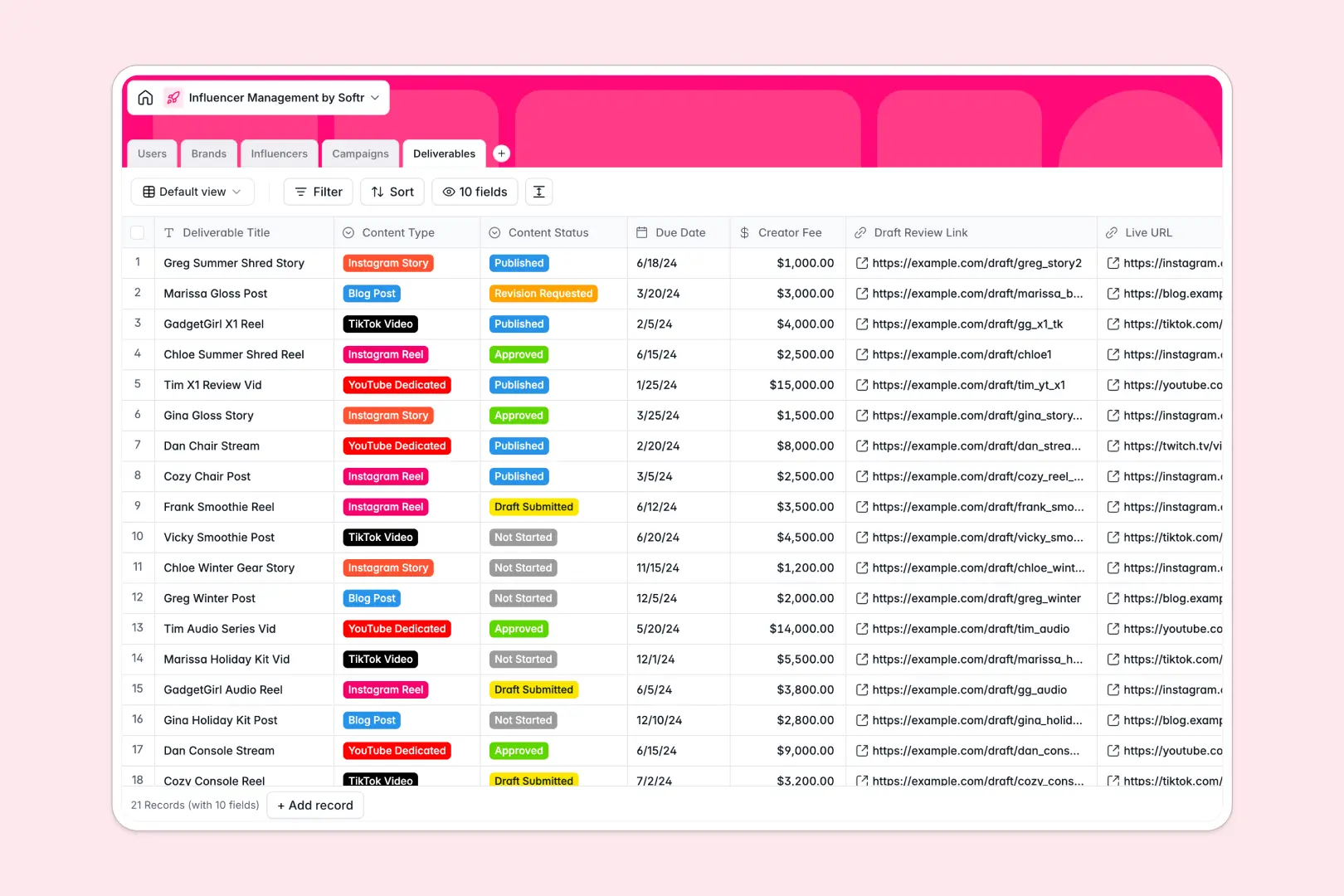
Your Influencer Management Database at a glance
This template gives your team a central hub to organize creators, track campaign progress, and monitor content deliverables in real time.
It connects your core tables logically: Brands link to Campaigns, which tie directly to specific Influencers and their Deliverables. You can finally stop copy-pasting creator details across disconnected workspace tabs.
Built-in AI automatically drafts professional influencer bios from their social links, writes brand overviews, and brainstorms caption ideas for deliverables automatically when new records are added.
Why managing influencers in Excel breaks down
Keeping track of live social links, shifting content deadlines, and varying creator fees quickly turns Excel sheets into an unreadable mess. As your campaigns scale, rows get accidentally deleted and tracking who owes what becomes impossible.
What a structured database changes
A structured system enforces clean data so dates remain active dates, and file attachments stay organized without expanding rows. You can link a brand directly to a campaign and its associated creators without relying on fragile formulas that break during team collaboration.
This is exactly what Softr Databases are designed for. They give you the flexibility of a simple list with the reliable structure needed to scale your marketing operations.
What you can do with this template
You can easily monitor creator fees, track live content URLs, and update status dropdowns from "Draft Submitted" to "Published" in one clear view. Everything stays connected perfectly to the correct brand and campaign.
You also eliminate manual research with native Database AI agents. They can actively browse the web to summarize brand websites and seamlessly draft engaging caption ideas based on the specific content type you select.
-
Users
Manage internal team members, assigned roles, and influencer talent accounts
-
Brands
Store client profiles with AI-generated brand overviews from web searches
-
Influencers
Track creators and use AI to generate professional bios from social links
-
Campaigns
Coordinate marketing initiatives with budget tracking and scheduling
-
Deliverables
Manage content tasks with AI-powered social media caption generation
Who is this Influencer Management Database for
This template is built specifically for teams running creator marketing at scale.
- Talent Managers: Track creator rosters, manage their specific niches, and monitor follower counts in one centralized view.
- Campaign Coordinators: Keep tabs on content deliverables, due dates, and draft review links so nothing slips through the cracks.
- Brand Agencies: Manage multiple clients securely, tracking total budgets and statuses across different sponsors effortlessly.
How to take it further
You can easily customize this structure to match your exact approval workflow. Quickly add new social media platforms to the dropdown menus, or modify the deliverable statuses to fit your team's unique needs.
When you're ready, you can simply import your existing creator lists or historical campaign data via CSV. This lets your team instantly transition away from messy sheets and start working efficiently.
To share this data securely, you can build a custom portal directly on top of this structured foundation.
You can easily set up fine-grained users and permissions to control exactly who sees what data. This means you can launch an app where influencers log in to submit drafts, while clients log in purely to view live campaigns.
-
1
-
2
-
3
-
4
Frequently asked questions
-
What is an influencer management database?
-
Why use a no-code database to build an influencer management system?
-
How can AI help managing data for influencer marketing?
-
Can I build an app with this influencer management database?
-
Is this Influencer Management Database free?
-
How is this template different from an Excel spreadsheet?
Start building today. It's free!
Build and launch your first app in under 30 minutes.