


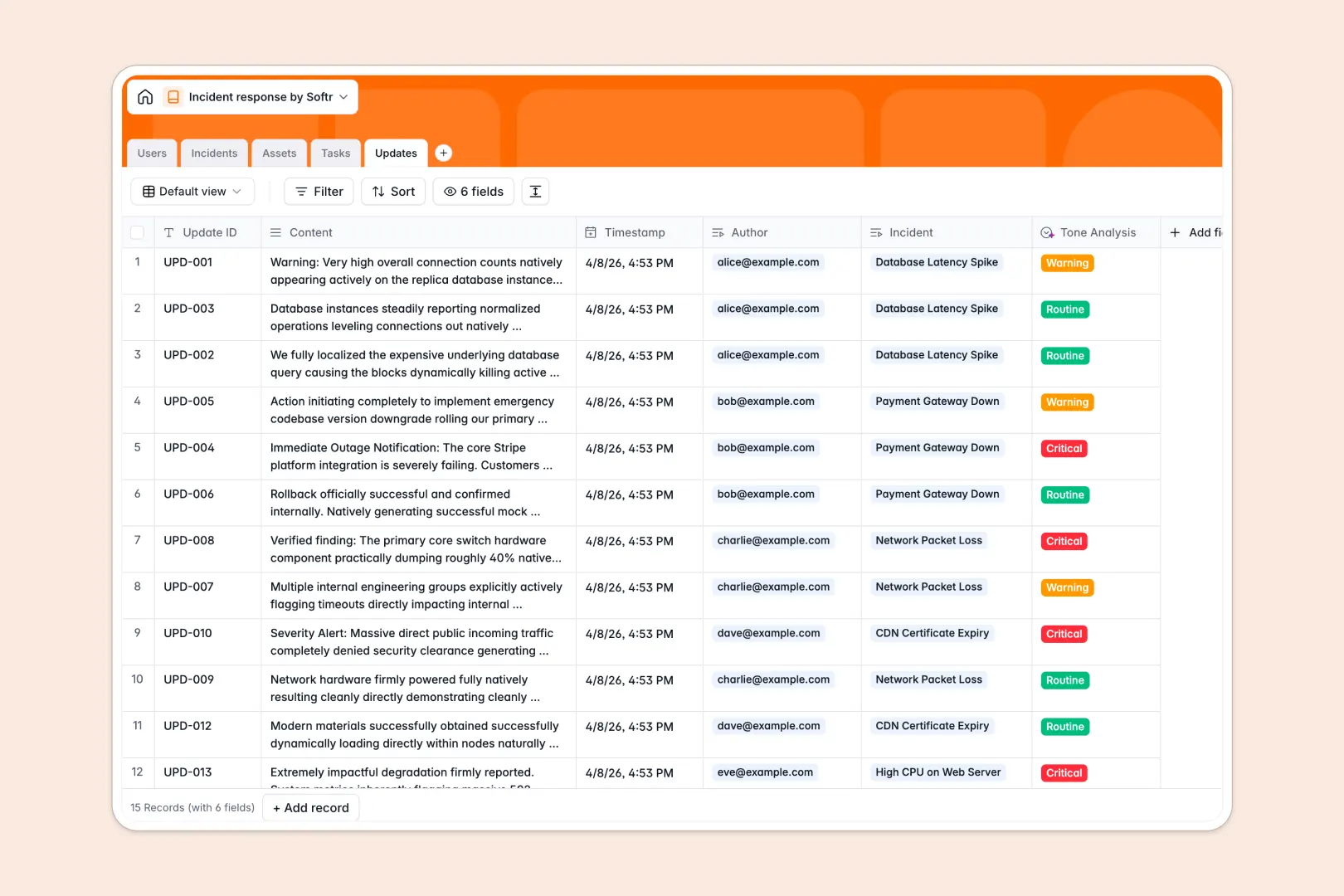
Your Incident Response Database at a glance
This template centralizes your incident tracking so your team can identify, monitor, and resolve issues in one unified space without bottlenecks.
It cleanly connects five specific tables—Incidents, Assets, Tasks, Updates, and Users. You can instantly see which systems are down, track chronological update logs, and know exactly who is handling the remediation without losing context.
The built-in AI does the heavy lifting for your operations. It automatically drafts complete post-mortem summaries based on your incident logs and instantly analyzes the tone of incoming updates to flag critical warnings.
Why incident response gets messy in Excel
When critical operations go down, the last thing your team needs is multiple people trying to update a broken, unorganized spreadsheet simultaneously.
What a structured database changes
In a flat spreadsheet, tracking a single incident alongside multiple status updates, affected assets, and team tasks creates chaotic, unreadable rows. Important context constantly gets lost or accidentally overwritten.
A relational structure fixes this by keeping every object separate but deeply connected. You can link a Sev-1 incident to specific network assets and responders seamlessly without copy-pasting data across tabs.
This is exactly what Softr Databases are designed for. You get immediate, reliable structure so dates stay dates, assignments stay clear, and data integrity is maintained as your operational logs scale.
What you can do with this template
Stop manually compiling update logs into summary documents. With this database, you can dynamically view the active incident count per asset and track task completion in a clean, visual format.
Using Database AI agents, this system actually works for you. It automatically generates comprehensive post-mortems and categorizes the urgency of every single timeline update, saving your team hours of manual reporting.
-
Users
Manage incident responders with roles, contact details and assignment history
-
Incidents
Track critical events and generate AI-powered post-mortem summaries automatically
-
Assets
Monitor the status of hardware and software systems linked to active incidents
-
Tasks
Coordinate remediation action items with status tracking and owner assignment
-
Updates
Log communications and use AI to analyze the tone and urgency of messages
Who is this Incident Response Database for
This system is designed for operational leaders and response teams who need a reliable, structured way to track system functionality.
- IT Operations Teams: Track affected web servers, databases, and network assets to restore services faster.
- Security Teams: Centralize severity levels, logs, and remediation steps during a proactive security breach.
- Engineering Leads: Coordinate action items across responders and track exact resolution timelines effortlessly.
- Customer Success Managers: Stay informed about partial or major outages to communicate clearly with your users.
How to take it further
You can easily customize this database to fit your exact incident workflow. Modify the severity select fields, change the asset types, or add new tracking columns in a few clicks.
If you have historical downtime logs, you can pull them in instantly via CSV import. You can also use the API to automatically sync new records from your existing monitoring or alerting tools.
When your team is ready, you can build a powerful web app entirely driven by this database. Using the interface builder, you can create a custom internal portal for your incident responders.
You can also configure permissions to ensure perfect access control. This means an Incident Commander can update severity and tasks, while ordinary users can only submit new incident reports.
-
1
-
2
-
3
-
4
Frequently asked questions
-
What is an incident response database?
-
Why use a no-code database to build an incident response tool?
-
How can AI help managing data for incident response?
-
Can I build an app with an incident response database?
-
Is this Incident Response database free?
-
Why is Excel bad for incident response compared to a database?
Start building today. It's free!
Build and launch your first app in under 30 minutes.