


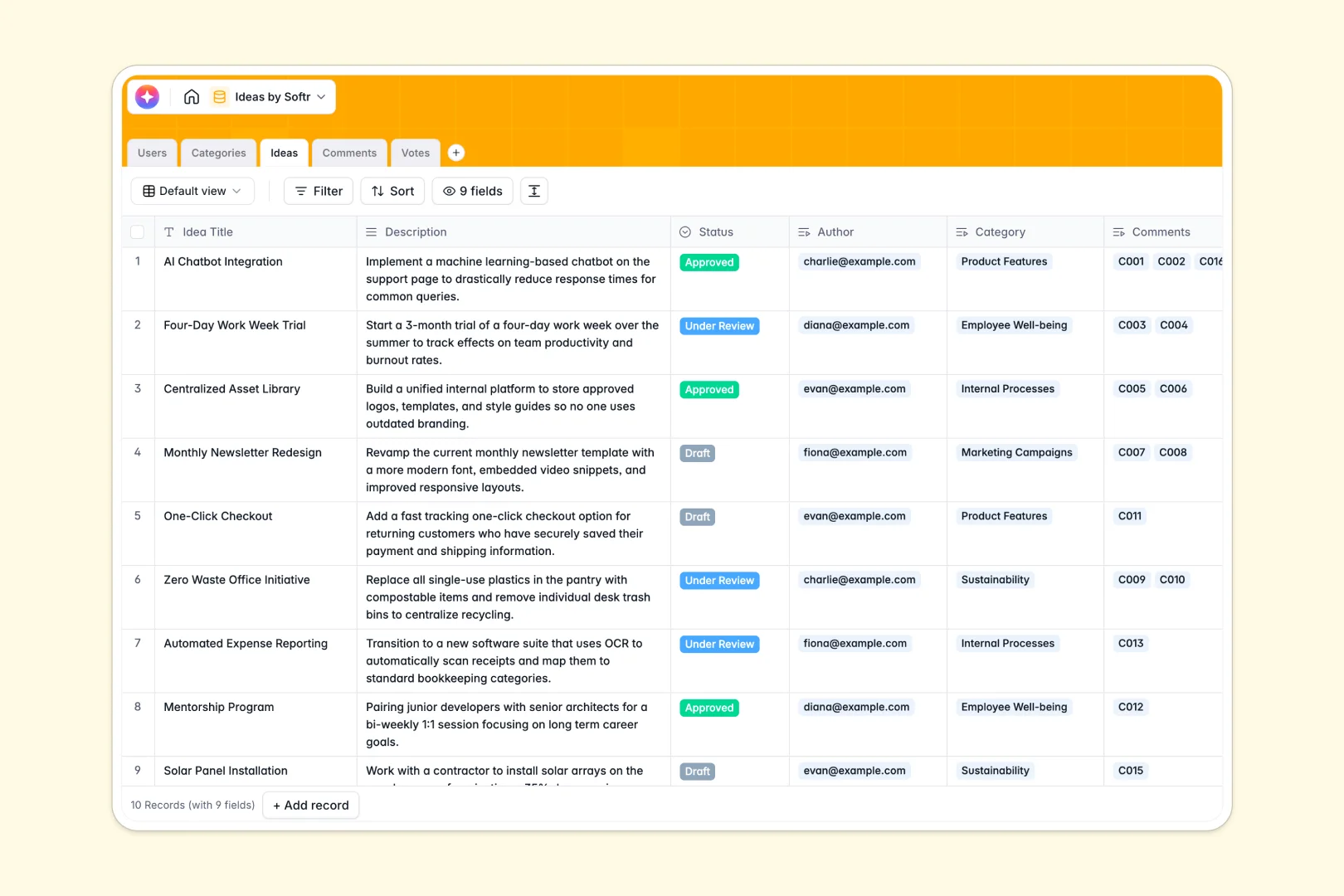
Your Ideas Database at a glance
This template gives you a structured system to capture, track, and prioritize suggestions across your organization. It ensures every concept gets reviewed and actioned without falling through the cracks.
It works by linking targeted tables like Users, Categories, and Ideas together. When someone submits a thought, you can easily connect their profile, add categorization, and track votes and comments in one unified view.
Built-in AI features automatically summarize long descriptions into quick elevator pitches. The system also reads incoming comments and instantly flags their sentiment, helping you gauge team alignment fast.
Why organizing ideas gets messy in Excel
Spreadsheets quickly become chaotic when multiple people are typing out long paragraphs, leaving feedback, and trying to vote on concepts in a single grid.
What a structured database changes
In a sheet, you can't easily link a user's profile to their suggestion or attach comments without creating a tangled web of unreadable cells. A structured system enforces clear column types, ensuring long text, statuses, and votes stay perfectly organized.
When you use Softr Databases, every suggestion becomes a distinct record seamlessly tied to categories, comments, and the users who submitted them. You avoid broken VLOOKUPs and keep your data clean as your list of submissions scales over time.
What you can do with this template
You can immediately start logging concepts with designated statuses like Draft, Under Review, or Approved to maintain momentum. Team members can upvote specific submissions, and the system handles the total tally for you automatically.
With built-in Database AI agents, this template also works on autopilot. It instantly drafts two-sentence elevator pitches from lengthy submissions and categorizes comment sentiment, saving you hours of manual review.
-
Users
Manage user profiles, platform roles, and member activity records
-
Categories
Organize suggestions into thematic groups with usage statistics
-
Ideas
Track submissions with status and AI-generated elevator pitches
-
Comments
Log feedback and use AI to automatically detect message sentiment
-
Votes
Record community engagement and popularity trends for each idea
Who is this Ideas Database for
This ready-to-use template helps teams collaboratively capture and refine concepts in a centralized space.
- Product Managers: Gather feature requests and prioritize roadmaps based on upvotes and direct feedback.
- HR Leads: Collect and review employee suggestions for workplace improvements or team-building activities.
- Innovation Teams: Keep track of experimental pitches and organize them by thematic categories effortlessly.
- Marketing Departments: Store campaign concepts, review drafts, and gauge peer sentiment before launching.
How to take it further
This template is built to adapt as your submission process evolves. You can easily customize fields by adjusting the status labels or adding new categories to fit your specific department's workflow.
If you already have a backlog of suggestions, you can import them instantly via CSV. This gets your historical data into a structured format so your team can start voting and commenting on day one.
When you are ready, you can move beyond internal data management and build an app to turn this into a company-wide portal. By adding a front-end interface, employees can log in, submit concepts, and engage with peers directly.
You can set specific permissions so contributors only edit their own submissions while reviewers can approve and update statuses across the board. This turns a straightforward database into a fully functional product management system.
-
1
-
2
-
3
-
4
Frequently asked questions
-
What is an ideas database?
-
Why use a no-code database to build an idea management system?
-
How can AI help managing data for ideas?
-
Can I build an app with this ideas database?
-
Is this Ideas Database template free?
-
Why is this database better than managing ideas in Excel?
Start building today. It's free!
Build and launch your first app in under 30 minutes.