


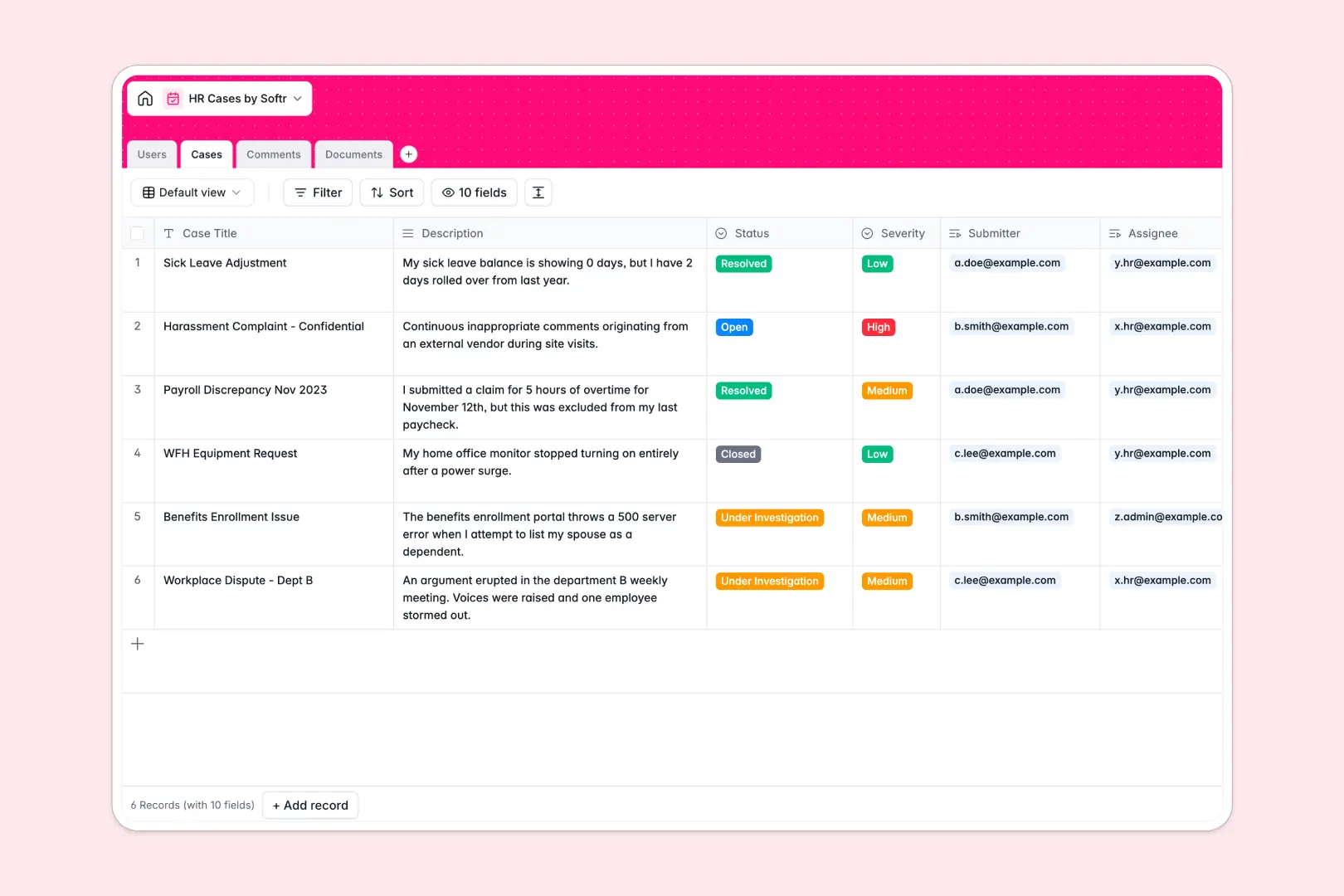
Your HR Cases Database at a glance
This HR Cases database gives you a secure, structured system to manage employee inquiries, grievances, and document requests. It replaces chaotic email threads and scattered spreadsheets with a single, clear source of truth.
The template connects four key tables: Cases, Users, Comments, and Documents. When an employee submits a case, you can instantly see the assigned HR specialist, all related file attachments, and a complete timeline of communications without jumping between tabs.
It also features built-in AI that automatically classifies the severity of incoming cases based on the description. When a case is closed, the AI reads the entire comment log and instantly generates a clear resolution summary for your records.
Why tracking HR cases in Excel breaks down
Managing sensitive employee grievances in spreadsheets quickly becomes a liability. Rows accidentally get deleted, cell histories are impossible to track, and attaching medical notes or sensitive files directly into a grid is clumsy and insecure.
What a structured database changes
In a relational system, your data actually behaves like real-world HR operations. A single employee record connects automatically to all their submitted cases, comments, and uploaded documents without writing a single fragile VLOOKUP formula.
This is exactly what Softr Databases are designed for. Every column has a strict type—status dropdowns stay consistent, dates represent exact timestamps, and file attachments are stored securely within the relevant case record.
What you can do with this template
You can centralize all grievance tracking while letting Database AI agents handle the tedious administrative work. The moment a new issue is logged, the system automatically grades its severity so your team knows exactly what to prioritize.
You can also maintain a pristine audit trail. Every comment, status update, and uploaded file is permanently linked to its specific case, ensuring you are always ready for compliance reviews or internal audits.
-
Users
Manage employee profiles, HR roles, and access across the case system
-
Cases
Track HR inquiries with AI-powered severity assessment and resolution summaries
-
Comments
Log communication history and updates between employees and HR staff
-
Documents
Store and organize sensitive case evidence, sick notes, and attachments
Who is this HR Cases database for
This template is built for teams that need to handle employee workloads securely and efficiently.
- HR Departments: Standardize how grievances are tracked, assigned, and resolved while keeping sensitive data structured.
- People Operations Managers: Monitor case severity trends and identify urgent workplace issues before they escalate.
- Employee Relations Specialists: Keep a clear, timestamped log of all communications and documents linked to a specific investigation.
How to take it further
You can easily customize this database to fit your company's exact HR policies. Modify the status dropdowns, add new columns for specific department tags, or adjust the AI prompts to match your specific summary requirements.
If you are migrating off an old system or an Excel tracker, you can import your existing cases via CSV. Your historical grievances and employee directories will map directly into the new structured tables.
Once your data is organized, you can easily build an app on top of this foundation. You could create a secure internal portal where employees log in to submit tickets and check the status of their requests.
By configuring users and permissions, you guarantee that employees only see their own submitted cases, while HR specialists can view and manage their assigned workloads.
-
1
-
2
-
3
-
4
Frequently asked questions
-
What is an HR cases database?
-
Why use a no-code database to build an HR tracking system?
-
How can AI help managing data for HR cases?
-
Can I build an app with this HR cases database?
-
Is this HR Cases database free?
-
How is an HR database different from Excel?
Start building today. It's free!
Build and launch your first app in under 30 minutes.