


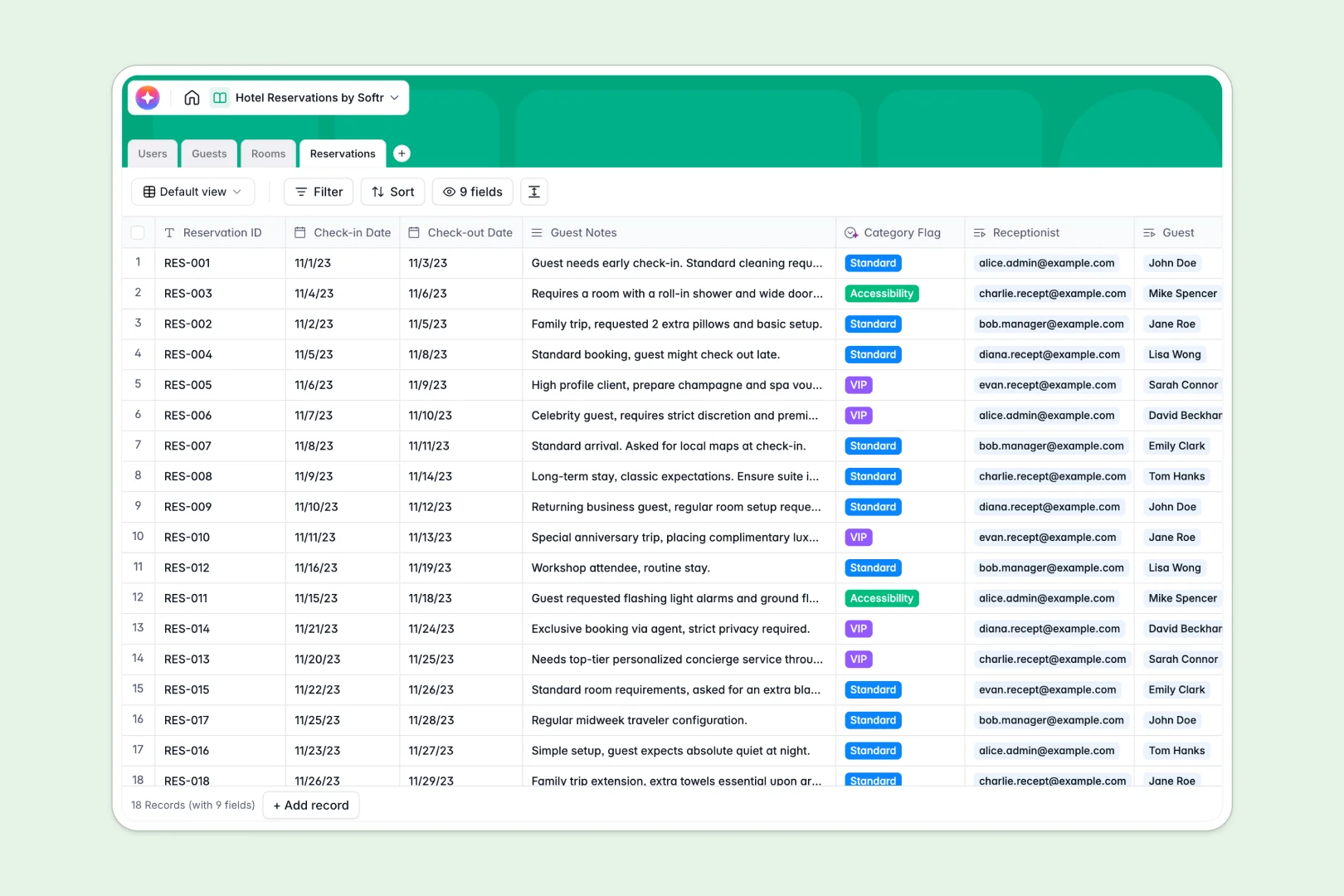
Your Hotel Reservations database at a glance
This template replaces scattered booking sheets with a single, reliable system to manage guests, rooms, and staff. You can see exactly which rooms are occupied and monitor upcoming check-ins at all times.
It works by connecting distinct tables for Guests, Rooms, and Reservations natively. When you book a room, it instantly links to the guest's profile and updates the room's availability status automatically.
Built-in AI features automatically track guest preferences based on booking history and write promotional marketing copy for specific room types. It even categorizes VIP or accessibility requests directly from your guest notes.
Why hotel reservations get messy in Excel
Running a hotel on spreadsheets usually means duplicate guest names, broken formulas, and the constant fear of double-booking a room.
What a structured database changes
In a database, a room is a distinct object that links directly to a guest and a specific timeline. You never have to copy-paste guest details across different rows or rely on fragile VLOOKUPs to see total spend.
This is exactly what Softr Databases are designed for. Every column has a strict format, meaning check-in dates remain searchable dates and nightly rates stay numbers, preventing costly clerical errors.
What you can do with this template
You get immediate visibility into your daily operations. Filter your available rooms by type, review staff assignments, and track high-value guests in seconds.
Thanks to native Database AI agents, the system works for you. It automatically tags special accessibility or VIP requests from guest notes and builds personalized profile summaries as bookings happen.
-
Users
Manage hotel staff profiles, roles, and reservation handling permissions
-
Guests
Store customer data and use AI to summarize individual guest preferences
-
Rooms
Track room availability and generate AI marketing copy for promotions
-
Reservations
Organize bookings with AI categorization of guests based on notes
Who is this Hotel Reservations database for
This system is built for hospitality teams that need reliable, up-to-date booking data to run their daily operations efficiently.
- Hotel Managers: Monitor daily occupancy rates, staff assignments, and overall guest value in one clear view.
- Front Desk Receptionists: Process check-ins quickly, review special guest notes, and assign available rooms without hesitation.
- Marketing Teams: Leverage AI-generated room descriptions based on live pricing to update promotional materials.
How to take it further
Customize this database to match your property's exact setup effortlessly. Add new room types to the select menus or adjust staff roles to securely fit your specific operational structure.
Start executing immediately by using the CSV import feature. You can pull in your existing guest lists and room inventories in bulk to make the system instantly useful for your staff.
When your team scales, you can easily connect an interface builder to turn this data into a secure front desk portal. This allows you to create custom dashboards where receptionists only see the specific reservations they are handling today.
With robust users and permissions, teams get the exact operational tools they need without modifying the underlying core database.
-
1
-
2
-
3
-
4
Frequently asked questions
-
What is a hotel reservations database?
-
Why use a no-code database to build a reservation tool?
-
How can AI help managing data for hotel reservations?
-
Can I build an app with this hotel reservations database?
-
Is this Hotel Reservations template free?
-
How does this template differ from Excel for hotel bookings?
Start building today. It's free!
Build and launch your first app in under 30 minutes.