


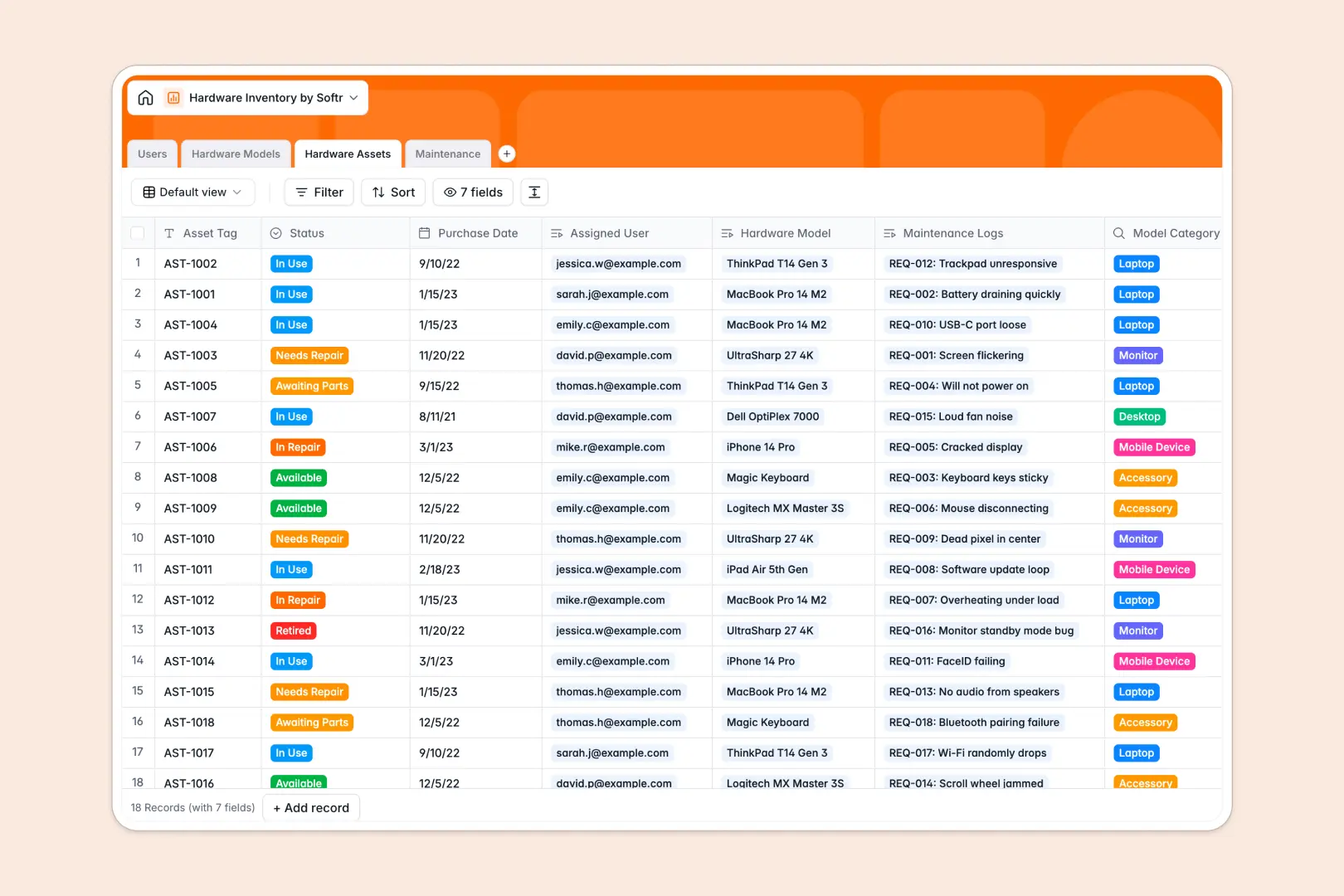
Your Hardware Inventory database at a glance
This template replaces messy spreadsheets with a connected system for tracking laptops, monitors, mobile devices, and the employees using them.
It seamlessly links specific hardware assets to their users while keeping a clear history of maintenance tickets. If a device breaks, you instantly know who has it, its base model, and its past issues.
Built-in AI automatically searches the web to summarize hardware specs in your catalog, and instantly generates step-by-step troubleshooting guides for every new maintenance request.
Why hardware inventory gets messy in Excel
Managing physical assets in Excel quickly turns into a nightmare of overwritten cells, duplicate serial numbers, and outdated employee assignments.
What a structured database changes
A smart system enforces clean data. Asset tags stay unique, purchase dates remain properly formatted, and equipment connects directly to employee profiles without fragile formulas.
When an employee leaves or reports a broken screen, you update one record instead of hunting across twelve different sheets to find the asset's history.
This is exactly what Softr Databases are designed for. Everything stays securely linked and organized as your company equipment grows.
What you can do with this template
Log specific hardware units, group them by model, and instantly see what status they are in—whether available, in use, or retired.
Track repair tickets seamlessly. Every maintenance log links directly back to the specific asset and the user who reported it.
Instead of manual Google searches, let Database AI agents automatically pull device specs into your catalog and suggest fixes when things break.
-
Users
Manage employee profiles, contact information, and assigned hardware assets
-
Hardware Models
Catalog hardware models with AI-generated technical specification summaries
-
Hardware Assets
Track individual hardware units using asset tags, status, and assignment logs
-
Maintenance
Manage repair logs using AI to generate step-by-step troubleshooting guides
Who is this Hardware Inventory database for
This template is designed for teams that need strict control over their physical equipment.
- IT Managers: Instantly track who holds which device and monitor repair statuses efficiently.
- HR Departments: Ensure new hires have the right equipment and manage returns effortlessly.
- Office Managers: Keep an accurate catalog of available monitors, laptops, and accessories to forecast ordering.
How to take it further
Make this database your own by customizing select fields. Tweak the hardware categories, add new maintenance statuses, or include extra columns for warranty contacts right away.
Skip manual data entry by uploading a CSV. You can instantly map your existing Excel rows or bulk-export from your MDM software directly into your new asset tables.
When your inventory system scales up, you can build an app to act as an employee IT portal. Instead of just a backend tool, give staff a secure interface to log their own repair requests.
Thanks to native users and permissions, IT staff can see and edit the entire catalog, while regular employees only behold the devices assigned to them. A solid database makes this app-building transition completely effortless.
-
1
-
2
-
3
-
4
Frequently asked questions
-
What is a hardware inventory database?
-
Why use a no-code database to build an IT equipment tool?
-
How can AI help manage data for hardware tracking?
-
Can I build an app with this hardware inventory database?
-
Is this Hardware Inventory template free?
-
How is this template better than tracking hardware in Excel?
Start building today. It's free!
Build and launch your first app in under 30 minutes.