


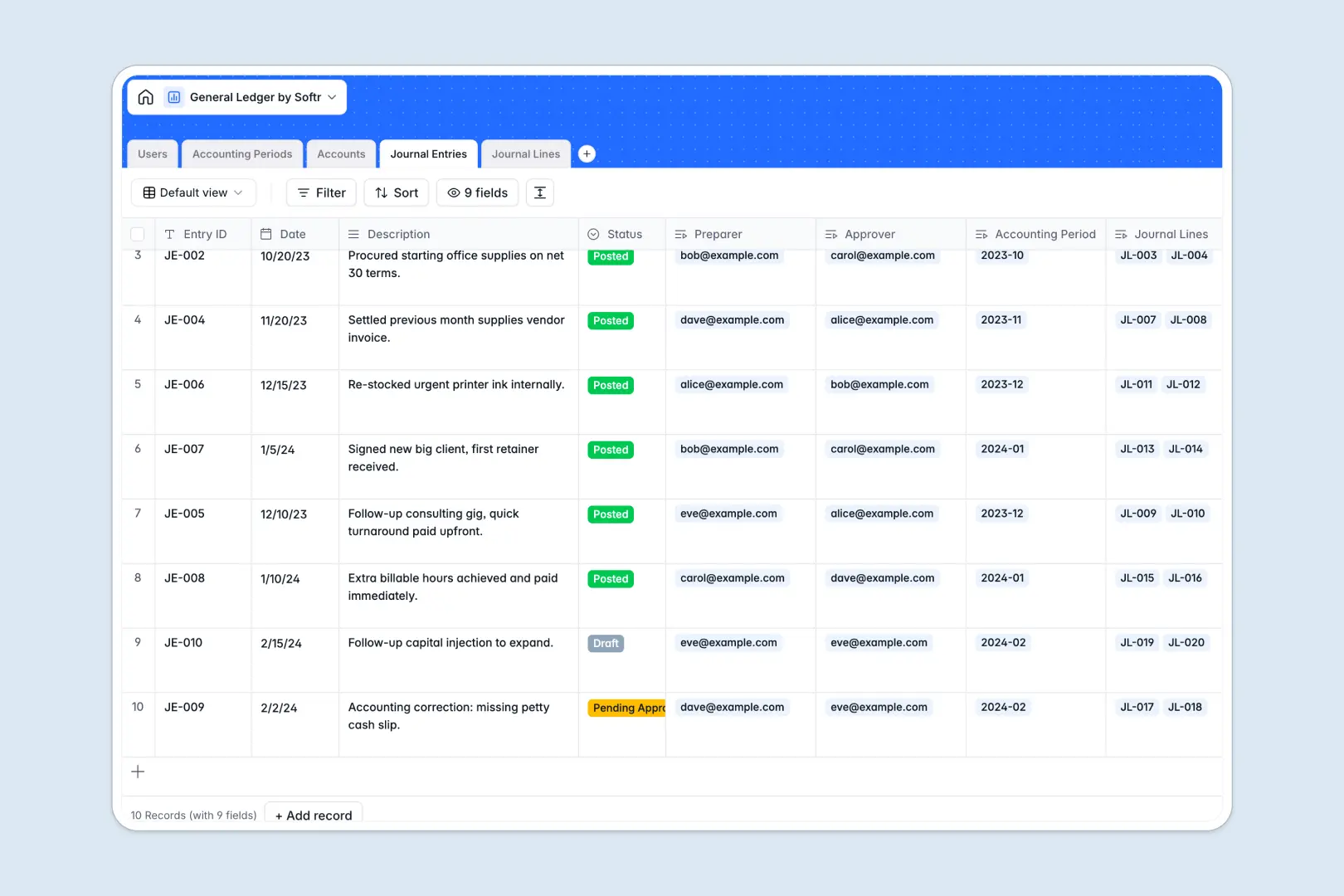
Your General Ledger database at a glance
This template securely tracks your chart of accounts, accounting periods, and multi-line journal entries natively. By centralizing the data, financial controllers can eliminate manual errors and keep books perfectly balanced.
It works by linking granular transaction lines to specific accounts while grouping them under master journal entries. Every entry is strictly tied to an open or closed financial period, ensuring precise compliance and tracking.
Built-in AI features automatically generate formal, audit-ready entry summaries. The template also categorizes individual line memos into tax, payroll, or operational intent automatically.
Why managing a general ledger gets messy in Excel
Excel sheets quickly become unmanageable when tracking complex debits, credits, and multi-period journals. Without strict rules, financial data easily breaks or becomes corrupted over time.
What a structured database changes
A real database enforces exact column types, ensuring currencies stay numbers and status updates are strictly controlled. You can connect transaction rows to specific accounts without relying on fragile formulas that snap during month-end.
This is exactly what Softr Databases are designed for. Following the principle of one table for one object, every journal entry and account stays perfectly organized as your company scales.
What you can do with this template
You can structure your complete chart of accounts and systematically enforce strict opening and closing of financial periods. Teams instantly gain a clear, accurate view of all total debits and credits rolling up seamlessly.
Our Database AI agents take the heavy lifting out of compliance. They automatically rewrite transaction details for audits and safely classify entry lines, turning passive data into an active financial system.
-
Users
Manage accounting staff and system admins with roles and entry permissions
-
Accounting Periods
Define and track financial timeframes for posting and validation control
-
Accounts
Organize the chart of accounts and use AI to summarize usage rules
-
Journal Entries
Record transaction headers with AI-generated formal audit explanations
-
Journal Lines
Detail debits and credits with AI-powered intent classification of memos
Who is this General Ledger database for
This system is built for finance teams and operators who need structured, error-free accounting right out of the box.
- Accountants: Balance entries across defined periods without manual spreadsheet reconciliations.
- Financial Controllers: Enforce strict approval workflows and maintain accurate chart of accounts easily.
- Bookkeepers: Draft and categorize multi-line journal transactions cleanly and efficiently.
- System Admins: Manage essential team roles and oversee exactly who prepares or approves entries.
How to take it further
To start, you can easily customize the template by adjusting your specific account types or renaming ledger statuses. Because it's a native database, adding new columns for specific tax codes or internal notes takes just seconds.
Next, connect to immediate value by uploading your historical journals. You can use bulk CSV imports or the API to effortlessly sync in your company's existing financial records.
When your team is ready, you can seamlessly build a full internal app around this data. Connecting a front-end portal allows you to separate preparers from approvers without exposing the raw backend tables.
By leveraging strict users and permissions, clerks only submit drafts while controllers hit approve. A well-organized, cleanly structured database makes developing these highly secure financial applications much simpler.
-
1
-
2
-
3
-
4
Frequently asked questions
-
What is a general ledger database?
-
Why use a no-code database to build a financial tracking tool?
-
How can AI help managing data for a general ledger?
-
Can I build an app with this general ledger database?
-
Is this General Ledger template free?
-
How is a general ledger database different from Excel?
Start building today. It's free!
Build and launch your first app in under 30 minutes.