


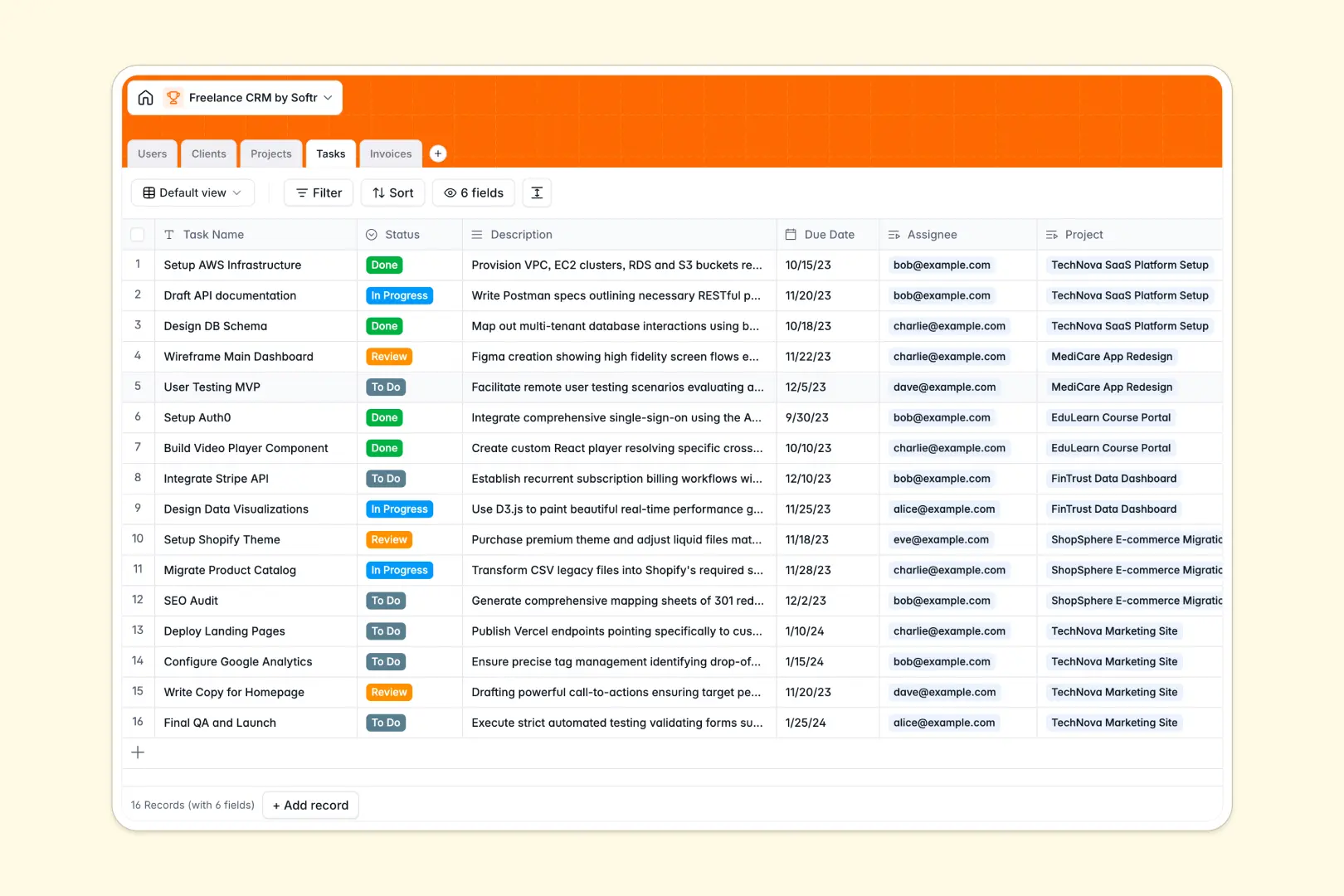
Your Freelance CRM Database at a glance
This ready-to-use database gives you a single source of truth for your entire freelance business. You can track everything from new leads to active deliverables and final payouts without losing important context.
The system works by cleanly connecting your Clients, Projects, Tasks, and Invoices tables. When you view a project, you instantly see the specific client it belongs to, who is working on it, and what invoices are pending.
Built-in AI features keep your data organized for you. AI automatically searches the web to summarize client businesses and distill lengthy project descriptions into actionable bullet points.
Why managing client relationships gets messy in Excel
Excel works fine for simple lists, but tracking clients, tasks, and unpaid invoices across separate tabs quickly turns into a chaotic mess. Formulas break, details get lost in scattered rows, and attaching files is practically impossible.
What a structured database changes
In a database, every column enforces a clear data type. Deadlines stay formatted as dates, statuses remain consistent, and PDFs like contracts are safely stored inside the record itself.
You can also seamlessly link an invoice directly to the related client or project. You never have to copy-paste the same email address across fifty different rows again.
This robust, scalable structure is exactly what Softr Databases are built to provide.
What you can do with this template
Say goodbye to manual data entry. Built-in Database AI agents automatically visit client web links to pull company summaries and categorize their industry for you.
You can instantly visualize your workflow, see exactly which tasks are overdue, and manage your billing pipeline—from draft to paid—in one reliable system.
-
Users
Manage team members and client accounts with roles and task assignments
-
Clients
Store client data with AI-powered industry classification and web summaries
-
Projects
Track project status and scope with AI-generated core objective summaries
-
Tasks
Organize project to-do items with due dates and team member assignments
-
Invoices
Monitor financial records with payment status and linked client billing
Who is this Freelance CRM Database for
This simple, robust setup is perfect for independent operators who need a professional system:
- Independent Consultants: Track active retainers, client details, and pending invoices in one clean dashboard.
- Freelance Designers: Manage project phases, task assignments, and attach design specs directly to client records.
- Agency Owners: Assign tasks to freelancers alongside clear project statuses and centralized billing workflows.
How to take it further
Customizing this database is incredibly easy. You can instantly rename task statuses, add a text field for recurring meeting notes, or modify your invoice stages to fit your exact current workflow.
Ready to transition from spreadsheets? You can bulk import your existing client list via CSV upload or use an API to automate data syncs in seconds.
When you are ready to give your clients a premium experience, you can build an app directly on top of this database.
Using native users and permissions, you can easily launch a secure portal where clients log in to download their own invoices and view project progress—without ever seeing your other clients' data.
-
1
-
2
-
3
-
4
Frequently asked questions
-
What is a Freelance CRM database?
-
Why use a no-code database to build a freelance CRM?
-
How can AI help managing data for freelance operations?
-
Can I build an app with this Freelance CRM database?
-
Is this Freelance CRM Database free?
-
How is a freelance CRM database different from Excel?
Start building today. It's free!
Build and launch your first app in under 30 minutes.