


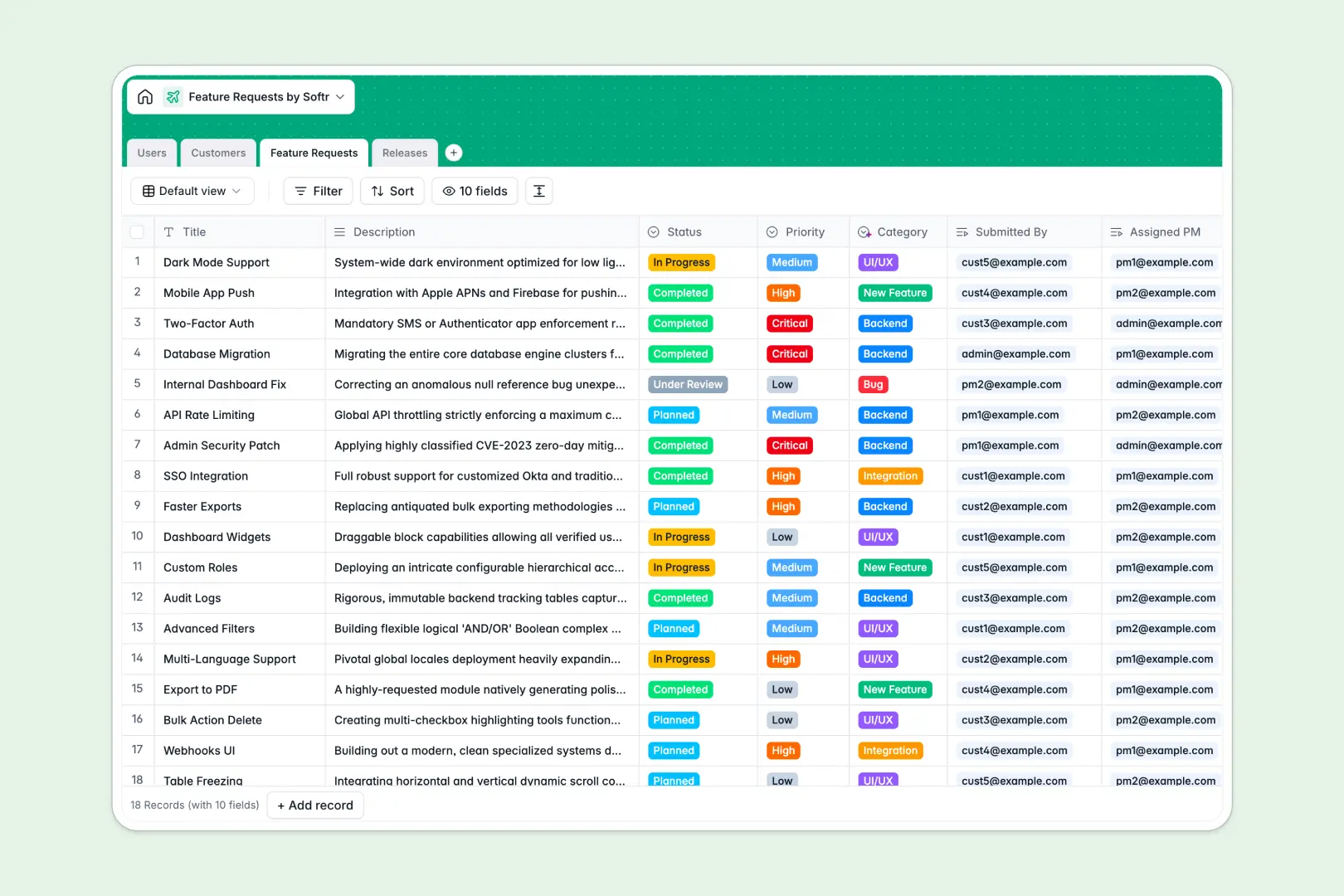
Your Feature Requests database at a glance
Track product ideas, bugs, and enhancements efficiently while keeping your product roadmap firmly aligned with customer needs.
This system natively connects product managers, customers, and specific feature requests. It allows you to group approved requests into upcoming product releases without relying on duplicate data entry.
Built-in AI automatically sorts new requests into categories based on their description, pulls corporate data directly from customer websites, and instantly drafts user-facing release notes.
Why tracking feature requests gets messy in Excel
As user feedback piles up, relying on spreadsheets quickly turns into scattered rows, hidden columns, and lost context.
What a structured database changes
Instead of using fragile VLOOKUPs to tie feature requests to customers and release dates, a database naturally connects related information. When a customer's domain or contact details update, every linked feature request reflects the change instantly.
This means you can finally maintain a reliable single source of truth for your product roadmap. This is exactly what Softr Databases are designed for—giving you the foundation to scale feedback collection without the typical chaos.
What you can do with this template
Stop manually sorting and organizing recurring user feedback. You can track every request from initial submission through to final release with clear statuses, priority levels, and assigned product managers in one clean view.
Thanks to native Database AI agents, this system practically manages itself. It automatically researches customer details, categorizes incoming requests by reading the raw description, and summarizes completed features into clean release notes.
-
Users
Manage system accounts, product manager roles, and track user-specific submissions
-
Customers
Store client organizations with AI-generated business summaries for better context
-
Feature Requests
Track product ideas and bugs using AI to automatically categorize each submission
-
Releases
Schedule product updates and generate AI-powered release notes based on features
Who is this Feature Requests database for
Built specifically for product teams and customer-facing departments who need a structured, reliable way to handle incoming feedback.
- Product Managers: Prioritize the request backlog, assign individual ownership, and bundle approved requests into upcoming releases.
- Customer Support: Log client feedback accurately and tie requests directly to specific customer accounts without manual cross-referencing.
- Engineering Leads: Review clearly categorized requirements and track the overall development status of new enhancements.
How to take it further
Start by customizing the database to fit your exact product workflow. You can easily modify the status dropdown options, add new priority levels, or adjust the AI prompts to better suit your industry's specific terminology.
Already have a massive backlog? You can import your existing CSV files to instantly populate your new tables and get right to work without losing any historical data.
When you're ready to scale your process, use an interface builder to turn this database into a robust external portal. By defining specific users and permissions, customers can securely log in to submit requests, while your internal team maintains complete oversight of the broader roadmap.
-
1
-
2
-
3
-
4
Frequently asked questions
-
What is a feature requests database?
-
Why use a no-code database to build a feature tracking tool?
-
How can AI help managing data for feature requests?
-
Can I build an app with a feature requests database?
-
Is this feature requests template free?
-
How is a feature requests database different from Excel?
Start building today. It's free!
Build and launch your first app in under 30 minutes.