


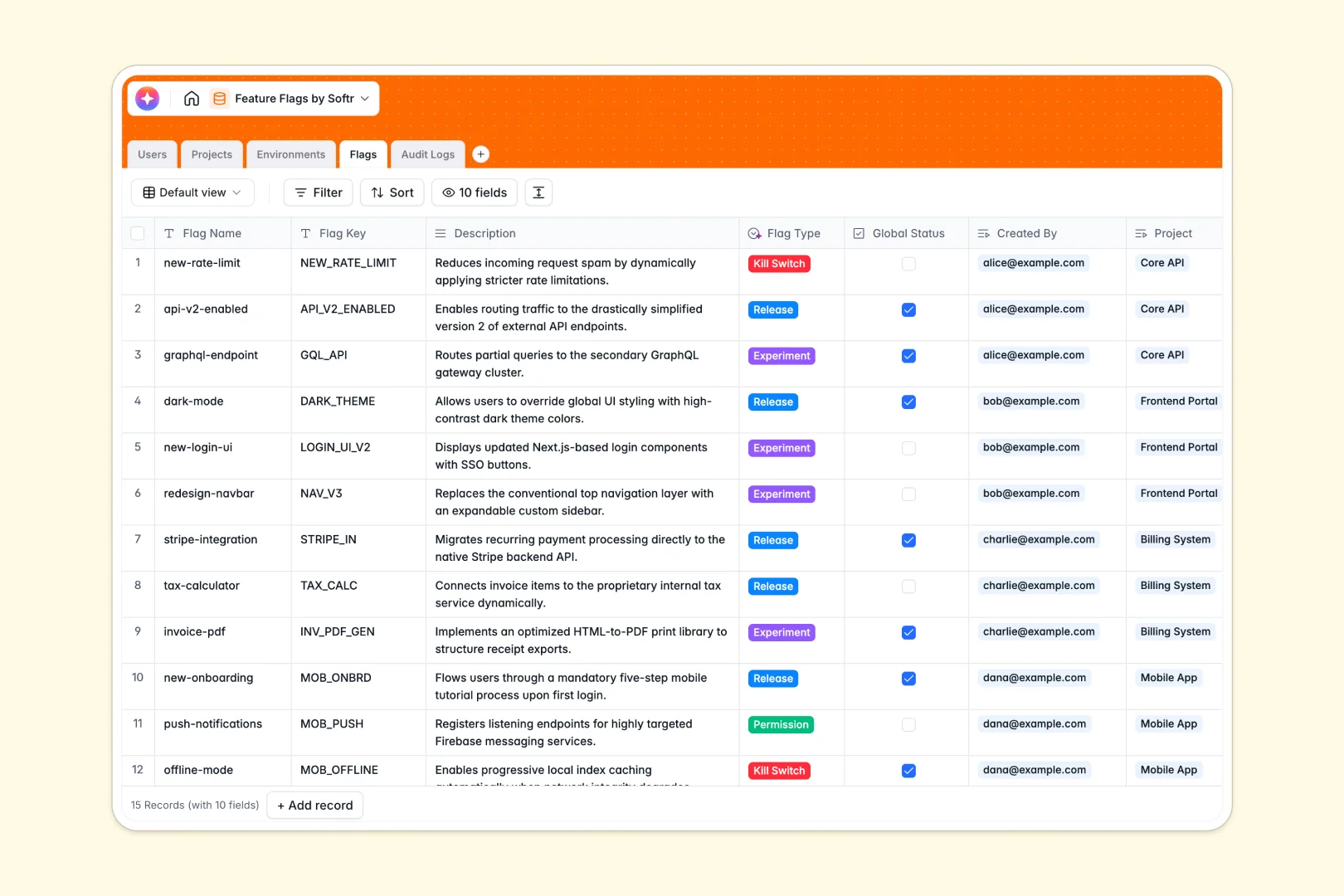
Your Feature Flags database at a glance
Track feature toggles, environment configurations, and release statuses across your software development lifecycle without messy spreadsheets. Keep product managers, developers, and team leads aligned on what is live.
Connect Flags directly to specific Projects and deployment Environments like Production or Staging. Every status change automatically associates with historical Audit Logs to ensure accountability.
Built-in AI automatically classifies flag types from descriptions and drafts project flag digests so everyone understands release readiness immediately.
When a toggle state drifts across shared workbooks
Tracking release toggles in an offline file inevitably leads to duplicated sheets, stale toggle statuses, and accidental production overrides when team members work from conflicting copies.
What a structured database changes
A structured database enforces clean field types and reliable relationships across your release process. Status checkboxes stay consistent, environments remain separated, and audit records link directly to the team member who made the update.
This single source of truth is exactly what Softr Databases are designed for. While you can connect an online Excel file to Softr, a dedicated database guarantees real-time accuracy and prevents broken lookup formulas.
What you can do with this template
Manage rollout risks by viewing flags grouped by project and environment instantly. Real-time audit logs give engineering leads a reliable record of every toggle flip.
Native Database AI agents categorize flag types such as Kill Switches or Experiments and generate executive summaries from technical descriptions automatically.
-
Users
Manage team members, permissions, access roles, and flag creation activity
-
Projects
Track software applications with deployment environments and AI flag summaries
-
Environments
Configure deployment environments, production statuses, and system API keys
-
Flags
Manage feature toggles with automated AI categorization and purpose digests
-
Audit Logs
Track historical flag modifications, status updates, and user action timelines
Who is this Feature Flags database for
Engineers, product leads, and operations teams needing structured control over application releases:
- Product Managers: Coordinate feature rollouts and track release flags without asking engineering for status updates.
- Engineering Teams: Maintain clean flag keys and API environments with full audit history for every toggle.
- Tech Leads & DevOps: Monitor active kill switches and experimental flags across production and staging environments.
- Software Agencies: Manage client-specific flag configurations and environment keys across multiple client projects.
How to take it further
1. Customize the database
Adapt the structure to fit your release cadence. Add custom flag types, adjust environment fields, or add linked tables for sprints and customer beta cohorts.
2. Import your existing data
Quickly bring in existing toggles using CSV import or connect external continuous integration pipelines via API to keep your database updated automatically.
3. Build a full app around it
Turn this database into an internal toggle management dashboard. Use the AI app generator to create the interface and business logic in one prompt, then refine it visually.
Set up custom users and permissions so developers can flip flags in staging while restricting production overrides to team admins.
-
1
-
2
-
3
-
4
Frequently asked questions
-
What is a feature flags database?
-
Why use a no-code database to build a feature flags tool?
-
How can AI help managing data for feature flags?
-
Can I build an app with this feature flags database?
-
Is this Feature Flags template free?
-
How is this database better than using a desktop file?
Start building today. It's free!
Build and launch your first app in under 30 minutes.