


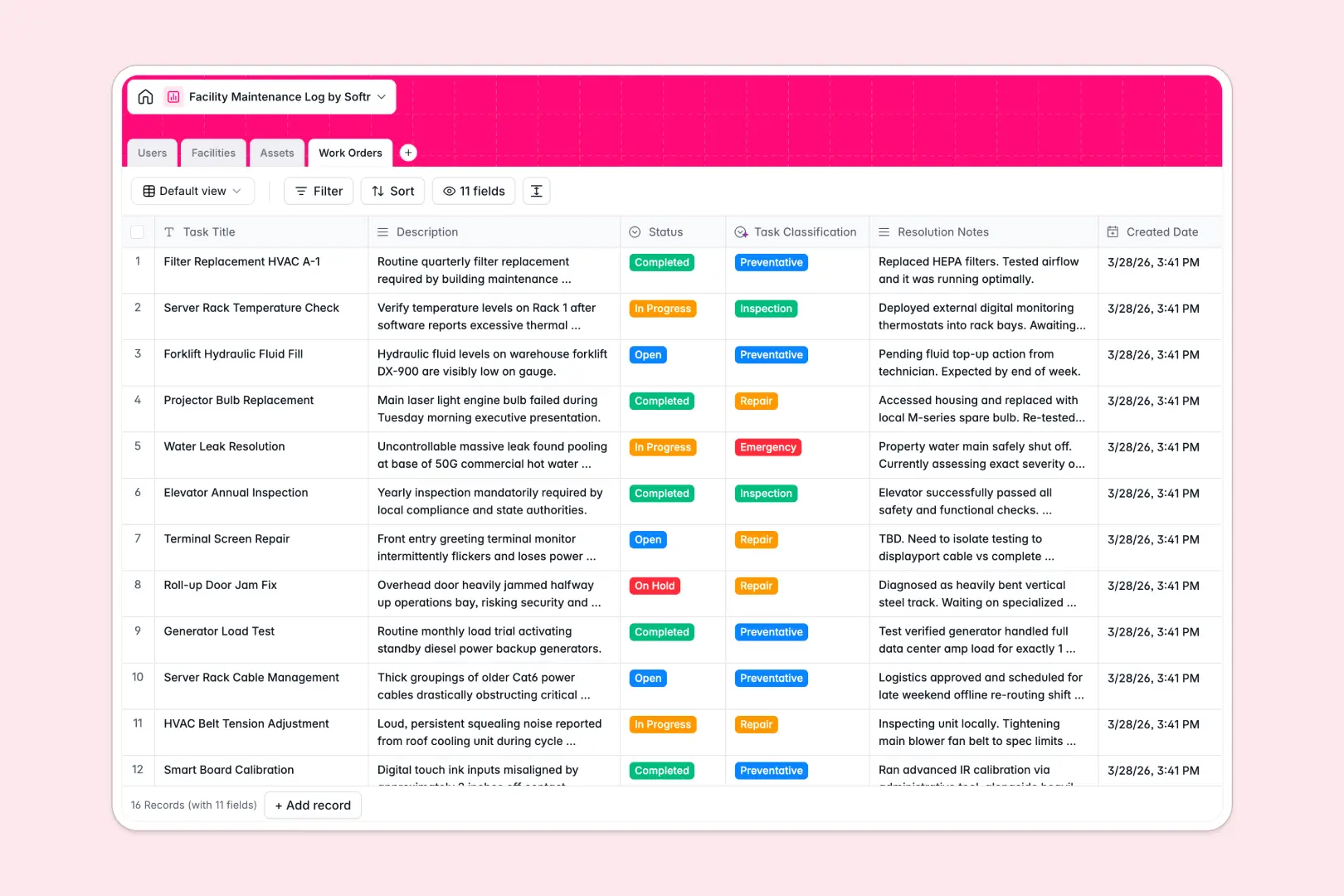
Your Facility Maintenance Log database at a glance
This template centralizes your physical locations, critical machinery, and maintenance tasks into a unified operational hub. It keeps facility managers, on-site technicians, and staff aligned on repairs and routine inspections.
Everything is connected through structured relational tables: Facilities house specific Assets, which tie directly to incoming Work Orders assigned to verified Users.
Native AI fields enrich asset records with technical specifications via live web search and automatically classify maintenance tickets based on incoming descriptions.
When field technicians need access without driving up seat costs
A dedicated maintenance log needs to be updated by dozens of technicians, inspectors, and facility managers across multiple sites. When every person logging a repair or closing a work order counts as an expensive paid collaborator, scaling maintenance operations becomes artificially restricted.
What changes with a database built for apps
Relational records are essential for maintenance tracking, but they deliver the most value when paired with interfaces and role-based permissions on a unified platform.
Instead of paying per user to log repairs, Softr Databases provide unlimited collaborators on all plans along with higher record capacities and faster API limits.
Technicians can update ticket statuses, upload completion photos, and view equipment history without exposing the entire backend database or paying seat penalties.
What you can do with this template
Assign incoming repair requests to technicians automatically and track asset health across buildings, floors, and rooms in real time.
With built-in Database AI agents, the database categorizes incoming tasks as emergency or routine and drafts executive summaries from technician resolution notes.
-
Users
Manage staff profiles, maintenance roles, and assigned work order schedules
-
Facilities
Track physical buildings, floor plans, blueprints, and location details
-
Assets
Monitor equipment status with AI-powered web search for specifications
-
Work Orders
Log repairs using AI for automated task classification and summaries
Who is this Facility Maintenance Log database for
This system is built for teams responsible for building upkeep, equipment uptime, and field service management:
- Facility Managers: Oversee preventative maintenance schedules, asset lifecycle statuses, and team workloads across multiple properties.
- Maintenance Technicians: Access assigned work orders, view equipment technical specifications, and submit completion notes from the field.
- Property Management Teams: Track repair requests across commercial spaces, residential units, and shared infrastructure components.
- Operations Leads: Monitor repair turnaround times, identify recurring asset failures, and manage vendor service schedules.
How to take it further
Customize this database by adding custom status stages to work orders, tracking parts inventory costs, or adding inspection checklists to specific asset categories. You can adapt any table or select options in seconds without technical expertise.
Import your existing historical logs, vendor directories, and equipment registers using CSV uploads or connect external business tools via API.
When ready, generate an app with AI in one prompt to turn this database into a dedicated maintenance portal. Configure granular users and permissions so technicians only see their assigned tasks on mobile while managers get full visibility across all facilities.
-
1
-
2
-
3
-
4
Frequently asked questions
-
What is a facility maintenance log database?
-
Why use a no-code database to build a facility maintenance system?
-
How can AI help managing data for facility maintenance?
-
Can I build an app with this facility maintenance log database?
-
Is this Facility Maintenance Log free?
-
How is this template different from an Airtable template?
Start building today. It's free!
Build and launch your first app in under 30 minutes.