


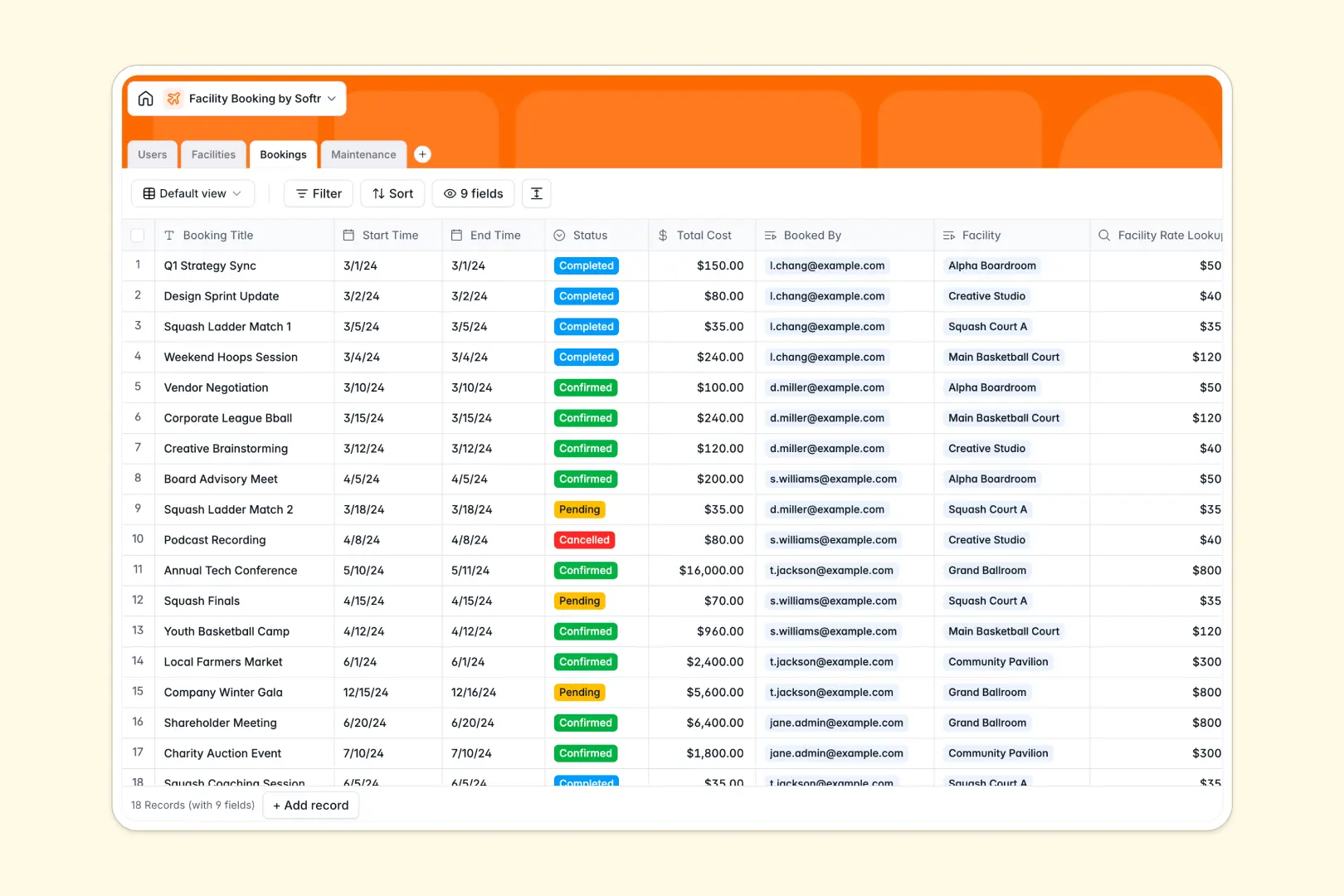
Your Facility Booking Database at a glance
This template gives you complete control over your bookable spaces, user reservations, and maintenance workflows in a single system. It ensures staff, members, and administrators always see the most accurate, up-to-date schedules.
The database connects four distinct tables: Users, Facilities, Bookings, and Maintenance. This relational structure means you can link a pending reservation directly to a meeting room and a specific user without copying and pasting information.
Built-in AI automatically drafts engaging facility descriptions by securely searching the web. It also summarizes booking statuses instantly and grades the urgency of newly submitted maintenance tickets based on the issue described.
Why facility booking gets messy in Excel
Tracking meeting rooms, sports courts, and maintenance schedules in a spreadsheet quickly turns chaotic. As rows multiply, you inevitably face mixed data formats, missing photo attachments, and disastrous double-bookings when multiple people edit the same file.
What a structured database changes
In a database, every piece of information has a strict format that protects your data integrity. Dates stay perfectly formatted as dates, facility photos attach effortlessly to their respective records, and hourly rates pull automatically when a space is reserved.
You can securely connect users, rooms, and repair logs together without writing a single fragile formula. This is exactly what Softr Databases are designed for, keeping your history spotless as your operations scale.
What you can do with this template
Instantly log reservations, track booking costs, and assign staff to maintenance jobs seamlessly. Everything is structurally connected to prevent conflicts and ensure your hourly rates are calculated accurately.
Thanks to Database AI agents, your operational logs can essentially manage themselves. The system instantly classifies maintenance urgency from a simple typed description, saving your facilities team valuable review time.
-
Users
Manage facility members, admins, and staff with contact details and roles
-
Facilities
Catalog of bookable spaces using AI to generate engaging amenity descriptions
-
Bookings
Track space reservations and costs using AI to summarize booking records
-
Maintenance
Monitor facility upkeep with AI-powered urgency assessment of reported issues
Who is this Facility Booking database for
This template is an ideal foundation for operators and team leads who need flawless scheduling.
- Office Managers: Track meeting room reservations and ensure collaborative spaces stay maintained.
- Community Centers: Manage sports court rentals, hourly rates, and member bookings easily.
- Event Venues: Schedule event halls, monitor pending booking requests, and track total costs.
- Operations Teams: Log and triage facility maintenance requests automatically before they escalate.
How to take it further
Customizing the database to fit your exact spaces is incredibly easy. You can quickly add new facility categories like "Auditoriums," define your own hourly rates, or update the status options for maintenance logs to match your daily workflow.
Bringing your historic operations over is just as simple. Use the CSV importer to bulk-upload your current list of users, ongoing repair tickets, and facility inventory in seconds so your team sees immediate value.
When your team is ready, you can transform this foundation into a full-stack portal where members can book rooms themselves. This combines your database, customized interfaces, and automated workflows into one seamless platform.
By leveraging users and permissions, you can ensure that members safely view only their own reservations, while staff access master schedules and maintenance duties. A properly structured database makes launching these portals significantly faster.
-
1
-
2
-
3
-
4
Frequently asked questions
-
What is a facility booking database?
-
Why use a no-code database to build a facility booking system?
-
How can AI help managing data for facility booking?
-
Can I build an app with this facility booking database?
-
Is this Facility Booking Database free?
-
Why are databases better than Excel for booking facilities?
Start building today. It's free!
Build and launch your first app in under 30 minutes.