


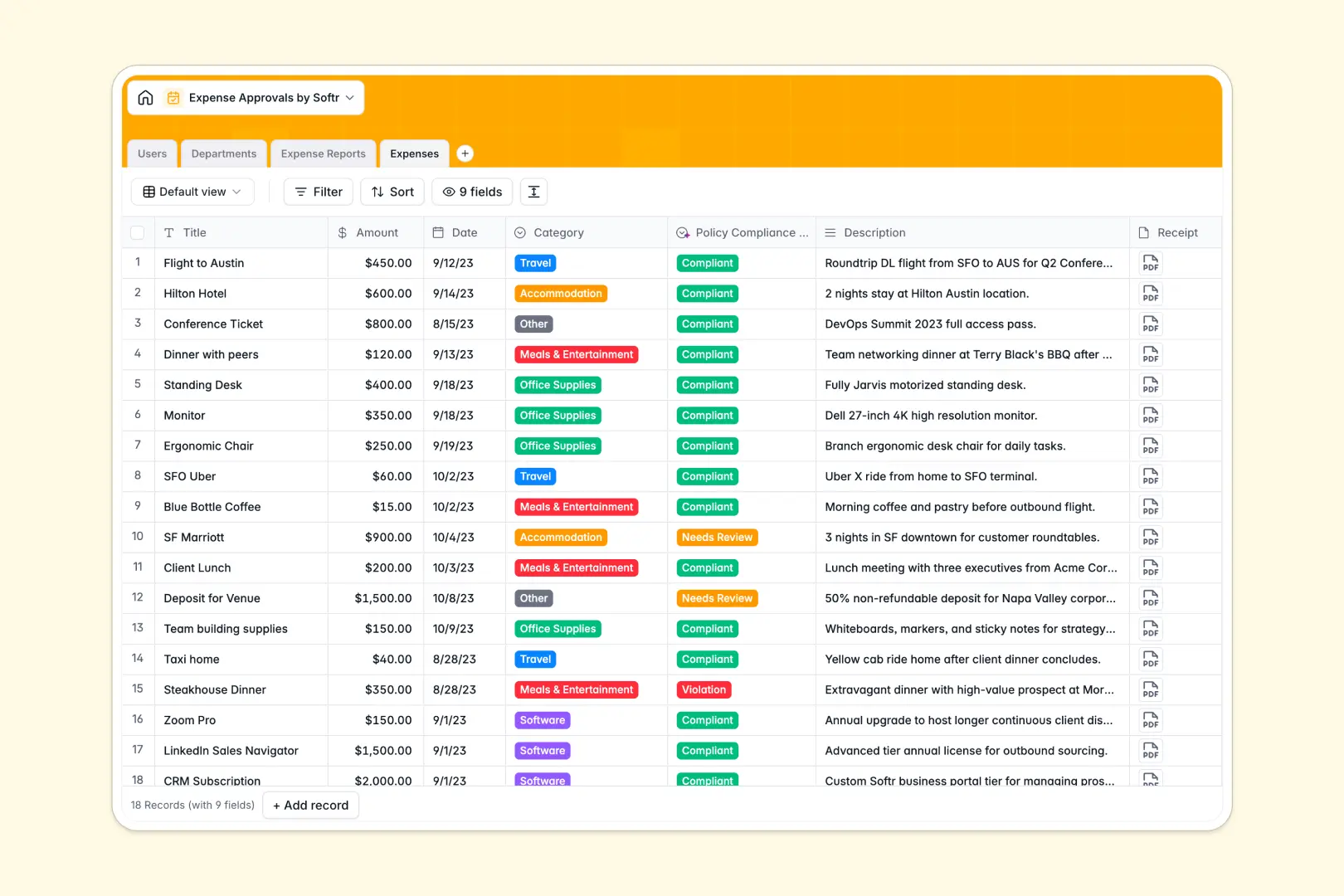
Your Expense Approvals Database at a glance
This template tracks individual receipts, consolidates reports, and manages department budgets in one unified system. It replaces messy email threads with a clean, centralized ledger for your finance and operations teams.
Users submit expenses that link directly to master reports, which then tie securely to specific managers and departments. As new expenses are approved, real-time rollups calculate your remaining department budgets automatically.
Built-in AI automatically summarizes entire reports for lightning-fast executive reviews. It also classifies individual receipts against your company policy constraints to flag violations instantly.
Why expense approvals get messy in Excel
Running employee reimbursements through spreadsheets means chasing down lost receipts, untangling broken VLOOKUPs, and dealing with disorganized currency formats.
What a structured database changes
Unlike flat spreadsheets, a structured database handles relationships naturally. You can link an individual meal receipt to a specific expense report, and attach that report directly to a department's budget tracker without fragile functions.
When a manager approves a report, the remaining budget updates instantly across your entire workspace. This is exactly what Softr Databases are designed for—giving your financial operations reliable structure as your team scales.
What you can do with this template
Easily track the status of multiple reports at once, clearly seeing what is still in Draft, Pending Approval, or Paid. Department heads get immediate visibility into their team's overall spending and remaining internal budgets.
Plus, you can leverage native Database AI agents to instantly flag policy violations and write executive summaries. This cuts down manual review time and helps your team process employee payouts faster.
-
Users
Manage employee profiles, hierarchy, and specific system access levels
-
Departments
Track organizational units with allocated budgets and linked managers
-
Expense Reports
Compile expenses with AI-powered executive summaries for faster approvals
-
Expenses
Log individual items using AI to classify automated policy compliance
Who is this Expense Approvals database for
This system is built for teams who need to scale their financial operations and completely eliminate manual receipt bottlenecks.
- Finance Teams: Maintain clear audit trails and monitor department budgets in real time.
- Department Managers: Review and approve consolidated reports quickly with automated AI summaries.
- Operations Leads: Enforce spending policies systematically without reading through every submitted receipt.
- Team Members: Get a reliable, structured way to upload out-of-pocket costs and track payout statuses.
How to take it further
Customize the database
You can easily tweak this template to fit your specialized accounting workflow. Modify the expense category dropdowns, or adjust the AI prompt to check against your company's highly specific compliance rules.
Import your existing data
Run a bulk CSV import to migrate your historical expenses and budgets into the system smoothly. You can also connect via API to sync payout statuses automatically from your core commercial banking tools.
Build a full app around it
When you are ready to scale, you can transform this data into a fully functional internal tool using a drag-and-drop interface builder. Create a dedicated employee portal where staff can securely log in to submit their own receipts.
By leveraging native users and permissions, you ensure individuals only see their personal expenses, while department heads view the broader ledger. Starting with a cleanly structured database makes launching this kind of secure portal effortless.
-
1
-
2
-
3
-
4
Frequently asked questions
-
What is an expense approvals database?
-
Why use a no-code database to build an expense management system?
-
How can AI help managing data for expense approvals?
-
Can I build an app with an expense approvals database?
-
Is this Expense Approvals database free?
-
How is this database different from tracking expenses in Excel?
Start building today. It's free!
Build and launch your first app in under 30 minutes.