


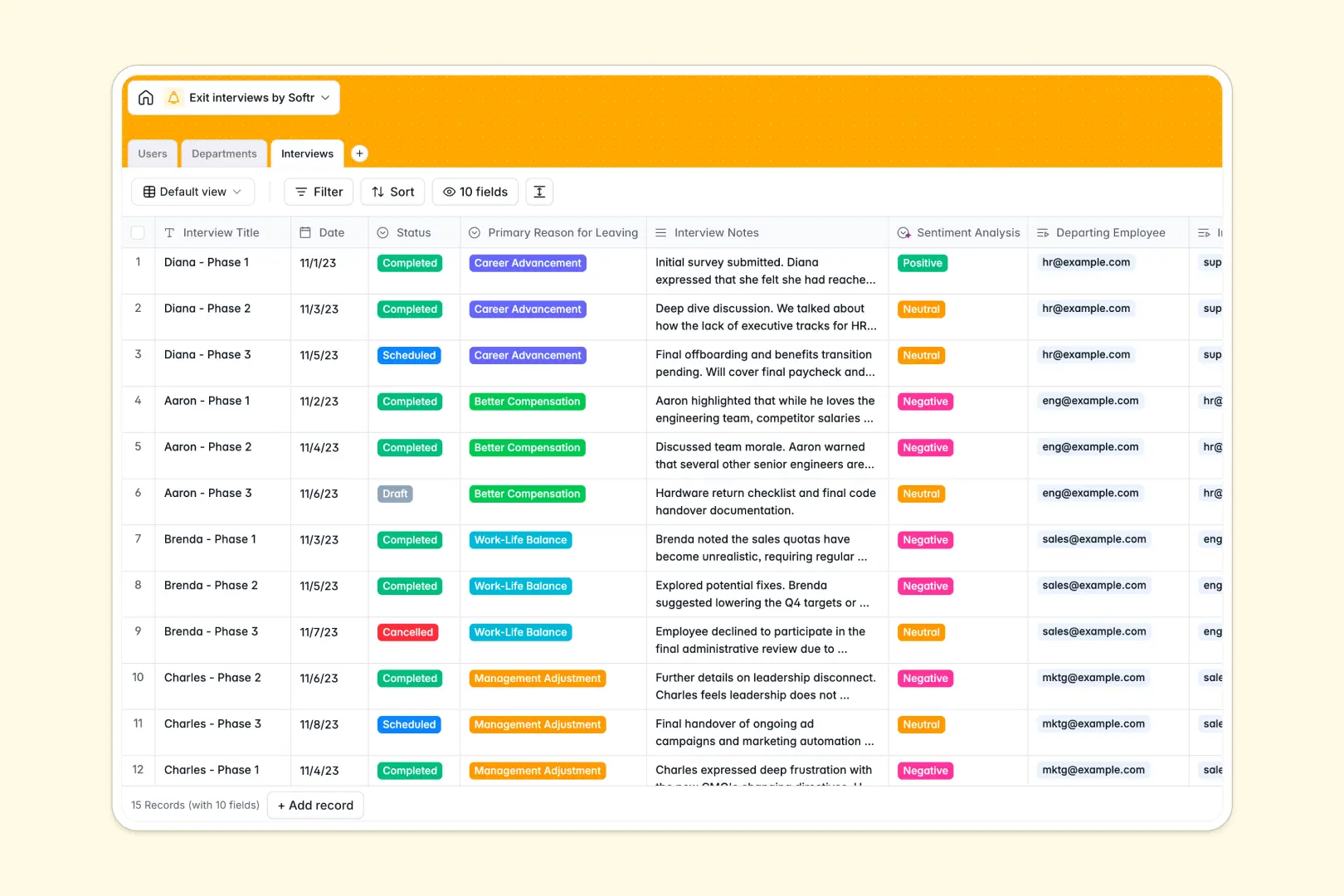
Your Exit Interviews database at a glance
Securely track departing employee feedback and turn qualitative notes into actionable retention insights.
Three connected tables seamlessly link your users to their respective departments and structured interview records.
Built-in AI automatically analyzes sentiment from raw interview notes and extracts key takeaways, saving HR teams hours of manual review.
Why tracking exit interviews gets messy in Excel
Spreadsheets force you to cram highly sensitive HR data, long interview paragraphs, and employee details into endless, unreadable rows.
What a structured database changes
A true relational system keeps information perfectly organized by inherently linking interview logs to the right departments and staff members. You never have to copy and paste user emails or department names across multiple sheets.
This structure ensures sensitive data remains clean and scalable as your company grows. This is exactly what Softr Databases are designed for.
What you can do with this template
Easily log primary leaving reasons, track interview statuses from draft to completed, and measure departmental headcount changes.
Native Database AI agents act on your data instantly. As soon as you log interview notes, the system automatically categorizes the sentiment and extracts a concise summary of takeaways.
-
Users
Manage employee profiles, including roles, contact info, and linked interviews
-
Departments
Organize company branches to monitor department-specific turnover and headcount
-
Interviews
Log feedback and leverage AI to extract key takeaways and analyze sentiment
Who is this Exit Interviews database for
This template is built for teams looking to standardize their offboarding process.
- HR Teams: Standardize offboarding feedback and effortlessly spot patterns in why employees resign.
- Department Managers: Monitor turnover rates within specific branches without digging through raw HR files.
- People Operations: Prioritize immediate cultural improvements based on clear, aggregated feedback.
How to take it further
Customize the database to match your exact company structure. You can easily modify the select fields to add custom departure reasons or map out new organizational departments.
Import your existing employee directory instantly. Simply upload a CSV to automatically populate your user records and align them with historical interview data.
When you are ready, you can easily use the interface builder to turn this database into a secure HR portal. By setting up strict users and permissions, you ensure managers only see aggregate metrics while HR retains full access to sensitive logs.
-
1
-
2
-
3
-
4
Frequently asked questions
-
What is an exit interviews database?
-
Why use a no-code database to build an exit interview tool?
-
How can AI help managing data for exit interviews?
-
Can I build an app with this exit interviews database?
-
Is this Exit Interviews free?
-
How is an exit interviews database different from Excel?
Start building today. It's free!
Build and launch your first app in under 30 minutes.