


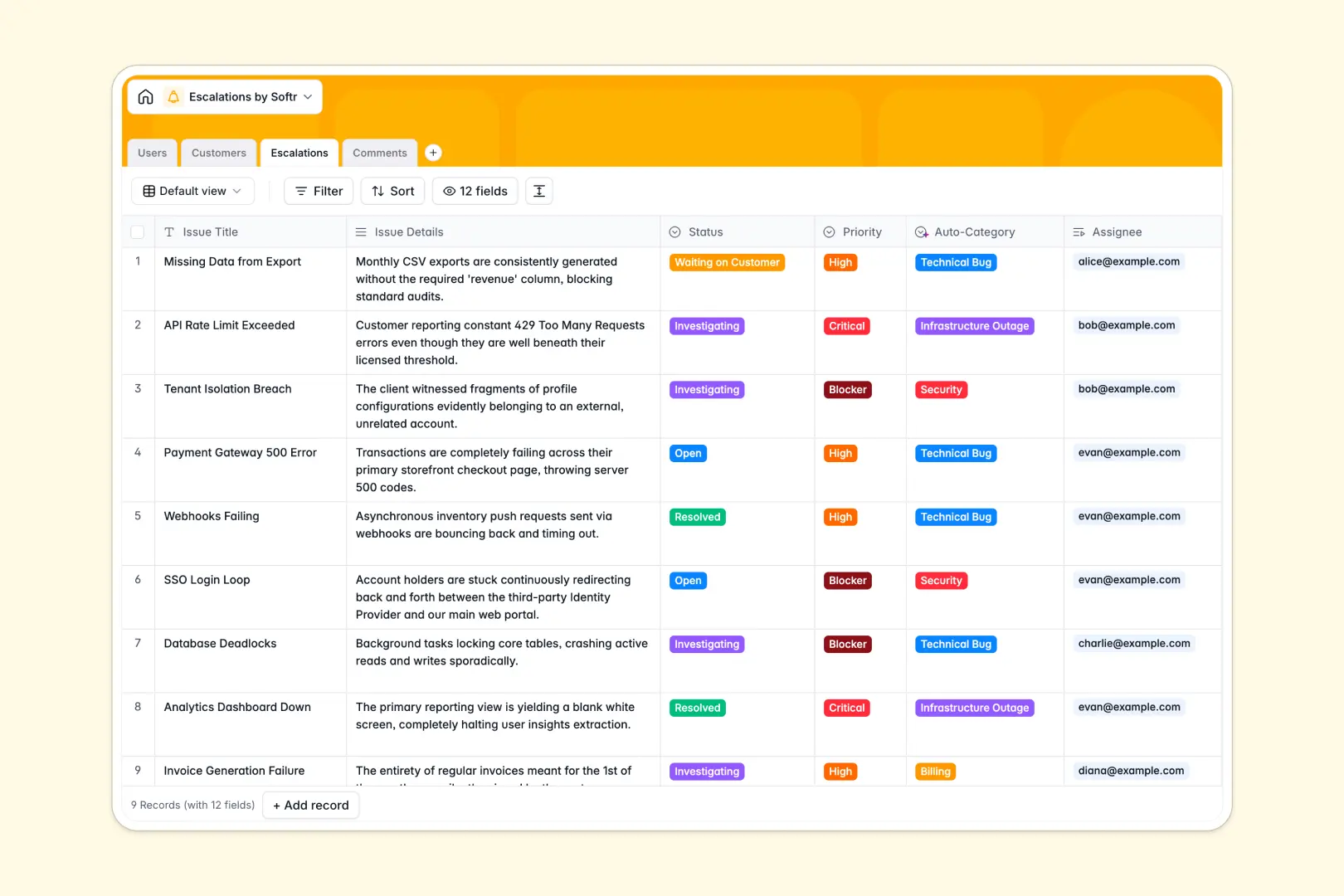
Your Escalations Database at a glance
This template provides a clear, centralized system to track, manage, and resolve critical support issues. It keeps your support agents, engineers, and managers perfectly aligned on every high-priority ticket.
The database connects everything automatically. Every escalation is linked directly to specific customers, assigned team members, and a live log of update comments so context is never lost.
Built-in AI tools automatically categorize new issues and summarize resolution updates natively. They will even research customer websites to highlight the true business impact of an ongoing bug.
Why tracking escalations in Excel breaks down
When critical issues strike, managing escalations in a spreadsheet quickly turns into a messy, unreliable process. Formulas break, critical update logs get mixed up, and finding the latest status across hundreds of rows becomes impossible.
What a structured database changes
In a proper system, every column has a strict purpose that cannot be accidentally overwritten. Statuses stay strictly as dropdowns, update logs stay neatly organized, and customers are linked instantly without fragile VLOOKUPs.
Instead of copy-pasting customer details across rows, you link records effortlessly. This is exactly what Softr Databases are specifically designed for, ensuring your data stays perfectly clean as your company scales.
What you can do with this template
You can immediately track open tickets, prioritize critical blockers, and maintain a complete, readable history of internal resolution comments. Everyone sees exactly who is handling what without asking around in Slack.
Your database works for you automatically as new tickets arrive. Seamless AI automations can instantly read a ticket's details and categorize it as a billing issue or infrastructure outage, saving manual triage time.
-
Users
Maintain a system directory of staff handling issues and access levels
-
Customers
Manage client profiles with AI-generated business overviews and impact context
-
Escalations
Track critical tickets using AI for auto-categorization and resolution summaries
-
Comments
Log investigative updates and collaborative notes linked to specific tickets
Who is this Escalations Database for
This system is built for teams that need to resolve high-priority customer issues efficiently and accurately.
- Support Managers: Track active blockers and ensure tickets route automatically to the correct engineers.
- Engineering Teams: Access complete issue context and automated customer impact data in one exact view.
- Customer Success: Monitor the live status of critical technical escalations to keep enterprise clients informed.
How to take it further
Because this is a native system, you have complete freedom to customize the structure on day one. You can easily modify the status dropdowns, add priority levels, or create new fields to track resolution times.
Getting started is effortless and instantly valuable. You can quickly import your historical escalation logs via CSV, or use the API to sync live tickets straight from your main helpdesk tool.
When your team is ready, you can seamlessly build a full internal app directly on top of this database. You could create a secure internal portal where engineers log updates and managers view live performance dashboards.
By leveraging users and permissions, you can confidently ensure that support agents only see their assigned tickets. A well-structured database makes launching these custom security portals wildly fast.
-
1
-
2
-
3
-
4
Frequently asked questions
-
What is an escalations database?
-
Why use a no-code database to build an escalations tool?
-
How can AI help managing data for escalations?
-
Can I build an app with an escalations database?
-
Is this escalations template free?
-
How is an escalations database different from Excel?
Start building today. It's free!
Build and launch your first app in under 30 minutes.