


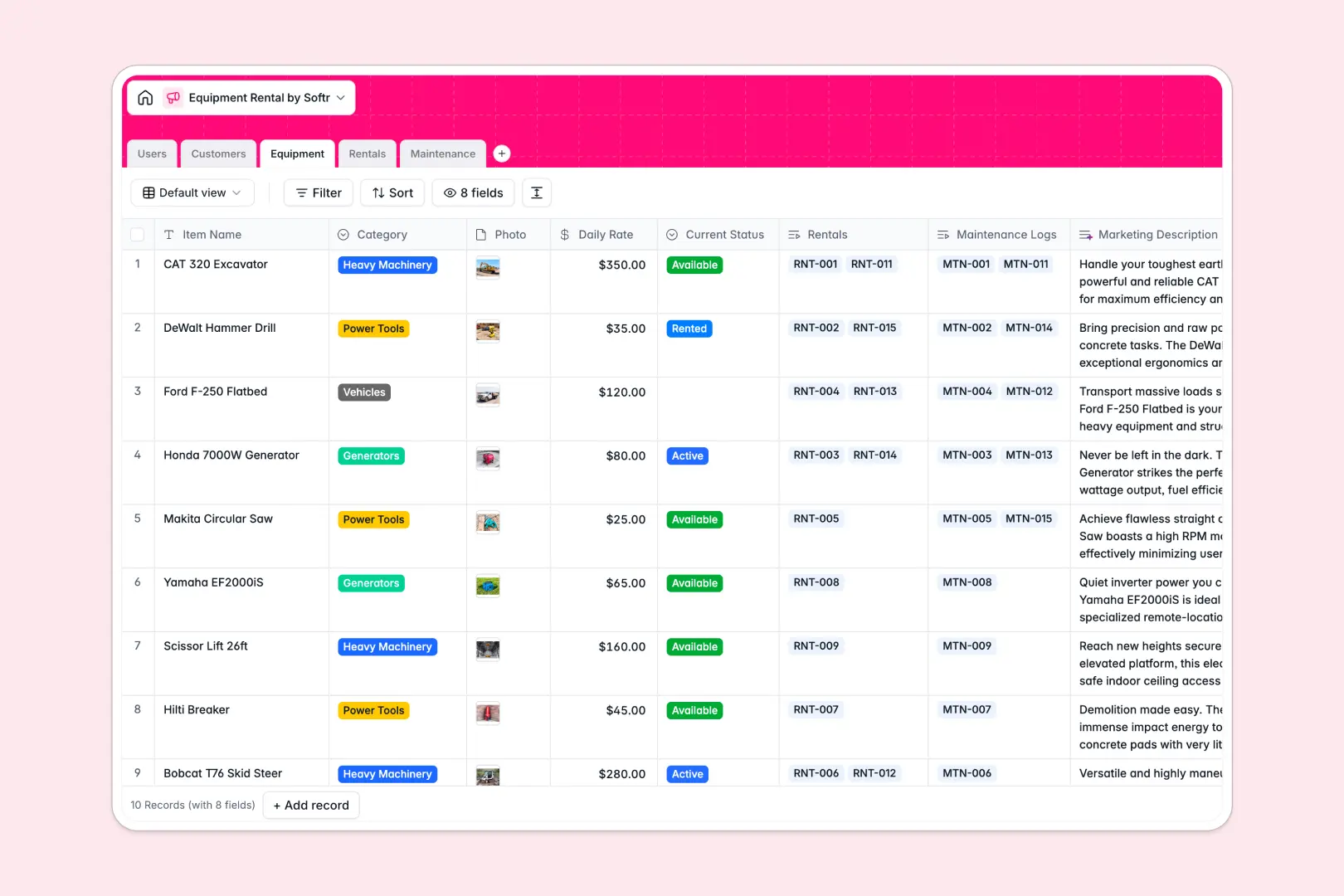
Your Equipment Rental database at a glance
This template replaces messy spreadsheets with a robust system to track your inventory, active rentals, and maintenance operations. Experience real-time visibility into what is available and who actively has it.
It natively connects your Customers, Equipment, Rentals, and Maintenance records. When machinery is assigned to a contract, the workflow stays tightly organized without copying and pasting across rows.
Built-in AI fields instantly generate marketing descriptions for items and classify maintenance urgency strictly based on recorded issue descriptions.
Why equipment rentals get messy in Excel
Tracking active rentals, overdue return dates, and newly damaged machinery across endless spreadsheet columns quickly turns into a logistical, error-prone mess.
What a structured database changes
In a spreadsheet, an overdue rental or a broken power tool is remarkably easy to overlook when hidden in a long list. Structured systems natively enforce rules, ensuring a piece of equipment cannot accidentally be double-booked.
Connecting a repeat customer to a new contract or tracking maintenance costs against a specific vehicle becomes truly effortless. This is exactly what Softr Databases are intelligently designed for, giving you a scalable foundation.
What you can do with this template
Get a clear, immediate view of all expected return dates and track the specific total servicing costs of any heavy machinery.
You can also automatically enrich your operational workflow natively using Database AI agents. Just log an issue description, and the agent instantly classifies the urgency to prioritize your technicians.
-
Users
Manage internal staff roles, contact details, and assigned work logs
-
Customers
Store client data and use AI to research and summarize industry profiles
-
Equipment
List inventory and use AI to generate professional marketing descriptions
-
Rentals
Track rental contracts, active statuses, and total costs per customer
-
Maintenance
Log repairs and apply AI to classify urgency based on issue severity
Who is this Equipment Rental database for
This database is purposefully built for businesses leasing physical assets that need absolute control over their operational catalog.
- Equipment Rental Shops: Keep machinery organized and accurately track current availability effortlessly.
- Operations Managers: Monitor daily rental rates, active contracts, and expected return dates to forecast revenues.
- Service Technicians: Log rapid repair updates and service costs to keep tools safe and functional.
How to take it further
Customize this database flawlessly to perfectly match your specific rental categories or unique pricing models. It takes seconds to natively add new workflow statuses or tweak AI generation prompts to better suit your business.
If you are already tracking heavy rentals in a spreadsheet, simply import your existing customer lists and equipment logs in bulk via CSV. You securely hit the ground running with zero data loss.
When your team is entirely ready, you can start effortlessly building interfaces to create a fully customized internal portal. Turn your straightforward database into a powerful app where technicians can distinctly log repairs directly from their mobile phones.
You can even give your external customers controlled dashboard access to securely view their specific past rentals. Properly configuring users and permissions makes securely sharing records incredibly easy.
-
1
-
2
-
3
-
4
Frequently asked questions
-
What is an equipment rental database?
-
Why use a no-code database to build an equipment rental tool?
-
How can AI help managing data for equipment rentals?
-
Can I build an app with this equipment rental database?
-
Is this Equipment Rental database free?
-
How is an equipment rental database different from Excel?
Start building today. It's free!
Build and launch your first app in under 30 minutes.