


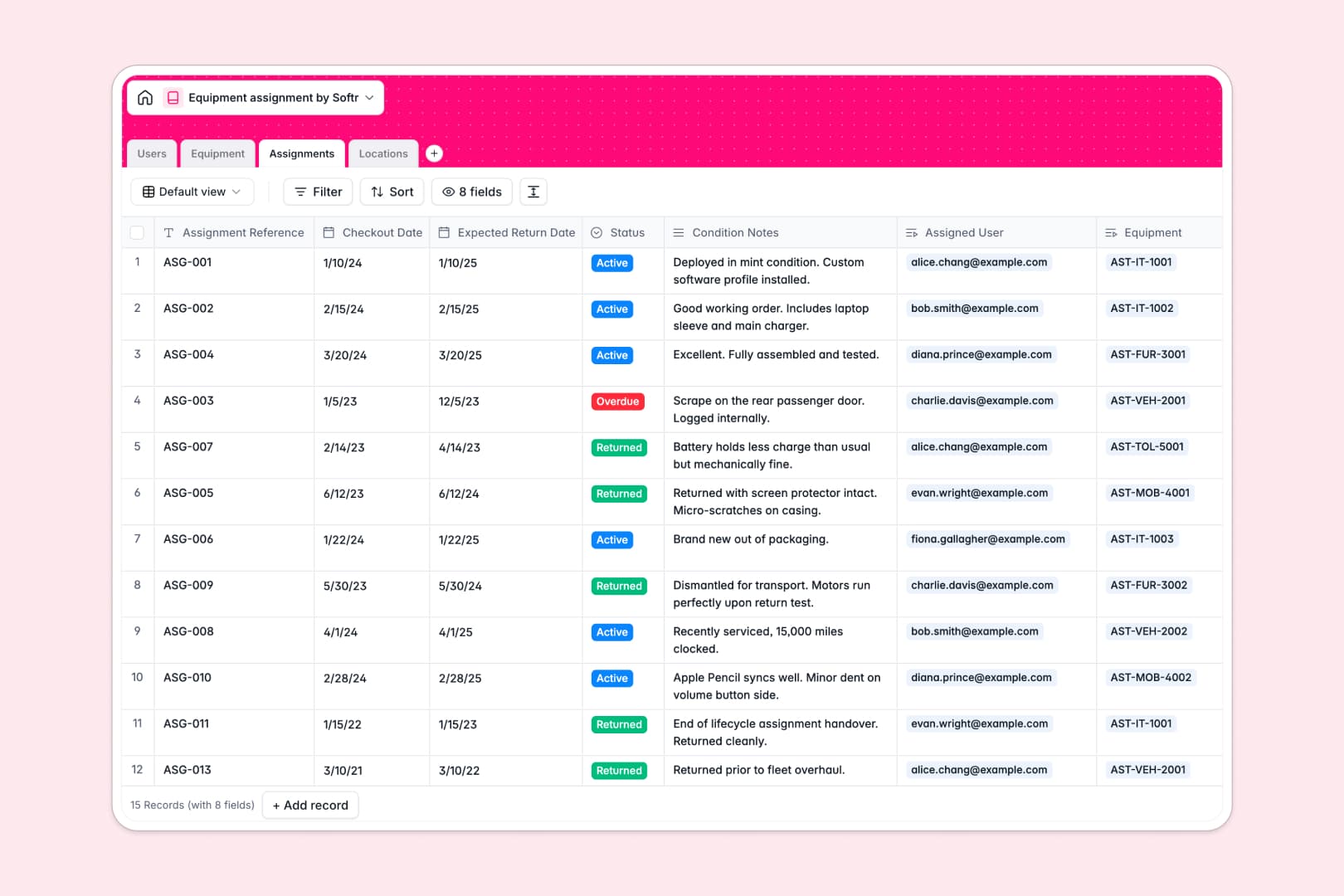
Your Equipment Assignment database at a glance
This template lets you track every asset, monitor its condition, and know exactly who has it in real time. It eliminates the blind spots that come with manual inventory tracking.
It features connected tables for Users, Equipment, Assignments, and Locations. When a user borrows an item, the assignment links directly to the physical asset and updates the inventory count automatically.
Instead of manually writing specs, built-in AI automatically researches and drafts technical equipment descriptions. It also generates clear assignment summaries based on checkout statuses and condition notes.
Why equipment assignment gets messy in Excel
Tracking expensive gear across multiple departments and locations in spreadsheets quickly turns into a disaster. As your inventory grows, rows get accidentally deleted and tracking who has what becomes a fragmented mess.
What a structured database changes
A structured system enforces clear data types, ensuring dates stay as dates and statuses like "Assigned" or "Maintenance" remain locked. You never have to worry about mixed data breaking your records.
Instead of fragile VLOOKUPs, related records link a single piece of equipment to its exact location and assignee automatically. This is exactly what Softr Databases are designed for.
Inventory counts update instantly through rollups without requiring complex macros. You can finally scale your asset management without spreadsheet chaos.
What you can do with this template
Log checkouts, monitor overdue returns, and track asset depreciation values in one centralized view.
You can instantly see active assignment counts per employee or verify exactly what equipment is stored at each physical location.
Thanks to built-in automations, you can effortlessly pull manufacturer specifications from the web just by entering an asset name.
-
Users
Manage staff members with contact info, roles, and linked asset assignments
-
Equipment
Track asset inventory with AI-generated technical specs and status updates
-
Assignments
Log asset checkouts using AI to summarize return status and conditions
-
Locations
Organize physical offices and storage sites with total inventory counts
Who is this Equipment Assignment database for
This system is built for teams that need strict accountability over physical assets.
- IT Departments: Track laptops and mobile devices to ensure secure onboarding and offboarding.
- Operations Managers: Monitor tools and vehicles across multiple physical locations effortlessly.
- Office Administrators: Keep tabs on expensive furniture and office gear to prevent loss.
How to take it further
You can easily customize this database to fit your exact operational needs. Add new categories for your specific assets or adjust the condition status fields in seconds.
Bring your existing spreadsheets directly into the system using a quick CSV import. You can also connect via API to sync assets straight from your external purchasing software.
When you are ready, you can transform this raw tracking data into a secure internal portal. By utilizing users and permissions, you can confidently allow staff to request gear while admins manage final approvals.
A well-organized database makes building your custom app effortless and completely connected.
-
1
-
2
-
3
-
4
Frequently asked questions
-
What is an equipment assignment database?
-
Why use a no-code database to build an equipment tracking system?
-
How can AI help managing data for equipment assignments?
-
Can I build an app with this equipment assignment database?
-
Is this template free?
-
How does this database differ from an Excel spreadsheet?
Start building today. It's free!
Build and launch your first app in under 30 minutes.