


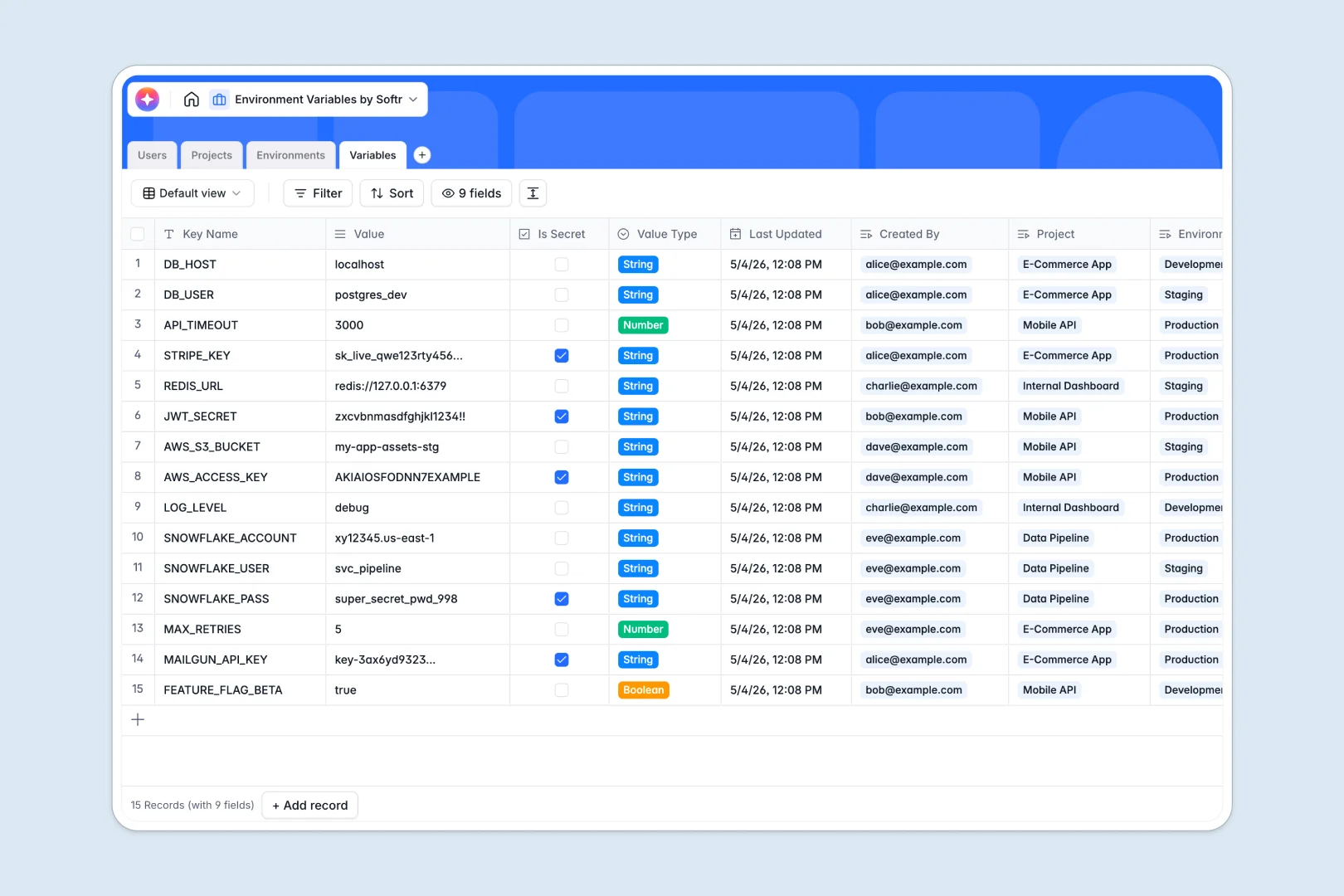
Your Environment Variables database at a glance
This template centralizes configuration settings across staging and production without sharing sensitive values over email. It keeps every key organized, auditable, and linked directly to the right application.
Four dedicated tables structure your setup: Projects define the core repositories, Environments set deployment targets like Staging or Production, Variables store the key-value pairs with secret flags, and Users manage ownership and roles.
Built-in AI auto-generates documentation explaining what each variable controls and drafts concise summaries for every project as details are entered.
When production keys get emailed in detached workbooks
Tracking server configurations in standalone spreadsheets usually leads to leaked credentials, duplicated tabs, and stale files floating across local drives.
What a structured database changes
In a traditional workbook, emailing a file exposes every production secret to anyone with the link. Renaming a key in one tab breaks lookups in another, leaving teams unsure which values are live.
A dedicated database enforces strict types for every field, links variables directly to environments, and protects secret values behind controlled views. This is exactly what Softr Databases are designed for.
While Softr can connect an online Excel file stored in the cloud as a live data source, running your configs in a native database prevents accidental overrides and keeps data structured.
What you can do with this template
Link variables directly to specific security levels and environments so staging configs never collide with production tokens.
Integrated Database AI agents automatically document technical key names into plain-English explanations and tally total variable counts per project in real time.
-
Users
Manage team members, permissions, and assigned project configurations
-
Projects
Track applications, code repositories, and generate AI project summaries
-
Environments
Define deployment targets, stages, and context-based security levels
-
Variables
Store config keys, values, and generate automatic AI documentation
Who is this Environment Variables database for
This template helps engineering teams and technical operators manage app settings without messy spreadsheets.
- DevOps Engineers: Maintain standardized environments and track security levels across infrastructure targets.
- Engineering Leads: Oversee project configurations, variable counts, and repository mappings in one dashboard.
- Software Developers: Document new config keys and inspect environment values without requesting direct server access.
How to take it further
1. Customize the database
Tailor the structure to match your deployment pipeline by adding custom environments or adjusting the Value Type choices to include YAML or binary paths. You can also add audit tags to monitor upcoming secret rotations.
2. Import your existing data
Bring in existing `.env` files or export lists instantly using the built-in CSV import tool. You can also connect your deployment scripts via API to automatically sync new config variables whenever repos update.
3. Build a full app around it
When your team needs a clean interface instead of a raw backend, you can build an app directly on top of this database. Use Softr's AI Co-Builder to turn your schema into an internal config portal with a single prompt.
Set up strict users and permissions so viewers only see non-secret staging variables while admins manage production credentials safely.
-
1
-
2
-
3
-
4
Frequently asked questions
-
What is an environment variables database?
-
Why use a no-code database to build an environment variables manager?
-
How can AI help managing data for environment variables?
-
Can I build an app with this environment variables database?
-
How is an environment variables database different from Excel?
-
Is this Environment Variables database template free?
Start building today. It's free!
Build and launch your first app in under 30 minutes.