


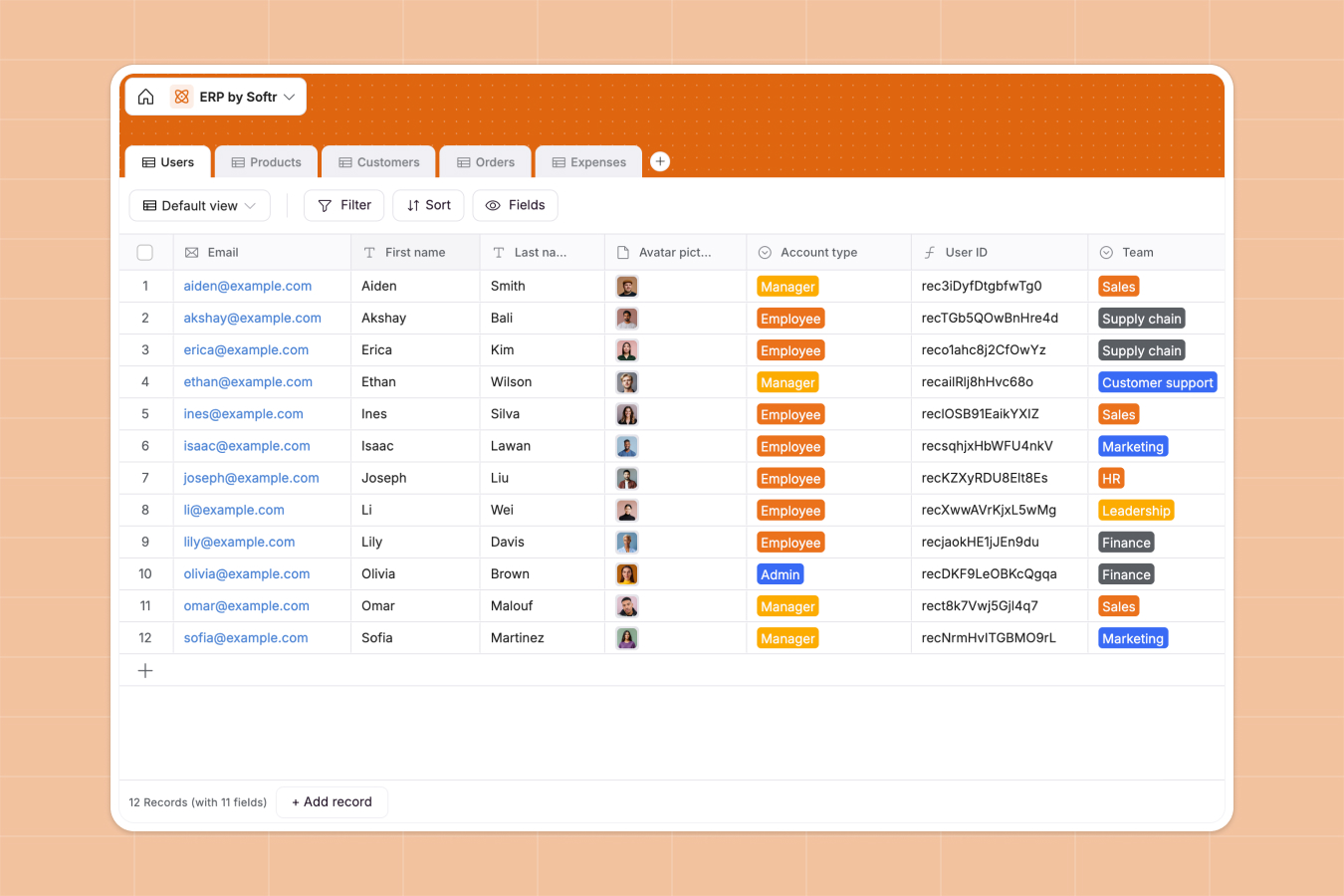
Your Enterprise Resource Planning (ERP) Database at a glance
This template centralizes your core business operations—from HR and inventory to sales and finance—into a single source of truth. It allows you to track employees, stock levels, customer orders, and company expenses in real time without scattered files.
The database connects your critical data using relational tables. Orders link directly to Customers and Products, automatically updating stock values, while Expenses are tied to specific Users and teams for accurate budget tracking.
Why enterprise resource planning in Excel breaks down
Trying to run an entire company on spreadsheets creates chaos as soon as you scale beyond a few employees or products. Data gets trapped in separate tabs, inventory counts drift out of sync with sales, and manual copying leads to costly errors.
What a structured database changes
A structured database replaces fragile formulas with solid connections. Instead of using complex VLOOKUPs to match orders to customers, you simply link records together. This ensures clear data types—currency stays currency and dates stay dates—keeping your financial data reliable.
This is exactly what Softr Databases are designed for. They provide the structure needed to enforce data integrity across your entire operation, ensuring that a "Product ID" or "User ID" is always unique and consistent.
What you can do with this template
You can track total revenue per customer automatically using rollups, giving you instant insight into your most valuable accounts. It also allows you to calculate the real-time value of your inventory based on current stock levels and unit prices.
With Database AI agents, you can automate manual work, such as categorizing new expenses or summarizing complex order details instantly.
-
Users
Manage employee profiles, contact details, team roles and internal access
-
Products
Track product inventory, categorized pricing and real-time stock levels
-
Customers
Manage client business data, locations, and total revenue aggregation
-
Orders
Monitor sales transactions from submission to payment and invoice generation
-
Expenses
Audit business spending across categories with linked user documentation
Who is this Enterprise Resource Planning (ERP) database for
This system is designed for growing teams that need to move operations out of spreadsheets:
- Operations Managers: Track inventory levels, product categories, and supply chain logistics in one view.
- Finance Teams: Monitor expenses by category and track invoice status without chasing receipts.
- HR Departments: Manage employee records, contracts, and team assignments securely.
- Small Business Owners: Get a holistic view of revenue, sales pipeline, and company health instantly.
How to take it further
1. Customize the database
You can easily adapt this template to your specific workflows. For example, add new options to the "Expense Category" field or create a custom formula to calculate commissions based on order amounts.
2. Import your existing data
Don't start from scratch—upload your existing lists of products, customers, and employees via CSV. This lets you migrate from static files to a dynamic system in minutes.
3. Build a full app around it
Once your data is structured, you can use Softr's interface builder to create secure portals. You could build an internal dashboard where employees log their own expenses or a private portal for customers to view their order status.
By helping you manage users and permissions, Softr turns your database into a secure app where specific teams (like Sales or HR) only access the data relevant to their role.
-
1
-
2
-
3
-
4
Frequently asked questions
-
What is an ERP database?
-
Why use a no-code database for ERP instead of Excel?
-
How can AI help manage ERP data?
-
Can I build an app with this ERP database?
-
Is this ERP template free?
-
How does this template handle inventory tracking?
Start building today. It's free!
Build and launch your first app in under 30 minutes.