


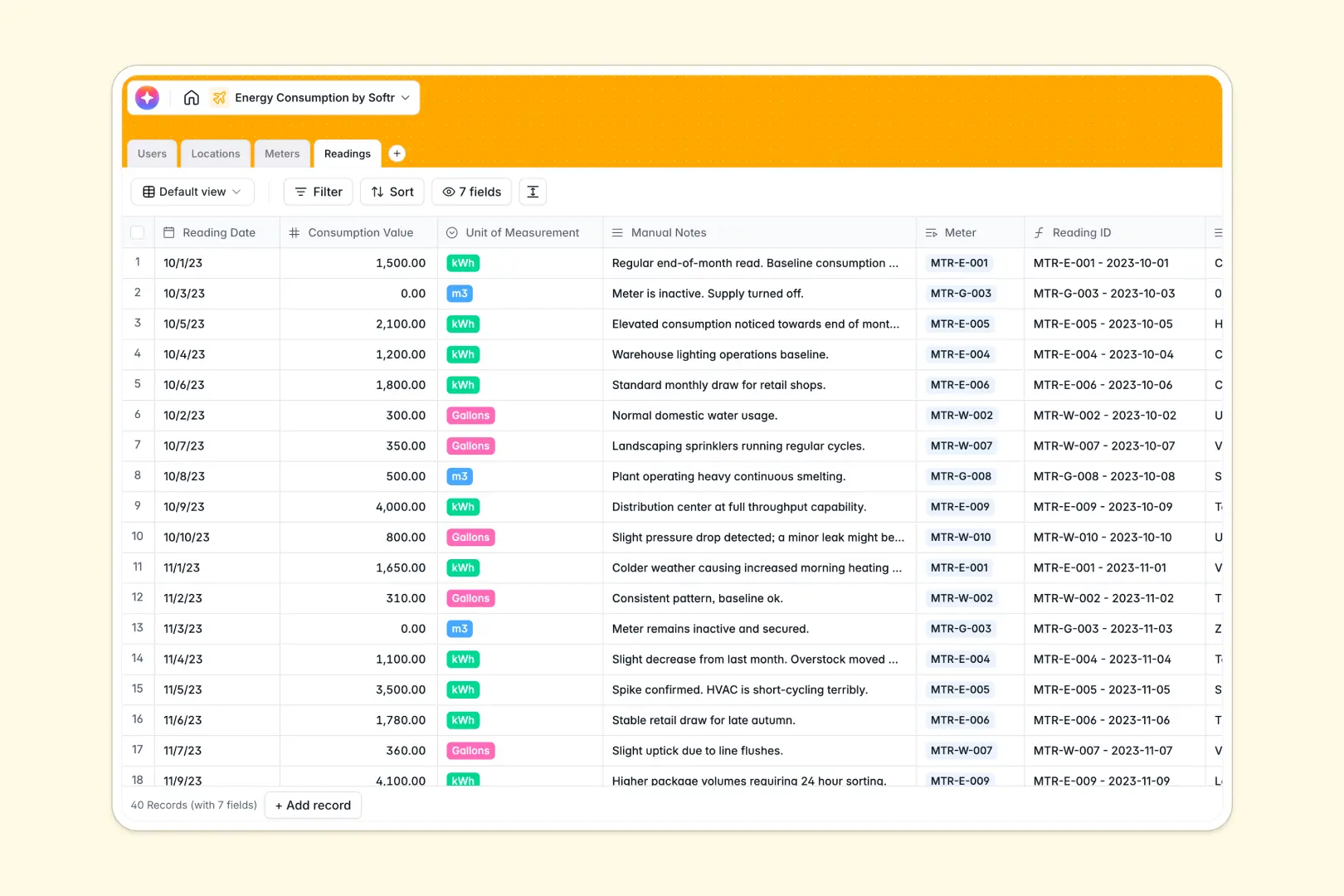
Your Energy Consumption Database at a glance
This template gives you a robust system to track utility metrics, monitor deployed meters, and oversee physical locations. It perfectly structures your energy operations and keeps data instantly accessible.
The database seamlessly connects property managers to specific Locations and utility Meters. When new Readings are added, rollups automatically calculate total consumption per meter without complex formulas.
Built-in AI automatically searches the web to generate context for new building locations. It also analyzes manual consumption notes, surfacing immediate insights for your team without extra clicks.
Why tracking energy consumption gets messy in Excel
When managing utility usage across multiple locations, spreadsheets fall apart quickly. Tracking hundreds of meters, varying measurement units, and daily readings in flat rows inevitably leads to broken formulas and isolated data.
What a structured database changes
In a true database format, every piece of information has strict parameters. Dates stay as dates, unit types are restricted to dropdowns, and you never have to worry about a typo breaking your analysis.
Instead of relying on fragile VLOOKUPs to match a reading to a location, native relationships connect everything flawlessly. This is exactly what Softr Databases are designed for.
What you can do with this template
You can instantly log consumption values across electricity, gas, and water while perfectly associating them with specific meters. Rollup fields automatically track the exact number of active meters per site to give you full oversight.
Your team can also stop manually researching new deployment sites. Automatically generated AI fields give you an immediate overview of any building address entered into the system.
-
Users
Manage system users, contact details, and their assigned property roles
-
Locations
Track buildings with AI-powered summaries of physical site characteristics
-
Meters
Monitor utility measurement devices and their current operational status
-
Readings
Log consumption values with AI analysis of energy trends and notes
Who is this Energy Consumption database for
This template is built for operators and teams who need strict oversight over energy metrics and physical infrastructure.
- Property Managers: Monitor specific meters and total consumption at managed locations effortlessly.
- Energy Analysts: Track reading anomalies and consumption patterns across multiple utility types.
- Sustainability Directors: Maintain a centralized, accurate log of site-wide metrics for compliance reporting.
How to take it further
Customize the database
You can easily adapt this template to fit your precise operational needs. Add a new "Solar" option to the utility type dropdown, or create custom status fields for maintenance cycles.
Import your existing data
Bring your current operations online instantly by uploading your historic meter readings via CSV. You can also connect via API to sync real-time data directly from your deployed smart meters.
Build a full app around it
When your data scales, this structured foundation easily becomes a full internal tool for your field workers or analysts. You can quickly snap a front-end portal right over this tracking data.
By leveraging robust users and permissions, you can ensure property managers only see and edit the readings for the buildings they actively manage. Well-structured data naturally powers smoother, more secure software.
-
1
-
2
-
3
-
4
Frequently asked questions
-
What is an energy consumption database?
-
Why use a no-code database to build an energy tracking tool?
-
How can AI help managing data for energy consumption?
-
Can I build an app with this energy consumption database?
-
Is this Energy Consumption database free?
-
How is an energy tracking database different from Excel?
Start building today. It's free!
Build and launch your first app in under 30 minutes.