


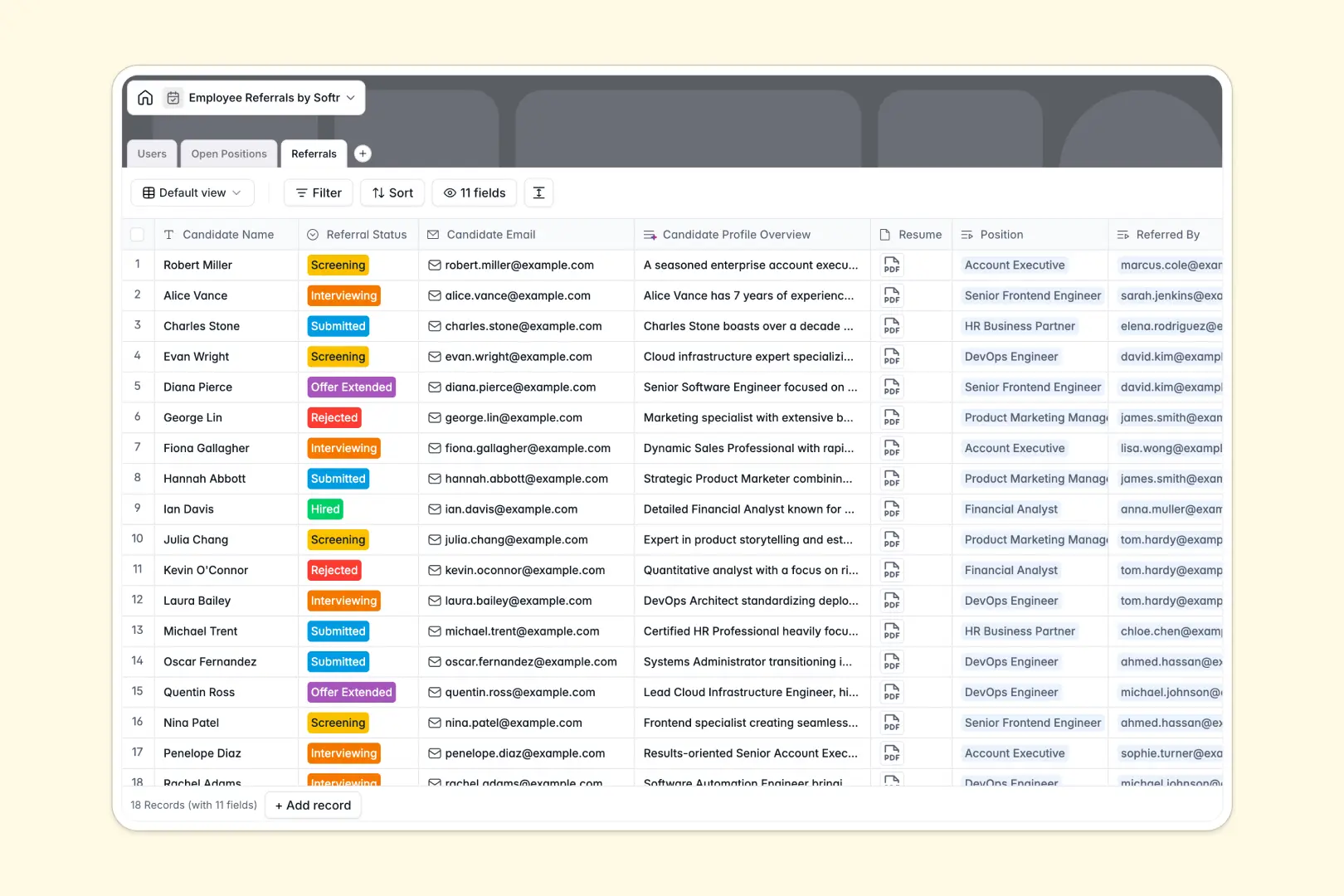
Your Employee Referrals Database at a glance
This template provides a clear, reliable system to collect candidate recommendations and match them to your active job openings. It removes the friction of tracking who referred whom and ensures no great candidate slips through the cracks.
The database is built on three connected tables: Users, Open Positions, and Referrals. When an employee submits a new referral, it automatically links to their profile and the specific job they are recommending the candidate for.
Built-in AI automatically drafts social-ready summaries for your job descriptions to help employees share them. It also researches candidate LinkedIn profiles to generate instant background overviews, saving your recruiters hours of manual review.
Why managing employee referrals in Excel breaks down
Tracking candidate pipelines and hiring bonuses in a spreadsheet quickly turns into a massive, tangled web. Rows get accidentally overwritten, file attachments like resumes get lost, and identifying exactly who referred a candidate usually requires complex, fragile formulas.
What a structured database changes
Instead of a flat grid where data types mix and formulas break, a structured system treats every entry as a distinct record. Candidate statuses, interview notes, and resumes all live clearly within that single standardized profile.
Because every relationship is natively connected, you can link a candidate directly to an open role and the employee who referred them. This is exactly what Softr Databases are designed for—giving your hiring data strict structure while remaining entirely flexible as your company scales.
What you can do with this template
You can immediately start tracking referral pipelines from submission to offer, while automatically counting how many referrals each employee has submitted. Your hiring managers can view job-specific pipelines in one click, without sifting through unrelated applicants.
You can also rely on the database to handle automatic data enrichment. Whenever a new candidate is added, AI goes to work reading their LinkedIn profile to provide your team with an immediate summary of their recent roles.
-
Users
Manage employee profiles, departmental roles, and tracks referral activity levels
-
Open Positions
Store job openings and use AI-powered summaries to create catchy social content
-
Referrals
Track candidates with AI profile overviews generated from LinkedIn for screening
Who is this Employee Referrals Database for
This template acts as a central source of truth for hiring teams and proactive employees alike.
- HR Managers: Track every referral pipeline fully and approve bonuses without digging through emails.
- Employees: See which roles are open and know that their candidate recommendations are safely received.
- Department Heads: Monitor hiring progress and applicant volumes for open positions within their specific teams.
How to take it further
The template is ready to use immediately, but you can easily customize fields to fit your exact hiring process. Adjust the referral status dropdowns to match your specific interview stages, or modify the department list to match your company's org chart.
You can quickly populate the database with your active job listings using a simple CSV upload. If you already have ongoing referrals scattered across spreadsheets, importing them takes just a few clicks to centralize everything natively.
When your team is ready, you can transform this data foundation into a complete internal tool using the interface builder. This allows you to construct a beautiful employee portal where staff can submit recommendations directly via forms.
By configuring users and permissions, you can ensure individuals only see their own submitted candidates. Meanwhile, hiring managers get customized views with full visibility into their specific department's active pipelines.
-
1
-
2
-
3
-
4
Frequently asked questions
-
What is an employee referrals database?
-
Why use a no-code database to build an employee referral system?
-
How can AI help managing data for employee referrals?
-
Can I build an app with an employee referrals database?
-
Is this Employee Referrals Database free?
-
How is an employee referral database different from Excel?
Start building today. It's free!
Build and launch your first app in under 30 minutes.