


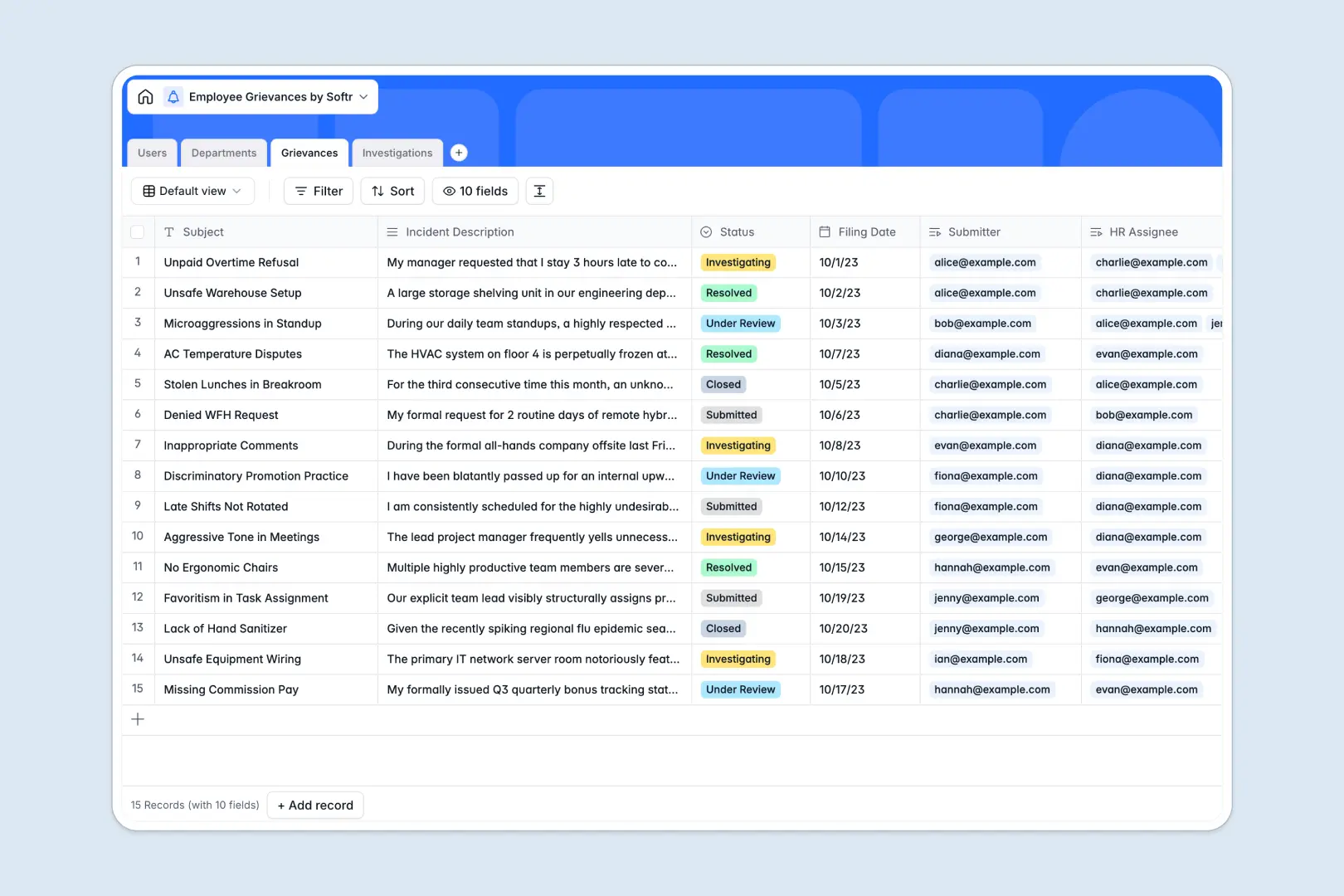
Your Employee Grievances Database at a glance
This template provides a secure, structured way to log, track, and resolve workplace complaints. It helps your HR team handle sensitive issues promptly while keeping all documentation in one centralized system.
The database naturally links your Grievances to specific Users and Departments, keeping records clean and organized. When an issue requires deeper HR review, you can track all meeting notes and findings in a dedicated Investigations table.
Built-in AI automatically categorizes new complaints and generates quick executive summaries of incidents. It can even propose logical follow-up actions based on your investigation notes to help HR resolve cases faster.
Why employee grievances get messy in Excel
Tracking sensitive workplace disputes in spreadsheets quickly becomes a compliance risk. As rows multiply, keeping complaint details, meeting notes, and internal investigation files connected and strictly confidential gets nearly impossible.
What a structured database changes
Instead of hiding columns or using fragile VLOOKUPs, a true database enforces strict structures. A complaint is directly connected to a department and investigator without copy-pasting across different sheets.
This is exactly what Softr Databases are designed for. Your filing dates stay formatted as dates, long text fields gracefully handle extensive meeting notes, and everything scales safely as your team grows.
What you can do with this template
You can instantly log new incidents with predefined statuses, ensuring no complaint slips through the cracks. Everything is logically organized so HR managers can easily track case progress from submission to resolution.
Using built-in Database AI agents, this template also handles the heavy lifting by automatically summarizing long incident descriptions. It practically acts as an HR assistant, recommending next steps based on your own internal resolution findings.
-
Users
Manage employee and HR profiles with contact info and role assignments
-
Departments
Organize business units to monitor grievance volumes and staff distribution
-
Grievances
Log incidents and use AI for automated categorization and executive summaries
-
Investigations
Record case notes and utilize AI to generate recommended follow-up actions
Who is this Employee Grievances Database for
This system is designed for organizations that need a professional, secure way to handle workplace conflicts.
- HR Managers: Track every complaint status, assign investigators, and ensure policies are followed.
- Department Heads: Monitor grievance trends and rollup data within their specific organizational units.
- Employees: Get peace of mind knowing their concerns are logged formally and reviewed objectively.
How to take it further
You can easily modify this database to match your exact internal HR protocols. Update the specific category choices to reflect your policy handbook, or add new columns to track severity levels and compliance deadlines.
If you are moving away from messy spreadsheets, you can bring your historical data over instantly. Use a quick CSV import to upload past investigations so your new system is completely up to date from day one.
When your team is ready, you can transform this database into a secure HR portal. By building an app on top of this data, employees can submit complaints through a clean, mobile-friendly interface.
You can then set up strictly controlled users and permissions to ensure staff only see their own submitted tickets, while HR admins access the full investigation dashboard. Starting with a structured database makes building this customized internal software completely seamless.
-
1
-
2
-
3
-
4
Frequently asked questions
-
What is an employee grievances database?
-
Why use a no-code database to build an HR grievance tool?
-
How can AI help managing data for employee grievances?
-
Can I build an app with this employee grievances database?
-
Is this Employee Grievances Database free?
-
How is this grievance database different from Excel?
Start building today. It's free!
Build and launch your first app in under 30 minutes.