


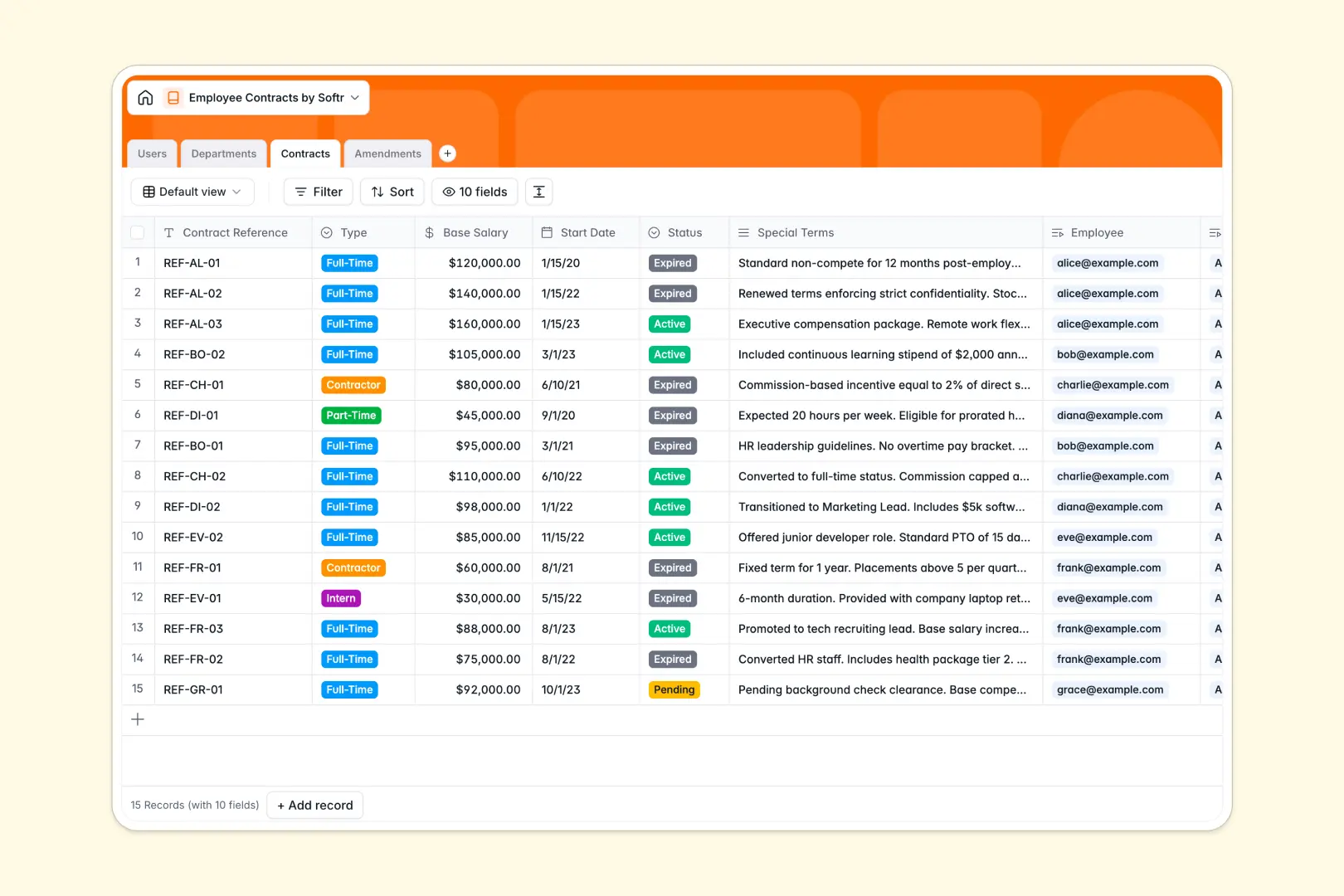
Your Employee Contracts database at a glance
Track full-time, part-time, and contractor agreements securely while keeping a perfect log of salary updates and role changes. This template ensures that every sensitive HR document is perfectly organized and securely tied to the right individual.
Connect every contract to an employee profile and their respective department effortlessly. Log all official changes within the Amendments table, keeping signed document attachments permanently linked to the original agreement.
Built-in AI automatically summarizes lengthy special contract terms into readable bullet points. It also auto-classifies amendments, instantly knowing if a change is a salary increase, extension, or role change.
Why employee contracts get messy in Excel
Tracking salaries, start dates, and contract statuses across multiple sheets quickly turns into a compliance nightmare. Spreadsheets just aren't built to handle sensitive HR documents and linked employee records securely.
What a structured database changes
In a database, your data has clear rules. Salaries stay as currencies, statuses are strict dropdown selections, and signed documents stay securely attached to the right row.
You can connect a contract directly to an employee and log all future amendments without duplicating data or breaking fragile formulas. This is exactly what Softr Databases are designed for.
What you can do with this template
Keep a centralized, secure directory of all active, pending, or terminated contracts instantly tied to specific departments and managers.
Use Database AI agents to automatically pull 3-point summaries of complex special terms, saving your HR team hours of manual reading. You can completely automate your organizational categorizations without typing a single formula.
-
Users
Manage employee profiles with roles, departments, and linked contract history
-
Departments
Group employees with AI-generated functional descriptions and manager assignments
-
Contracts
Manage compensation and terms with AI-powered summaries of special clauses
-
Amendments
Log contract updates using AI to automatically categorize changes and types
Who is this Employee Contracts database for
This template provides a secure foundation for any team handling sensitive HR documentation.
- HR Managers: Track active contracts, renewals, and salary changes without losing signed documents.
- Department Heads: Monitor headcount, team structures, and contractor agreements in a single view.
- Founders & Operations: Maintain full compliance via a perfectly organized log of every contract amendment.
How to take it further
Easily customize this database to fit your exact HR policies. Add new contract status types or adjust the AI prompts to extract different compliance details right from the fields.
Import your existing employee lists and contract records directly via CSV or API. You can immediately organize scattered spreadsheet data into a clean, relational structure.
When your team is ready, you can build an app to turn this database into a secure employee portal. This allows staff to view their own documents without touching the backend database.
By setting up users and permissions, you can ensure employees only see their own active contracts. Meanwhile, your HR managers maintain full access to edit and update all records globally.
-
1
-
2
-
3
-
4
Frequently asked questions
-
What is an employee contracts database?
-
Why use a no-code database to track employee contracts?
-
How can AI help managing employee contracts?
-
Can I build an app with this employee contracts database?
-
Why is an employee contracts database better than Excel?
-
Is this employee contracts template free?
Start building today. It's free!
Build and launch your first app in under 30 minutes.