


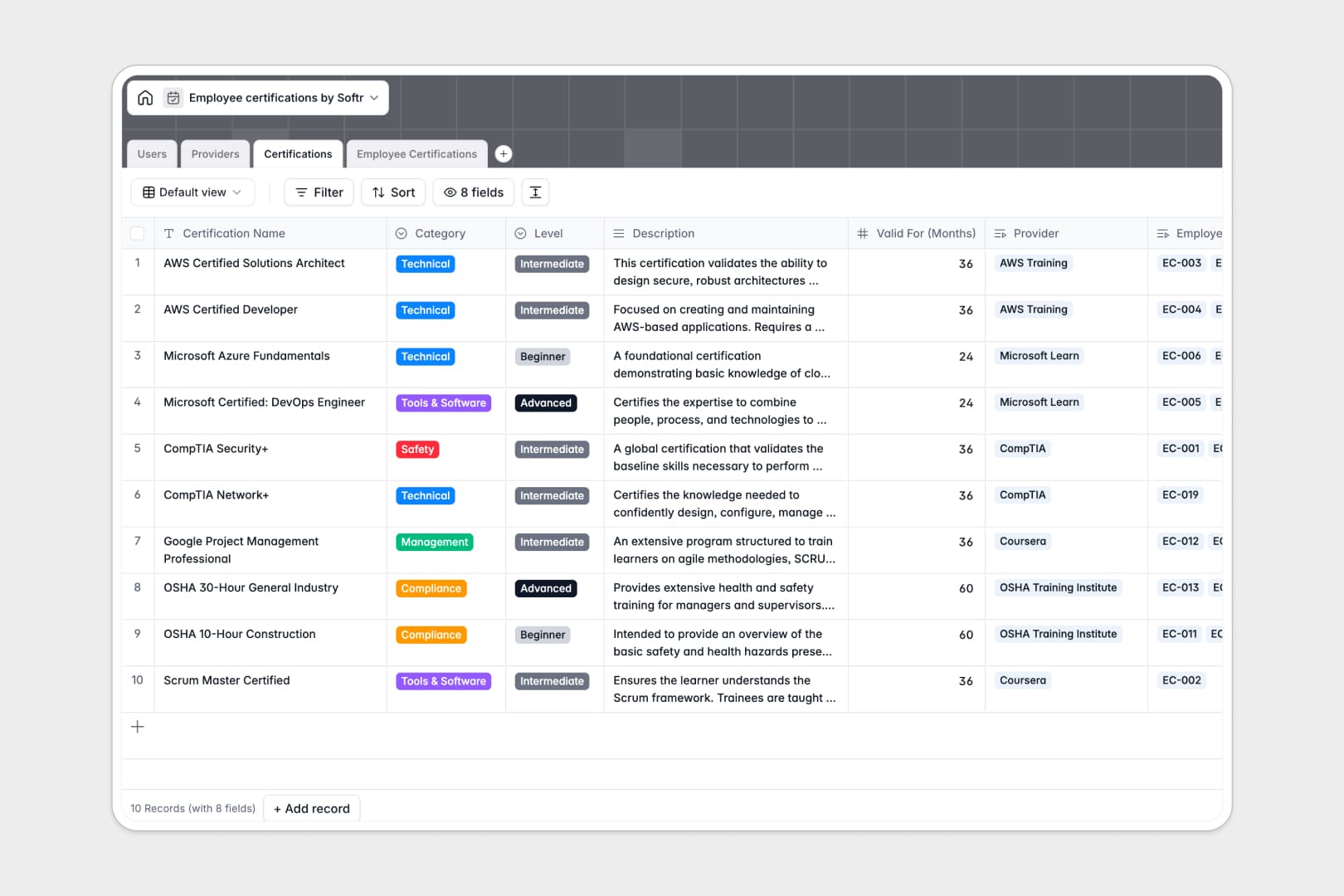
Your Employee Certifications database at a glance
This template provides a central hub to manage professional credentials, renewal timelines, and compliance requirements across your entire workforce. It keeps staff qualifications organized without risking duplicate entries or missed expirations.
Four dedicated tables link your team directory (Users), course catalogs (Certifications), issuing organizations (Providers), and individual compliance records (Employee Certifications). Direct relationships ensure issue dates, certificate files, and expiration statuses stay connected to the correct person.
Native AI features summarize lengthy course descriptions and research provider websites automatically to keep your training catalog detailed and accurate.
When certificate tracking splits across multiple inboxes and file versions
Managing training compliance in shared spreadsheets often leads to version drift. One manager updates a renewal date in a local file, another saves a certificate PDF to their desktop, and HR is left consolidating conflicting records before an audit.
What a structured database changes
In a structured database, every credential record links directly to the employee profile and the issuing provider. Field types keep expiration dates formatted properly, while file fields store actual certificate documents alongside the record.
Rollup fields automatically count active certifications per team member without complex formulas that break when rows shift. This is exactly what Softr Databases are designed for, giving your team a single source of truth.
You can also connect an online Excel file as an external data source if your team needs to reference existing cloud tables.
What you can do with this template
Monitor compliance statuses like Active, In Progress, or Expired across technical and safety categories in real time. Filter by department to see which teams need immediate training updates.
Built-in Database AI agents can browse provider websites to generate overviews and write bulleted summaries of course descriptions automatically.
-
Users
Manage employee profiles, role permissions, and active credentials
-
Providers
Store certification issuers with web-powered AI company overviews
-
Certifications
Catalog training courses featuring automatic AI-generated summaries
-
Employee Certifications
Track employee credential records, status, and expiration deadlines
Who is this Employee Certifications database for
This template is tailored for teams that need strict oversight over employee qualifications and training schedules.
- HR Managers: Track mandatory compliance training and renewal deadlines across all departments without manual check-ins.
- Department Leads: Monitor technical skill levels and verify team qualifications before assigning high-stakes projects.
- Operations Teams: Maintain audit-ready records of safety certifications and vendor licenses in a secure repository.
- Training Coordinators: Manage relationships with external certification providers and catalog available internal courses.
How to take it further
Customize this database by adding custom fields for license numbers, continuing education units, or reimbursement budgets. You can adjust select options to match your company specific departments and certification categories directly in the visual editor.
Bring your historical training data in seconds using CSV import to populate employee profiles and past records. You can also connect via API to sync completed courses from your learning management systems automatically.
When your team expands, turn this database into a complete internal portal. You can generate an app with AI by describing the interface you need on top of this exact database, then configure granular users and permissions so employees only view their own certificates while managers review full team compliance.
-
1
-
2
-
3
-
4
Frequently asked questions
-
What is an employee certifications database?
-
Why use a no-code database to build an employee certifications system?
-
How can AI help managing data for employee certifications?
-
Can I build an app with this employee certifications database?
-
Is this Employee Certifications database free?
-
How is this database different from managing employee certifications in Excel?
Start building today. It's free!
Build and launch your first app in under 30 minutes.