


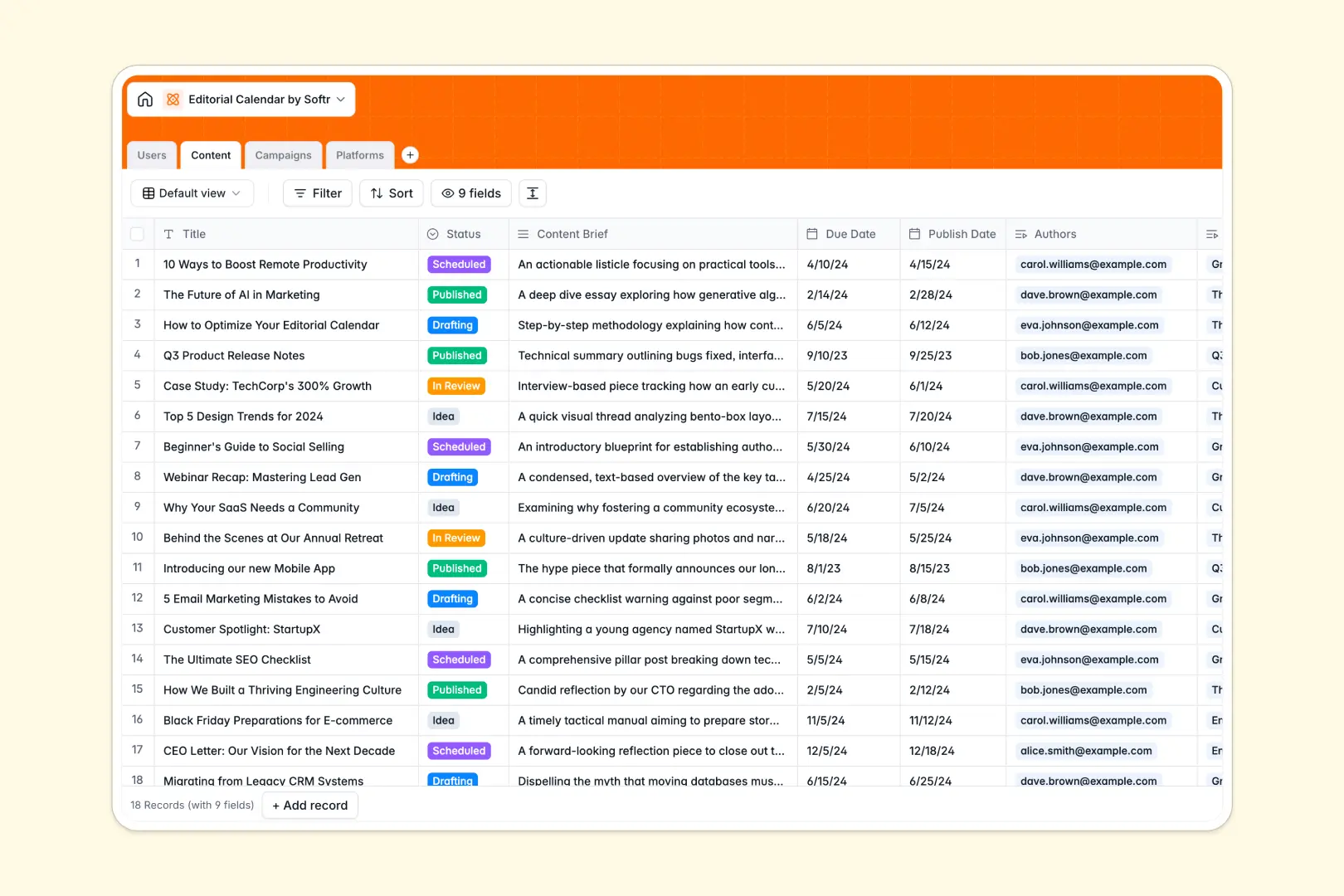
Your Editorial Calendar Database at a glance
This template replaces messy spreadsheets with a structured, connected editorial calendar. It gives your writers and editors a clear real-time view of what is due, what is publishing, and which campaign it supports.
Instead of isolated and static rows, everything is linked together perfectly. Articles connect smoothly to their assigned authors, overarching campaigns, and target publication platforms.
It even handles manual tasks for you using native AI. Just drop in a brief and the database will auto-generate SEO titles, while securely researching your target platforms via the live web.
Why your publishing schedule gets messy in Excel
Managing a publishing schedule in Excel quickly turns into a nightmare of mixed-up due dates, missing drafts, and broken status tracking.
What a structured database changes
A smart database enforces strict formats so publish dates stay as dates and campaign statuses remain standardized across the board. You can effortlessly link a piece of content directly to an overarching campaign without relying on fragile VLOOKUPs.
This means no more duplicating data across tabs just to see what a writer is currently working on. This is exactly what Softr Databases are designed for, keeping your entire editorial workflow clean and scalable.
What you can do with this template
You can track every piece of content from an initial idea all the way to a published post across varying platforms. Keep an eye on overarching campaign progress with automatic rollups that instantly count how many articles are tied to an initiative.
You also get to leverage native AI agents to completely automate the heavy lifting within your workflow. The system readily reads your content briefs to craft compelling SEO titles and browses the web to pull necessary descriptions of your distribution platforms.
-
Users
Manage writers and editors with specific roles and assigned content tasks
-
Content
Track the content lifecycle and leverage AI to generate catchy SEO titles
-
Campaigns
Organize large marketing initiatives by grouping related content pieces together
-
Platforms
Manage distribution channels using AI to research and describe web presence
Who is this Editorial Calendar database for
This template is designed for content teams who need to move beyond static cells and dynamically manage a publishing pipeline.
- Content Managers: Plan overarching campaigns and track every article's real-time status from drafting to published.
- Managing Editors: Assign writers, track tight publishing deadlines, and review content briefs in one unified space.
- Marketing Agencies: Organize deliverables across different target platforms and easily maintain clarity on potential audience sizes.
How to take it further
Start by customizing the database to natively fit your exact editorial flow. You can easily tweak the content status options or add new platform categories to match your specific publishing channels.
Next, skip the manual data entry by uploading your existing content backlog. Import your old Excel trackers directly via CSV so your team can pick up exactly right where they left off without delays.
Finally, you can easily build an intuitive portal to turn this into a comprehensive content marketing platform. Using advanced users and permissions, you can confidently restrict access so writers only see their assigned articles while editors manage broader campaigns.
-
1
-
2
-
3
-
4
Frequently asked questions
-
What is an editorial calendar database?
-
Why use a no-code database to build a content system?
-
How can AI help managing data for an editorial calendar?
-
Can I build an app with an editorial calendar database?
-
Is this Editorial Calendar template free?
-
How is an editorial calendar database different from Excel?
Start building today. It's free!
Build and launch your first app in under 30 minutes.