


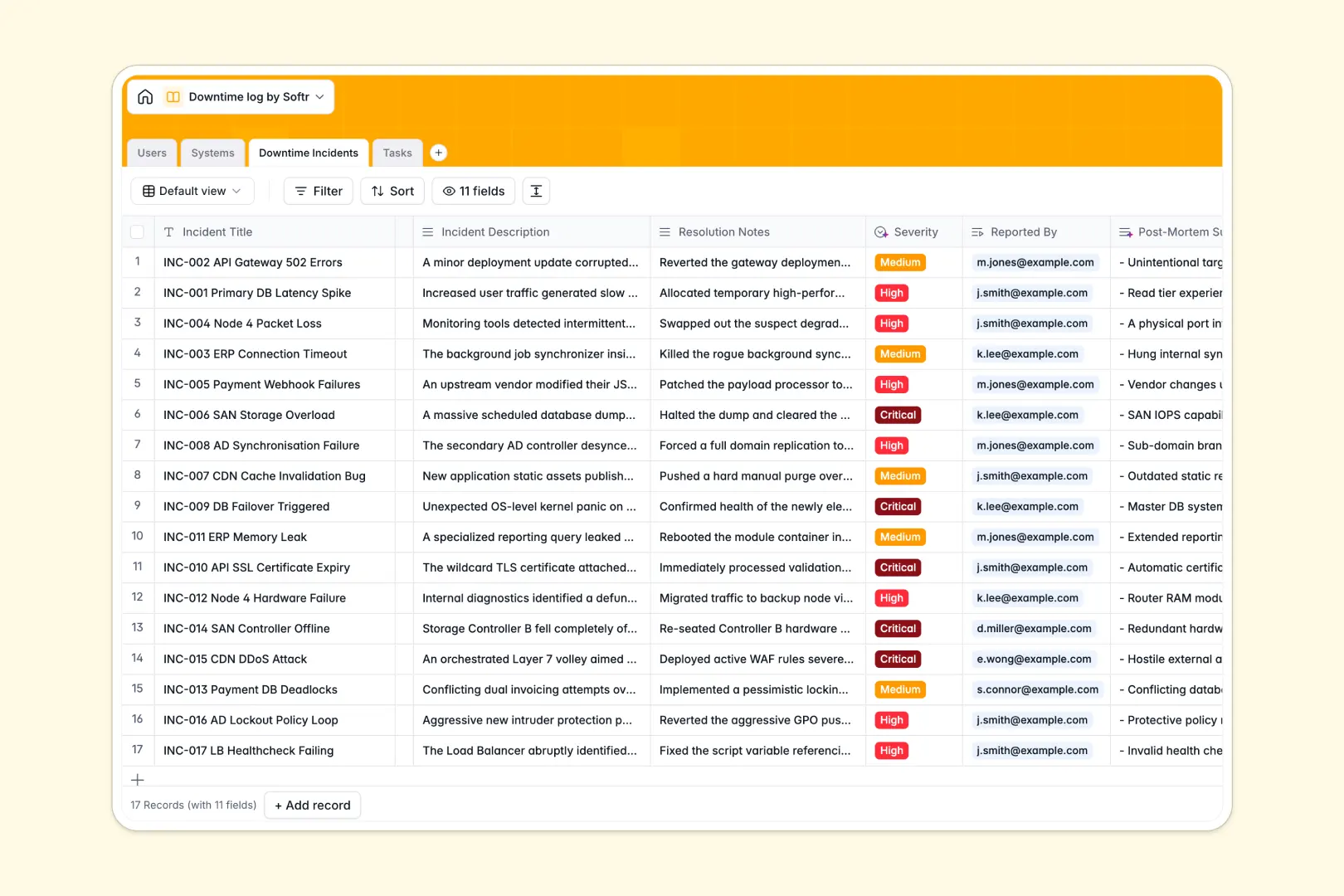
Your Downtime Log database at a glance
This template gives you a centralized hub to monitor your IT infrastructure, log outage events, and manage recovery tasks. It keeps your system engineers and operators aligned so nothing slips through the cracks when hardware goes offline.
The database handles everything through four connected tables: Users, Systems, Downtime Incidents, and Tasks. When a critical application goes down, you log the incident once and link it directly to the affected system and the engineer assigned to fix it.
Built-in AI features automatically classify incident severity and summarize your resolution notes into clean post-mortem reports. Database agents can even browse the web to automatically generate accurate technical descriptions for your IT assets.
Why tracking downtime in Excel breaks down
When systems crash, the last thing your IT team needs is a fragile spreadsheet where critical incident logs get accidentally overwritten. Excel forces you to duplicate server details, manually calculate uptime, and share static files that are instantly out of date.
What a structured database changes
A proper relational system ensures your data remains perfectly structured as your infrastructure scales. You define a server once, then instantly link any future outages to that specific asset without copy-pasting across rows.
This is exactly what Softr Databases are designed for. Every column has a strict type—like auto-calculating total logged outages—ensuring your incident reports are always accurate and ready for audits.
What you can do with this template
You can instantly see which hardware faces the most frequent degradation and pinpoint resolution blockers. By linking actionable tasks to specific outages, your team knows exactly what needs fixing right now.
Best of all, the built-in AI drafts your mitigation steps based on a simple task title. You get a self-maintaining log that saves your engineers hours of manual data entry during stressful emergencies.
-
Users
Manage system administrators and operators with roles and access permissions
-
Systems
Monitor IT assets with AI-generated technical descriptions and status tracking
-
Downtime Incidents
Log outages using AI for severity classification and post-mortem summaries
-
Tasks
Coordinate recovery actions with AI-generated steps based on task titles
Who is this Downtime Log database for
This template is built for technical teams who need reliable, scalable incident tracking.
- IT System Administrators: Track server health and pinpoint recurring outages effortlessly.
- Network Engineers: Log degraded infrastructure and assign mitigation tasks in real time.
- Operations Managers: Review AI-generated post-mortem summaries to improve future reliability.
How to take it further
Customize the database effortlessly to match your specific infrastructure. You can add new asset categories to the systems table or tweak the incident severity levels to fit your internal operational policies.
Bring in your historical outage data with a quick CSV upload. You can also use the API to automatically sync alerts from your existing server monitoring tools into your tables.
Once your data is neatly structured, you can build an internal app on top of it for your entire company. This turns your backend log into a self-serve IT portal where non-technical employees can check server statuses or report outages.
Thanks to built-in users and permissions, you have complete control over who sees what. Operators can log new downtime events safely, while only admins can edit core system documentation.
-
1
-
2
-
3
-
4
Frequently asked questions
-
What is a downtime log database?
-
Why use a no-code database to build an IT incident tracker?
-
How can AI help managing data for downtime tracking?
-
Can I build an app with this downtime log database?
-
Is this Downtime Log template free?
-
How is a downtime log database different from Excel?
Start building today. It's free!
Build and launch your first app in under 30 minutes.