


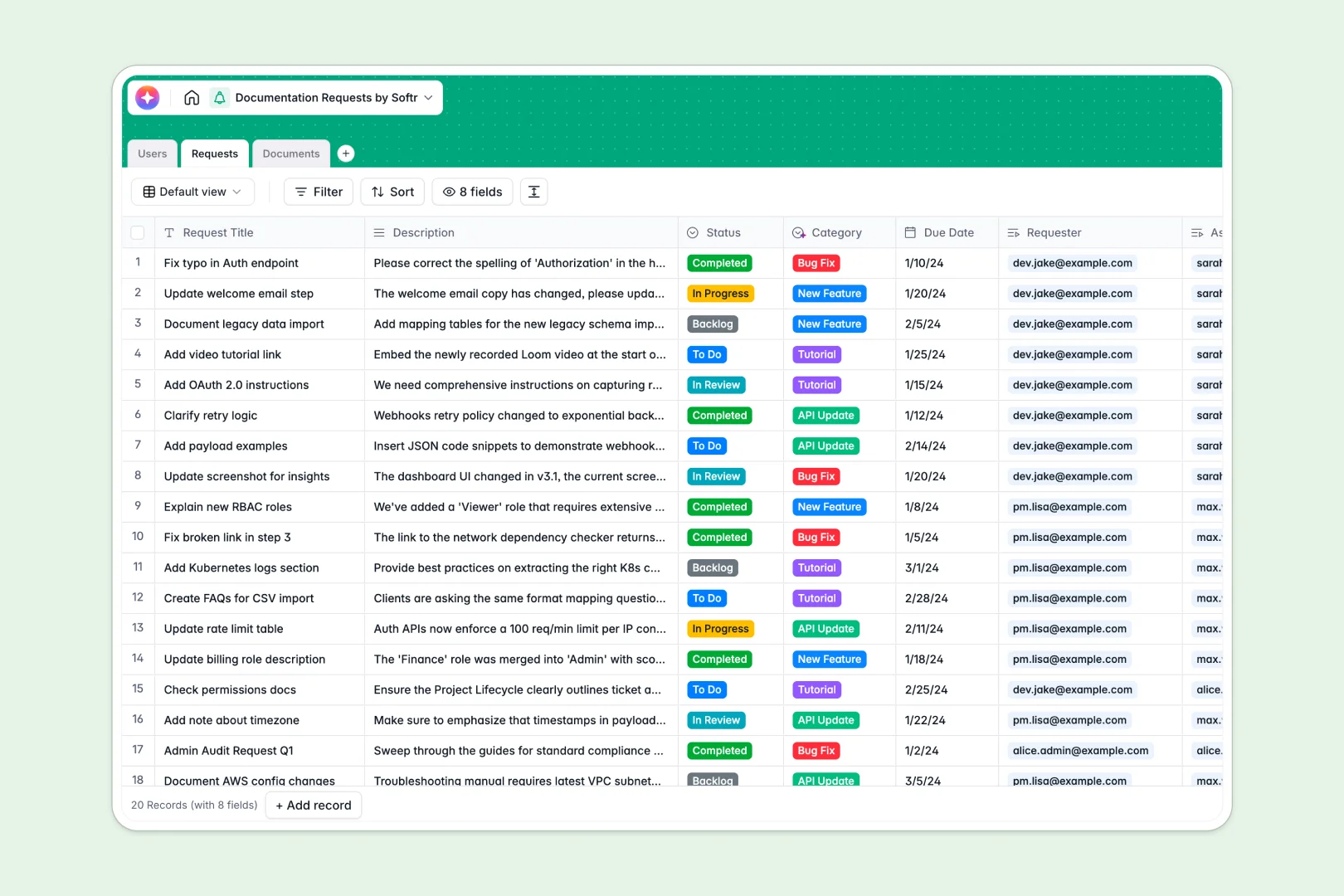
Your Documentation Requests Database at a glance
This template gives technical writers and reviewers a structured system to handle incoming documentation requests. It eliminates scattered emails and tracks every update from initial backlog to published content seamlessly.
The system connects three distinct tables—Users, Requests, and Documents—so everything remains safely linked. When a requester submits a ticket, it automatically ties to their user profile and the specific document needing updates without fragile formulas.
Built-in AI fields instantly categorize incoming requests as bug fixes or new features based on text descriptions. They also automatically generate concise summaries for written documents so your team can populate meta descriptions instantly.
Why tracking documentation requests in Excel breaks down
Managing growing documentation backlogs in simple spreadsheets quickly becomes chaotic. Detail rows get overwritten, assignment histories vanish, and tracking multiple rounds of review across teams is nearly impossible.
What a structured database changes
Proper database structure enforces clear rules so dates remain dates and review statuses stay completely consistent. You can connect technical writers directly to the documents they own, linking multiple incoming requests to one published page flawlessly.
There are no fragile VLOOKUPs or broken macros to fix as your content repository scales. That is exactly what Softr Databases are designed for—keeping critical operational data pristine and connected.
What you can do with this template
Instantly assign writers to documentation tickets and track clear due dates in a highly visual formatted layout. Technical writers can log drafted document URLs and push request statuses forward to trigger the next stage of content review.
Harness Database AI agents to automatically classify new tickets as API updates or tutorials, saving hours of manual triaging. Your team gets a real-time, accurate overview of exactly what documentation priority needs writing next.
-
Users
Manage technical writers and requesters with roles, profiles, and assignment links
-
Requests
Manage documentation tickets using AI to automatically categorize the request type
-
Documents
Store official documentation and drafts with AI-generated content summaries
Who is this Documentation Requests database for
This robust tracking system is built for operations teams that maintain large libraries of accurate references.
- Technical Writing Teams: Track request backlogs, clearly assign writers, and enforce straightforward drafting statuses.
- Product Managers: Ensure software feature releases are accurately paired with updated reference documentation.
- Customer Support Leads: Easily submit requests for improved knowledge base articles based on real customer inquiries.
- Developer Relations: Track distinct API updates and manage tutorial development without losing context in chat feeds.
How to take it further
Customize the database. You can easily adjust the template structure to match your exact team workflow. Modify the status dropdown options, or add functional columns to track document priority levels with just a few clicks.
Import your existing data. Bring your current request backlog directly into the system using a bulk CSV upload. You can also securely connect via API to sync incoming tickets from an external customer support tool instantly.
Build a full app around it. When you are ready to give external requesters a self-serve portal, you can connect an interface builder directly to this data. A clean interface removes the complexity of raw database views.
By configuring detailed users and permissions, you can ensure technical writers see their specific assigned requests while basic users only view the tickets they submitted. Starting with a properly structured backend makes deploying these powerful portals completely effortless.
-
1
-
2
-
3
-
4
Frequently asked questions
-
What is a documentation requests database?
-
Why use a no-code database to build a documentation management tool?
-
How can AI help managing data for documentation requests?
-
Can I build an app with this documentation requests database?
-
Is this Documentation Requests database free?
-
Why does Excel fall short for managing documentation requests?
Start building today. It's free!
Build and launch your first app in under 30 minutes.