


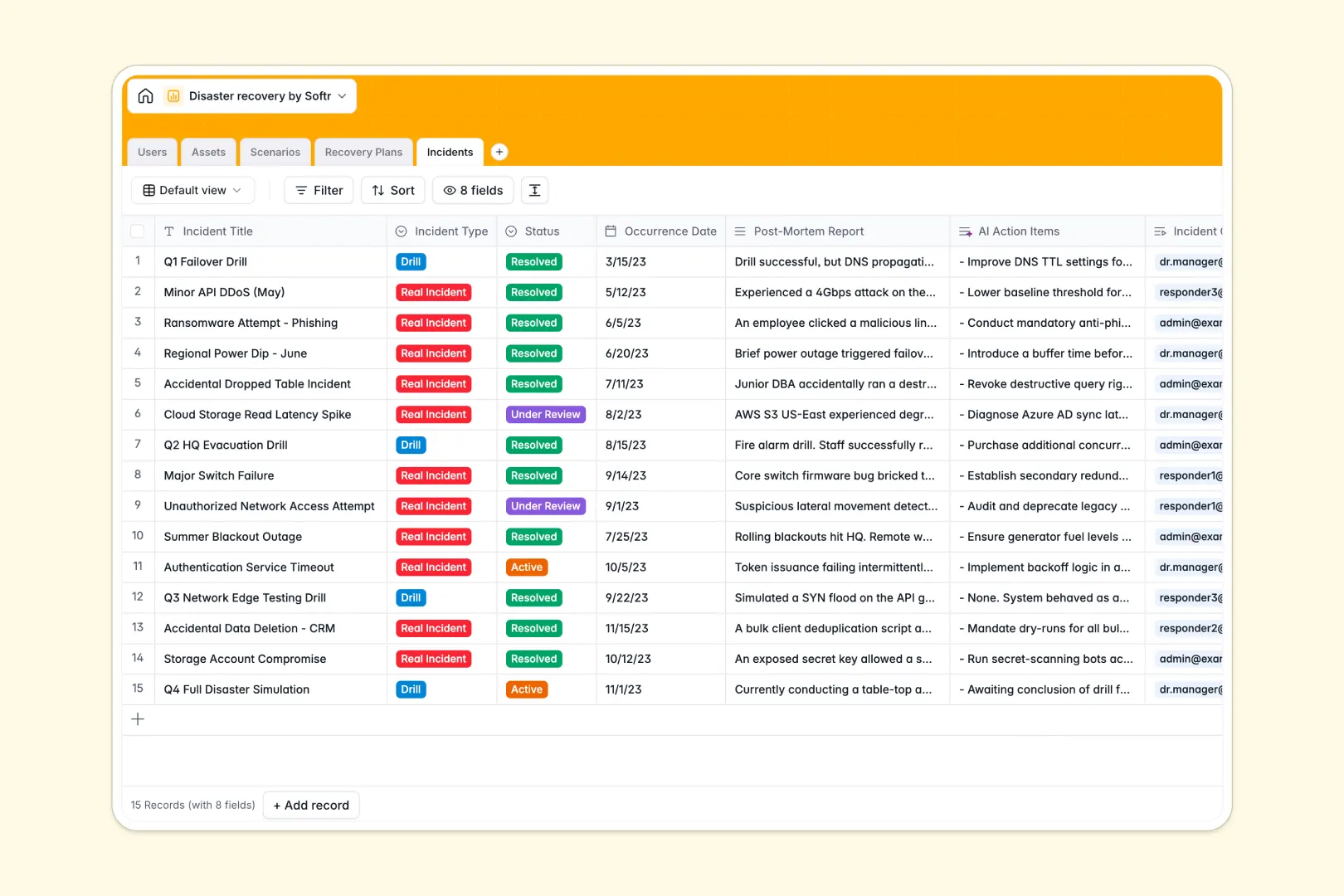
Your Disaster Recovery database at a glance
This ready-to-use template helps you map out potential threats and plan immediate responses. It replaces vulnerable spreadsheets with a structured, reliable system for business continuity.
It connects your Assets directly to the Scenarios that threaten them. You can link specific Recovery Plans to these risks and track actual events in the Incidents table.
Built-in AI automatically summarizes risks from the web and extracts fast-action bullet points from your procedures. It even generates actionable tasks instantly after you log a post-mortem report.
Why disaster recovery gets messy in Excel
Managing business continuity in a spreadsheet creates dangerous blind spots. When an incident occurs, you cannot afford to dig through misaligned rows to find the right mitigation plan.
What a structured database changes
In a structured system, critical details like asset owners and severity levels stay categorized and secure. You never have to worry about a team member accidentally deleting a vital recovery procedure.
Instead of relying on fragile VLOOKUPs, you can dynamically link a specific network outage scenario directly to your incident logs. This is exactly what Softr Databases are designed for.
What you can do with this template
Keep a clear, real-time log of both real incidents and practice drills without messy data entry. Every recovery plan owner knows exactly what asset they are responsible for protecting.
You can also use Database AI agents to automatically research web-based threat profiles for your active scenarios. This keeps your mitigation strategies up to date without manual research hours.
-
Users
Manage recovery team members with roles, contact details and asset ownership
-
Assets
Inventory critical infrastructure and facilities with associated owners and risks
-
Scenarios
Identify threat profiles using AI to generate web-powered risk summaries
-
Recovery Plans
Document recovery protocols with AI-generated quick-action procedure summaries
-
Incidents
Log events and drills using AI to extract action items from post-mortems
Who is this Disaster Recovery database for
This system is built for teams that need to ensure business continuity without wrestling with software.
- IT Managers: Map out critical hardware and software assets to protect against technical failures.
- Operations Directors: Maintain clear, actionable recovery plans for facility or natural disaster scenarios.
- Compliance Officers: Keep a secure, auditable log of post-mortem reports and completed drills.
- Incident Commanders: Access exact mitigation procedures the moment a threat is identified.
How to take it further
You can easily modify the database to match your organization's exact needs. Adjust the asset criticality levels or add new categories to your incident logs with a single click.
If you have existing continuity plans, you can bring them over instantly. Upload a CSV file of your current infrastructure to populate your asset list in seconds.
When your process scales, you can easily build an app on top of this data for your entire company. This turns a simple backend into a secure incident reporting portal for employees.
By setting up custom users and permissions, you can ensure responders only edit the assets they own. A well-structured foundation makes evolving your response system effortless.
-
1
-
2
-
3
-
4
Frequently asked questions
-
What is a disaster recovery database?
-
Why use a no-code database to build a business continuity tool?
-
How can AI help managing data for disaster recovery?
-
Can I build an app with this disaster recovery database?
-
Is this disaster recovery template free?
-
How is this disaster recovery database better than Excel?
Start building today. It's free!
Build and launch your first app in under 30 minutes.