


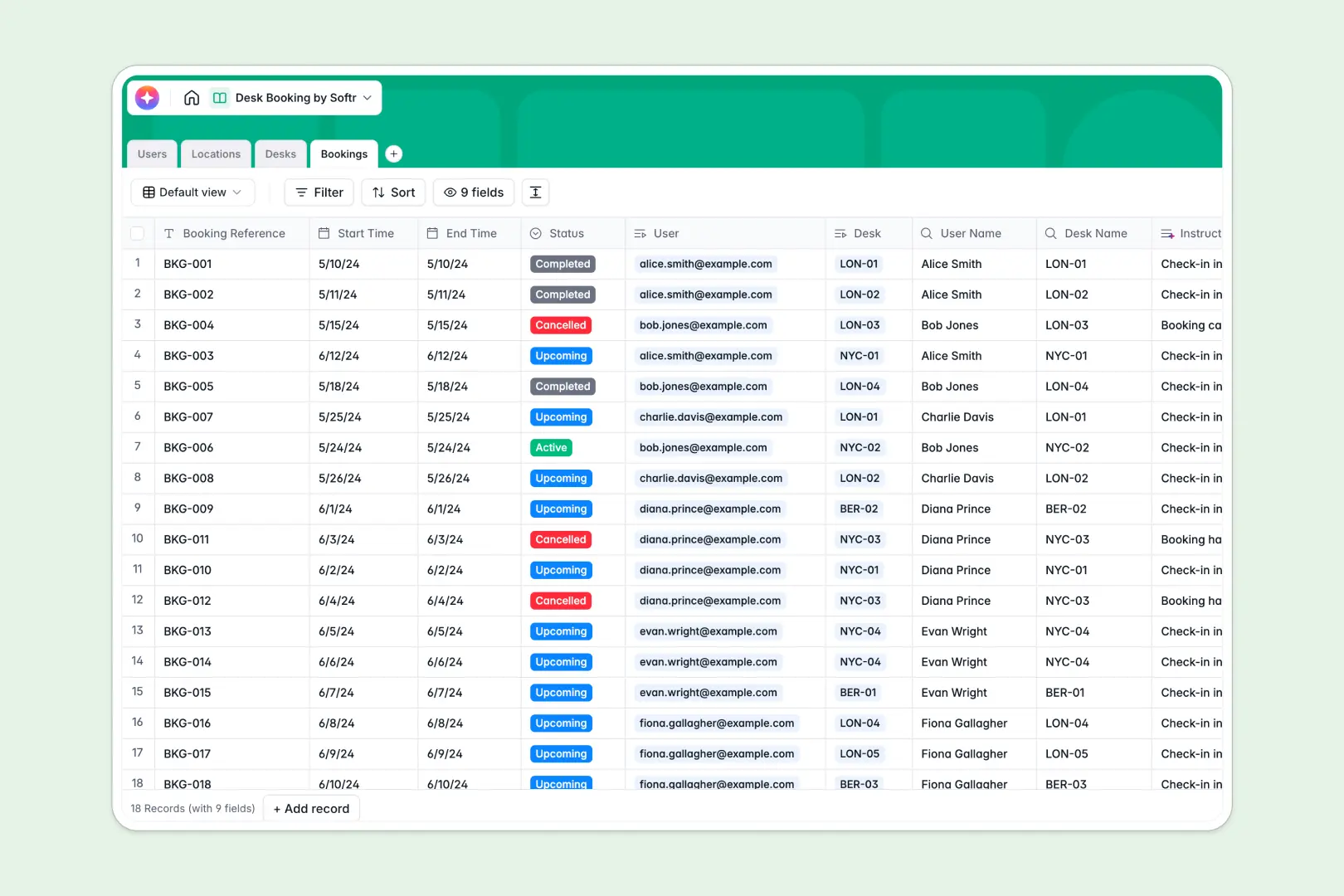
Your Desk Booking Database at a glance
Track office capacity and employee reservations instantly without the manual hassle. This template gives you a reliable system to see who is sitting where and which workstations are available across multiple locations.
It natively connects your Users, Locations, Desks, and Bookings tables together. When an employee requests a standing desk, the system logs the exact time slot and natively links the reservation to the user and location without complex setup.
Built-in AI automatically writes personalized check-in instructions for your staff and researches nearby cafes based on the office address.
Why scheduling desks in Excel gets messy
Managing hybrid office seating in spreadsheets quickly breaks down into chaos. Multiple employees try to edit the same sheet, rows get accidentally deleted, and preventing schedule conflicts becomes a manual nightmare of color-coded cells.
What a structured database changes
Instead of chaotic rows, a structured database enforces rules. Dates stay formatted as dates, desk statuses update cleanly, and you can reliably link an employee to a specific reservation without copying and pasting data.
This is exactly what Softr Databases are designed for. You get a central, relational structure where one desk booking is securely tied to a user and location, scaling effortlessly as your team grows.
What you can do with this template
You can track active and upcoming reservations instantly, monitor desk amenities, and keep multiple office locations perfectly organized.
Using Database AI agents, the template natively searches the live web to build a neighborhood guide for new offices and generates personalized check-in instructions the moment a desk is booked.
-
Users
Manage employee profiles including contact info, roles, and booking history
-
Locations
Office buildings featuring AI-powered neighborhood guides and amenity local search
-
Desks
Workstations with AI-generated amenity descriptions linked to physical locations
-
Bookings
Reservations utilizing AI to generate personalized check-in instructions for users
Who is this Desk Booking database for
This system provides a clean foundation for teams managing hybrid workplaces.
- Office Managers: Track real-time desk availability and maintain accurate capacity logs across multiple buildings.
- HR Teams: Ensure new hires and contractors have dedicated workstations assigned before they arrive.
- Operations Leads: Monitor which desk types—like ergonomic setups—are in highest demand to plan office upgrades.
How to take it further
Easily customize locations, add new desk types, or modify booking statuses to match your workflow. Because it is a native database, renaming fields or adjusting the structure takes seconds.
Bring your current office layout to life immediately. Import existing user directories or desk inventories directly via CSV or API to get started fast.
When you are ready, you can transform this database into a self-serve app using a simple drag-and-drop interface builder. Add secure login portals where employees only see their own upcoming reservations and available workstations.
By configuring users and permissions, you can ensure administrators manage office layouts while employees only interact with the booking calendar. A well-organized database makes building this front-end interface incredibly fast.
-
1
-
2
-
3
-
4
Frequently asked questions
-
What is a desk booking database?
-
Why use a no-code database to build a desk booking system?
-
How can AI help managing data for desk booking?
-
Can I build an app with this desk booking database?
-
Is this Desk Booking Database free?
-
How is this desk booking database different from Excel?
Start building today. It's free!
Build and launch your first app in under 30 minutes.