


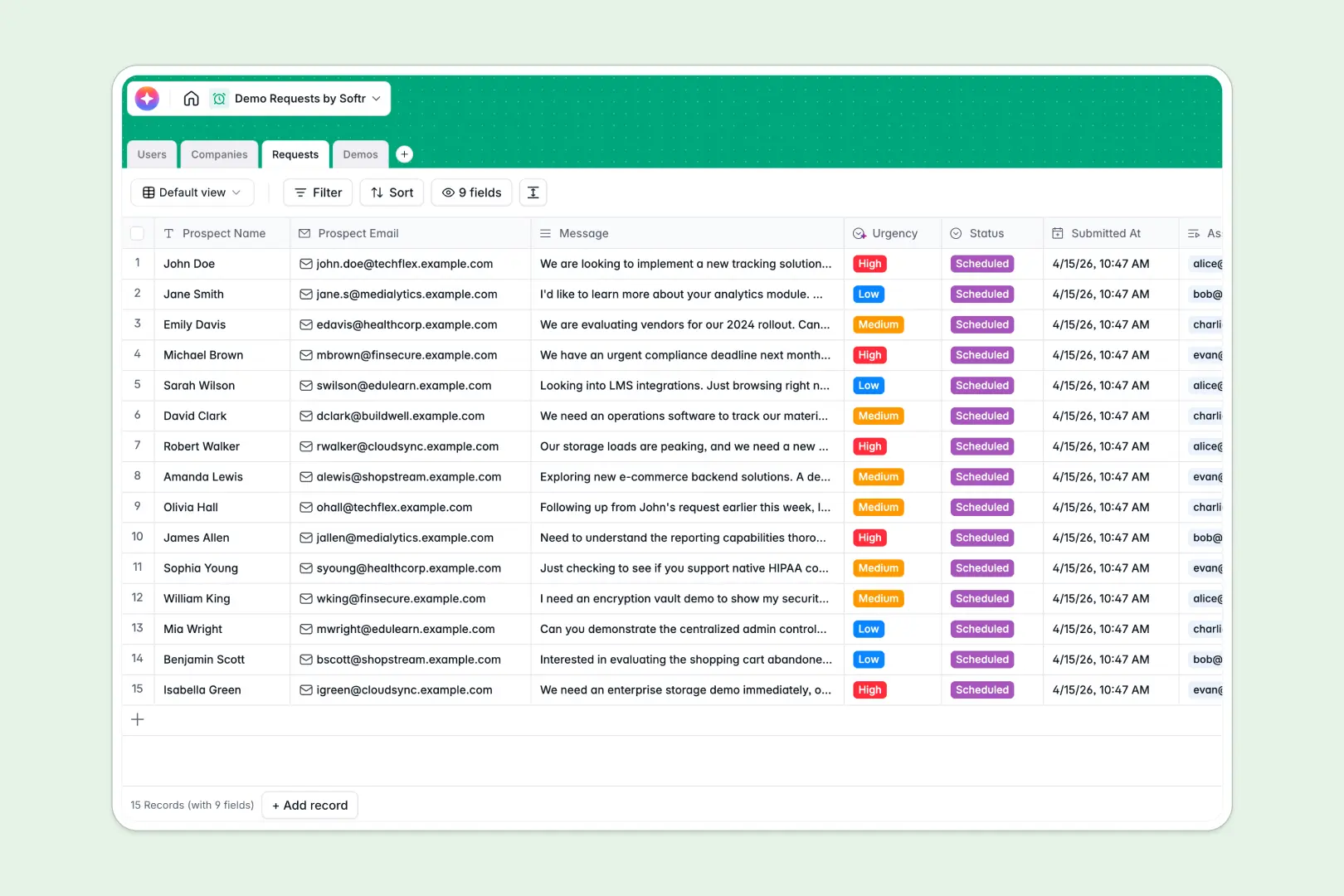
Your Demo Requests database at a glance
Stop tracking inbound demo requests across scattered Excel rows. This template organizes inbound leads, meeting schedules, and follow-ups into one clean, connected system.
It connects four clear tables: Users, Companies, Requests, and Demos. When a new lead arrives, you immediately see the associated company profile, priority level, and which sales rep is assigned to the call.
Built-in AI automatically drafts company descriptions from their website and analyzes the prospect's message to label urgency. After the call, it instantly summarizes the host's follow-up notes for clear next steps.
Why demo requests get messy in Excel
Managing inbound leads in a spreadsheet quickly turns into a disaster. Rows get accidentally deleted, follow-up notes disappear, and linking an eager prospect to a scheduled demo relies on fragile copy-pasting.
What a structured database changes
A proper database enforces clear rules so your sales pipeline never breaks. Instead of typing client details multiple times, you natively link multiple prospect requests directly to a single company record.
Sales reps, meeting dates, and follow-up notes have dedicated, protected field types that stay neat as your team scales. This is exactly what Softr Databases are designed for.
What you can do with this template
Say goodbye to manual data entry and disjointed sales notes. With Database AI agents, this template automatically researches company websites and categorizes lead urgency the moment a request is logged.
You can seamlessly track a prospect's entire journey from "New Request" to a "Successful" demo outcome without ever hunting through endless tabs.
-
Users
Manage internal team members, assigned demo requests, and performance logs
-
Companies
Track prospect organizations and use AI to generate website-based profiles
-
Requests
Process inbound submissions and prioritize them using AI urgency analysis
-
Demos
Schedule meeting events and use AI to summarize notes into next steps
Who is this Demo Requests database for
This template is built for sales and revenue teams who need to organize and act on inbound leads fast.
- Sales Managers: Monitor your team's broader pipeline and ensure every inbound request is assigned and actioned quickly.
- Account Executives: Keep track of your own scheduled demos, meeting links, and post-call follow-ups in a single, focused view.
- Revenue Operations: Structure prospecting data cleanly across connected companies instead of sorting through unstructured Excel sheets.
How to take it further
Customize the database
You can effortlessly adapt this structure to fit your exact sales cycle. Rename the prospect status columns to match your pipeline stages, or modify the industry dropdowns to target your specific niche.
Import your existing data
Don't start from scratch when switching away from spreadsheets. Use a CSV upload to bring your current prospects directly into the tables, or connect via API to sync inbound form submissions instantly.
Build a full app around it
When you're ready to share this data safely with the broader team, you can build an app directly on top of this structured foundation. Create a custom internal sales portal where reps log in to manage their specific pipeline.
By leveraging native users and permissions, you have complete authority over who sees, edits, or deletes specific request records. A well-organized database guarantees that app creation is fast, secure, and ready for production.
-
1
-
2
-
3
-
4
Frequently asked questions
-
What is a demo requests database?
-
Why use a no-code database to build a lead tracking tool?
-
How can AI help managing data for demo requests?
-
Can I build an app with this demo requests database?
-
Is this Demo Requests database free?
-
How is a demo requests database different from Excel?
Start building today. It's free!
Build and launch your first app in under 30 minutes.