


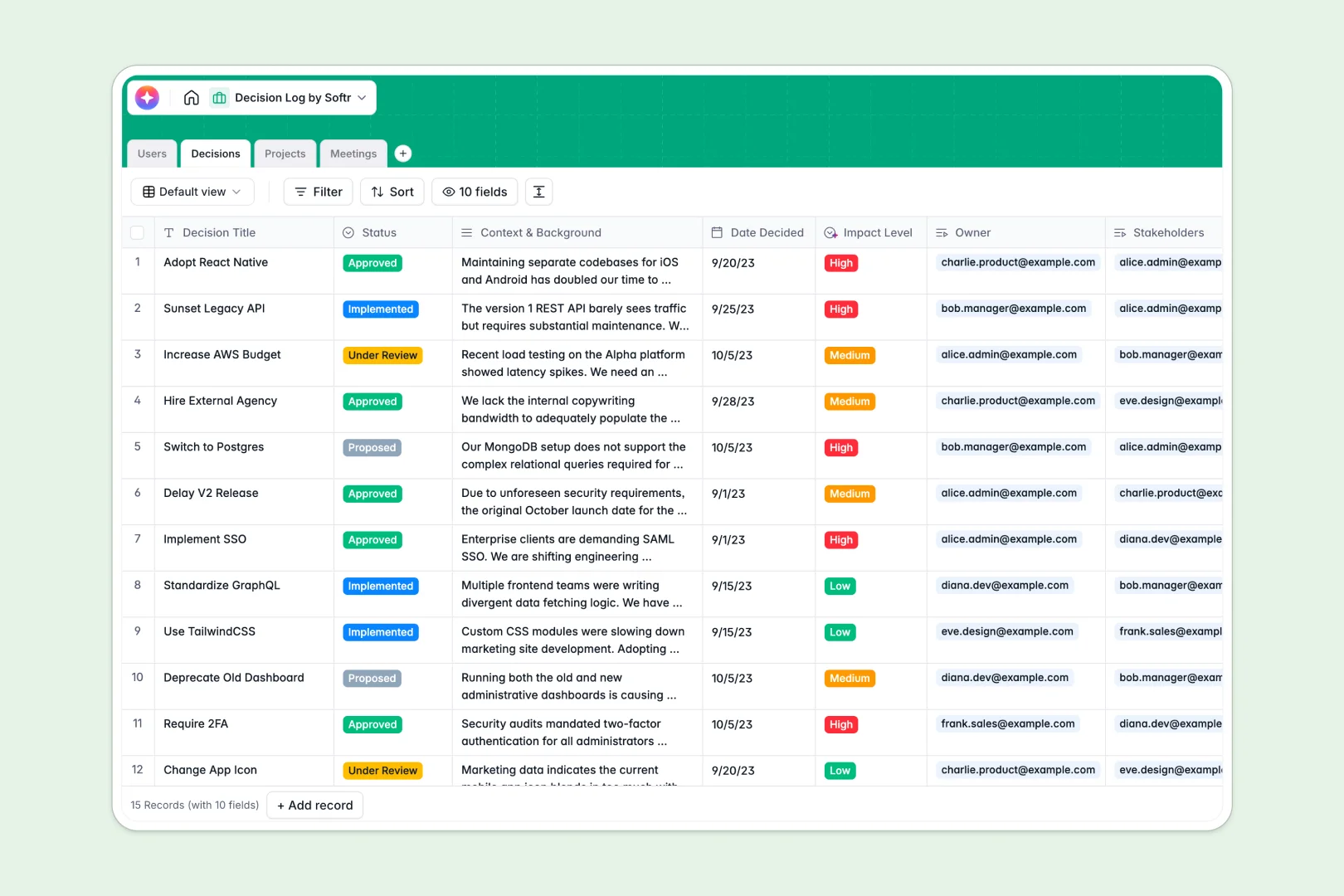
Your Decision Log Database at a glance
This template gives your team a single source of truth for every choice made. It eliminates confusion by tracking the exact context, status, and impact of project decisions.
It works by connecting distinct tables for Decisions, Projects, Meetings, and Users. When you log a decision, you instantly link it to the relevant meeting, active project, and exactly which stakeholders were involved.
Instead of manually typing updates, built-in AI automatically extracts action items from meeting notes. It also generates executive summaries of complex decisions and categorizes organizational impact effortlessly.
Why decision logs get messy in Excel
Using spreadsheets to track decisions quickly breaks down as projects grow and complexity increases. Context gets lost in long text cells, status updates are easily overwritten, and linking a specific choice back to a meeting involves endless scrolling.
What a structured database changes
A true database keeps your records strict organized right from the start. Stakeholders link cleanly to projects without fragile VLOOKUPs, and context stays tied exactly where it belongs.
This is exactly what Softr Databases are designed for. Every column has a strict type—so a date stays a date, and a status dropdown cannot be accidentally broken by typos.
When a major decision spans multiple meetings or team members, everything connects seamlessly. You stop managing endless spreadsheet rows and start managing real business outcomes.
What you can do with this template
Log every choice with full context and connect it instantly to the responsible owners. You can instantly see all decisions tied to a specific project in one unified view.
Native AI features work tirelessly behind the scenes on your live data. They automatically summarize lengthy backgrounds into neat bullet points and score the severity of decisions for your team.
-
Users
Manage team members with roles, contact details, and linked project history
-
Decisions
Track strategic choices with AI summaries and AI-driven impact level analysis
-
Projects
Group company initiatives and track the total volume of associated decisions
-
Meetings
Record session notes with AI-generated action items and attendee tracking
Who is this Decision Log database for
This template is built for teams that need to maintain strict historical context and accountability across multi-step projects.
- Project Managers: Keep a clear audit trail of why choices were made and who gave approval.
- Product Teams: Link feature decisions directly to meetings and easily communicate impact levels.
- Operations Leaders: Ensure action items from strategy sessions never get lost in Slack threads.
- Engineering Leads: Document architecture choices cleanly so future team members understand the context.
How to take it further
You can easily customize this database immediately to fit your company's exact workflow. Simply modify the existing status dropdowns or add new columns to track budget implications.
Starting fresh is simple by bulk syncing your past records. Just upload a CSV of your historical decisions or your current team directory to populate the tables instantly.
When your team scales, you can easily build a full-stack web application on top of this exact data. You can quickly establish a secure hub where stakeholders can log in to review and vote on pending proposals.
By leveraging custom users and permissions, you can confidently ensure individuals only see data relevant to their specific department. A well-structured database backend makes adding these secure interfaces entirely effortless.
-
1
-
2
-
3
-
4
Frequently asked questions
-
What is a decision log database?
-
Why use a no-code database to build a decision logging tool?
-
How can AI help managing data for decision logs?
-
Can I build an app with this decision log database?
-
Is this Decision Log database free?
-
How does this template handle team meetings?
Start building today. It's free!
Build and launch your first app in under 30 minutes.