


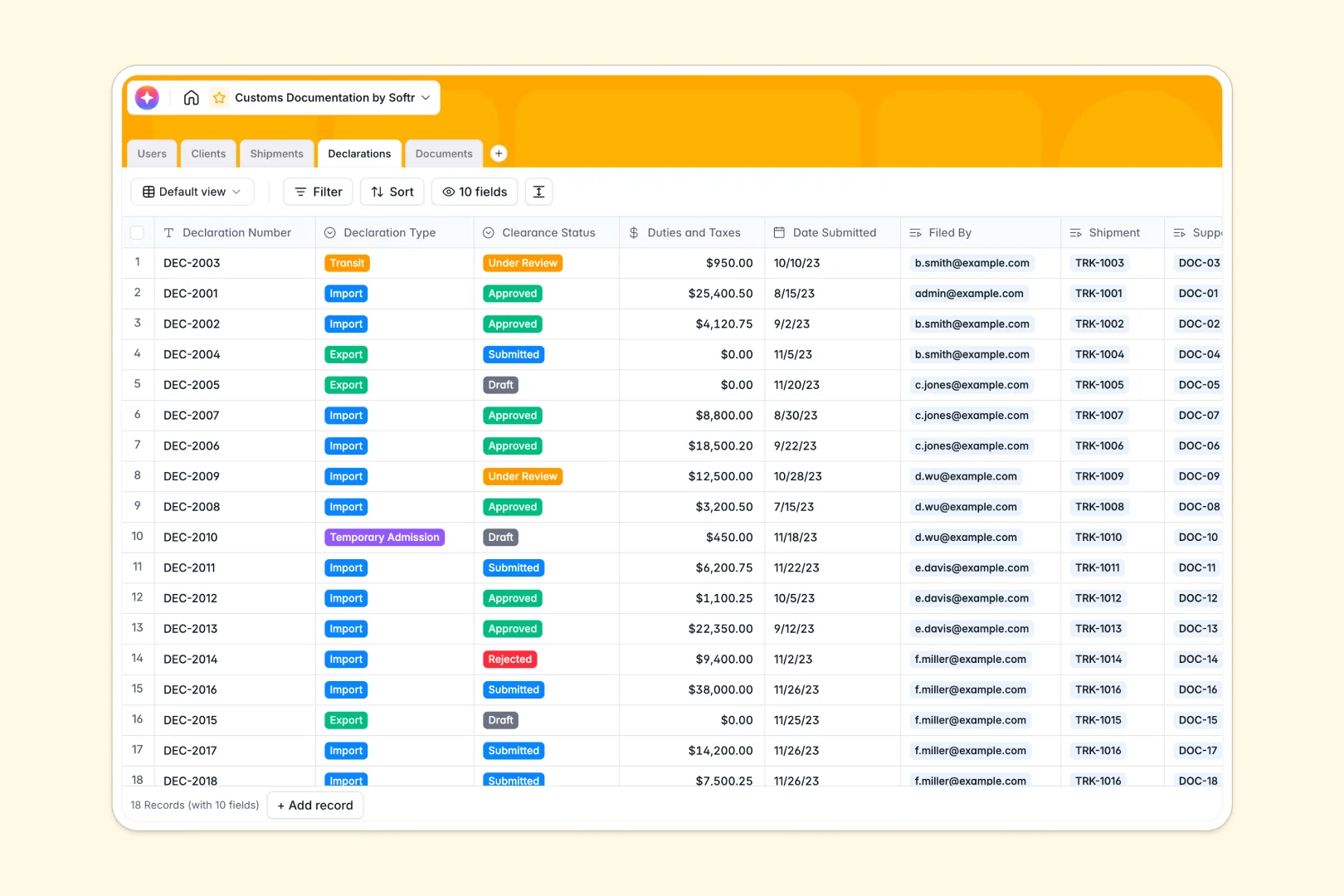
Your Customs Documentation database at a glance
This template connects your entire customs lifecycle into a single, predictable system. It ensures that tracking numbers, declarations, and clearance statuses are clearly organized and accessible.
The system uses perfectly connected tables, meaning clients link directly to their specific shipments. Each shipment automatically connects to its formal declarations and supporting documents, eliminating the need to copy-paste details across rows.
Built-in AI agents automatically assess rejection risks based on declaration types and summarize logistics details in real time. The database can even research a connected client's company online to enrich their profile instantly.
Why customs documentation gets messy in Excel
Tracking international freight and clearance documents in spreadsheets quickly becomes chaotic. Accidental deletions ruin records, and trying to attach invoices inside grid cells creates a disorganized mess.
What a structured database changes
A structured database enforces specific column types, ensuring dates stay as dates and files remain secure attachments. You can accurately link a shipment to a specific client without relying on fragile VLOOKUP formulas that break easily.
Everything stays perfectly clean and connected, no matter how much your logistics volume grows. This is exactly what Softr Databases are designed for.
What you can do with this template
You can easily track the clearance status of every customs declaration from drafting to final approval. It allows you to securely store commercial invoices, packing lists, and bill of lading files precisely where you need them.
Because the template includes built-in AI capabilities, you can automatically generate compliance warnings and shipment summaries as statuses change. You get a robust, ready-to-use foundation that immediately replaces scattered workbooks.
-
Users
Manage customs agents and administrators with profile and role tracking
-
Clients
Organize client companies using AI to research and generate descriptions
-
Shipments
Track logistics paths with AI-generated status updates and summaries
-
Declarations
Handle formal filings using AI to analyze and predict rejection risks
-
Documents
Store verified files with AI-powered annotations for context management
Who is this Customs Documentation database for
This straightforward system is built for logistics professionals who need clean, reliable shipment tracking.
- Customs Brokers: Track clearance statuses and automatically evaluate rejection risks on formal declarations.
- Freight Forwarders: Keep all origin, destination, and transit documentation perfectly linked to the right clients.
- Compliance Managers: Ensure required files like commercial invoices and certificates of origin are verified and securely attached.
- Client Representatives: See exactly which shipments are pending, in transit, or facing a customs hold at a single glance.
How to take it further
Start by customizing the database to perfectly match your specific logistics operations. You can quickly easily tweak declaration types, add new shipment statuses, or rename columns without touching any code.
Next, import your existing client rosters and shipment history. You can simply upload a CSV file to bring your past records into this structured setup immediately.
When your team is ready, you can transform this database into a secure portal for your clients. By establishing custom users and permissions, you can ensure that clients logging in will only see their own specific shipments and documents.
A well-structured database makes launching a fully functional logistics app effortless. You can keep internal broker notes hidden while giving your customers maximum transparency into their freight.
-
1
-
2
-
3
-
4
Frequently asked questions
-
What is a customs documentation database?
-
Why use a no-code database to build a customs tracking tool?
-
How can AI help managing data for customs documentation?
-
Can I build an app with this customs documentation database?
-
Is this Customs Documentation database free?
-
How is this customs documentation database different from Excel?
Start building today. It's free!
Build and launch your first app in under 30 minutes.