


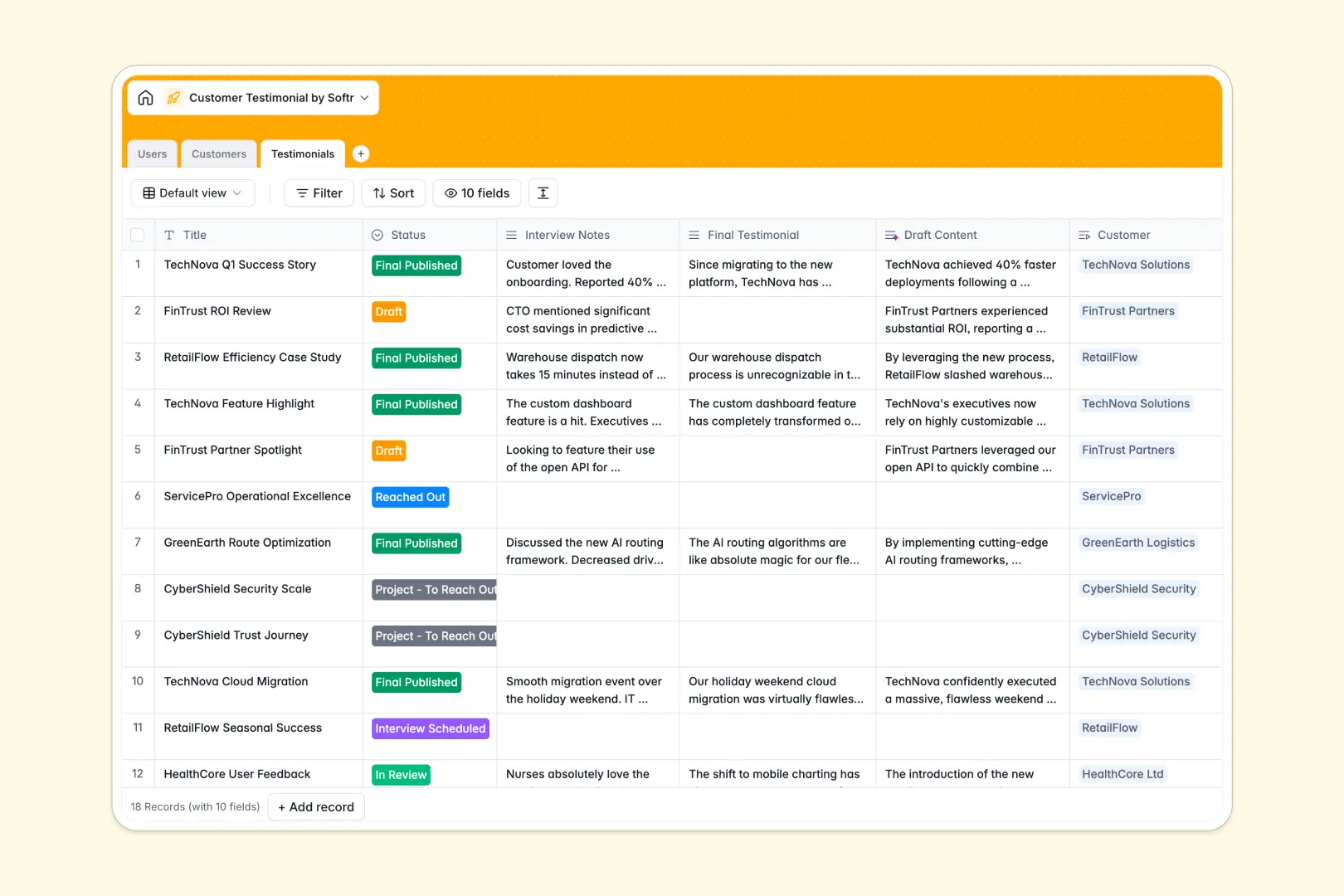
Your Customer Testimonial database at a glance
This template centralizes your entire customer success story pipeline, from initial outreach to the final published asset. It keeps interviews, drafts, quotes, and files beautifully organized in a single, reliable system.
You can easily connect specific clients in the Customers table directly to their respective case studies and the internal team members managing them. This relational structure ensures every quote is always attached to the right company and account owner.
Best of all, native AI capabilities do the heavy lifting for you. The database can automatically search the web to summarize a client's company background, draft a polished testimonial directly from your interview notes, and extract a catchy ROI quote from the final copy.
Why tracking customer testimonials in Excel breaks down
Trying to manage long-form interview notes, multiple drafting stages, and heavy design assets in a spreadsheet quickly turns into a disjointed mess. Rows get stretched, files get lost in folders, and sales teams struggle to find the quotes they need.
What a structured database changes
A structured database enforces clean columns, so long text, select dropdowns, and file attachments stay perfectly manageable as your library grows. You can link a testimonial directly to a client without copy-pasting their company details or relying on brittle formulas.
This is exactly what Softr Databases are designed for. As your content scales, your data remains organized, searchable, and ready for your go-to-market teams to use.
What you can do with this template
Track the exact production status of any case study through visual pipelines, ensuring no customer interview falls through the cracks.
Leverage built-in Database AI agents to automate your research and writing processes, like classifying client industries and turning raw notes into marketing-ready drafts instantly.
-
Users
Manage internal team members with roles, contact info, and managed accounts
-
Customers
Store client data using AI to classify industries and research backgrounds
-
Testimonials
Track testimonial cycles using AI to write drafts and extract key quotes
Who is this Customer Testimonial database for
This database is built for go-to-market and customer-facing teams who need a reliable system to manage advocacy programs.
- Product Marketing Managers: Track content pipelines from draft to publication while keeping assets organized.
- Sales Leaders: Quickly search for relevant success stories and pull catchy ROI quotes for pitches.
- Customer Success: Monitor account statuses and identify advocates who are ready for interviews.
How to take it further
Customizing this database takes just a few clicks. You can easily add new columns for specific product lines or modify the status dropdown to match your exact editorial review process.
If you have existing success stories scattered across different tools, simply import them via CSV. Your sales and marketing teams will immediately get value from having a centralized, single source of truth.
When your team is ready, you can build a full internal app on top of this structure. Using Softr's interface builder, you can create a customized case study portal where the sales team can easily search and filter past testimonials.
By leveraging users and permissions, you can ensure that anyone can view the published quotes, but only designated marketing admins have the right to edit drafts or upload new assets.
-
1
-
2
-
3
-
4
Frequently asked questions
-
What is a customer testimonial database?
-
Why use a no-code database to build a testimonial tracker?
-
How can AI help managing data for testimonials?
-
Can I build an app with this customer testimonial database?
-
Is this Customer Testimonial database free?
-
Why is tracking testimonials in Excel or Google Sheets a bad idea?
Start building today. It's free!
Build and launch your first app in under 30 minutes.