


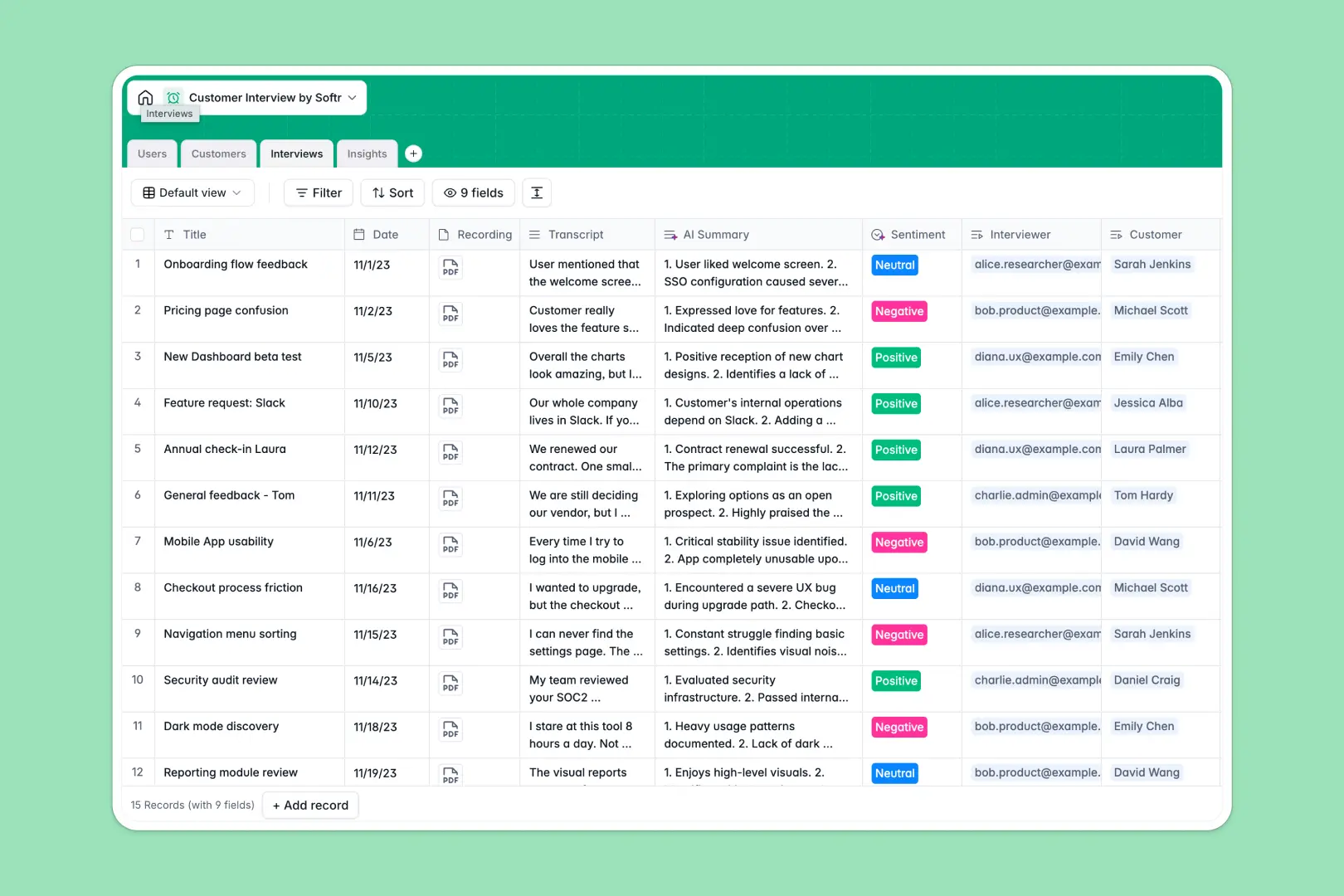
Your Customer Interview database at a glance
This template gives your research team a centralized hub to log discovery calls and track user feedback. It eliminates the chaos of scattered notes and missing context.
It consists of connected tables for users, customers, transcripts, and specific product insights. When you log a call, it links directly to the customer profile and automatically feeds into your aggregate feature requests.
Native AI features summarize long transcripts into short bullet points and evaluate customer sentiment instantly. The system even runs automatic web searches to build full company profiles for every interviewee.
Why tracking customer interviews gets messy in Excel
Spreadsheets force teams to copy-paste the same customer details across multiple rows for every new call. When lengthy transcripts, recordings, and extracted insights share the same grid, the data quickly becomes unreadable.
What a structured database changes
A structured database enforces clean organization across your entire workspace. Every piece of information—whether it’s a date, an audio file, or a dropdown status like "Actioned"—stays in its proper format without breaking.
Instead of brittle VLOOKUPs, you use native relational links to connect one customer to multiple interview logs. This is exactly what Softr Databases are designed for, keeping your research scalable and clean as your team grows.
What you can do with this template
You can capture raw transcripts and attach voice recordings directly to individual interview records. This immediately separates unstructured qualitative data from tracked product insights.
Thanks to built-in Database AI agents, you can automatically summarize 45-minute calls and categorize them as positive, negative, or neutral. Just start with this ready-to-use structure and skip the manual analysis.
-
Users
Manage internal team members with roles, contact info, and access levels
-
Customers
Track interviewees with contact details and AI-generated company profiles
-
Interviews
Log calls with records, transcripts, and AI-powered sentiment and summaries
-
Insights
Centralize feedback themes and feature requests with status and categories
Who is this Customer Interview database for
This system is built for teams looking to turn unstructured conversations into actionable product decisions.
- Product Managers: Track feature requests and usability issues directly back to the original user interview.
- UX Researchers: Centralize all transcripts, sentiment analysis, and call recordings in a single searchable repository.
- Founders: Monitor customer pain points and overall market sentiment as the company scales.
How to take it further
Start by customizing the categories to match your specific workflow. Add new dropdown options to the Insights table or tweak the AI summary prompts to answer specific product questions.
Bring your existing research over instantly by dropping a CSV file into the tables. The native sync capability lets you map old spreadsheet data into the new, clean structure effortlessly.
When your team is ready, you can easily build an app on top of this data. This turns a backend database into a collaborative portal where stakeholders can log in to view categorized feedback.
Because the data is structured, configuring users and permissions takes just a few clicks. You can ensure the research team has editing rights while executives simply view the aggregated dashboard.
-
1
-
2
-
3
-
4
Frequently asked questions
-
What is a customer interview database?
-
Why use a no-code database to build a user research tool?
-
How can AI help managing data for customer interviews?
-
Can I build an app with customer interview database?
-
Is this Customer Interview database free?
-
How is a customer interview database different from Excel?
Start building today. It's free!
Build and launch your first app in under 30 minutes.