


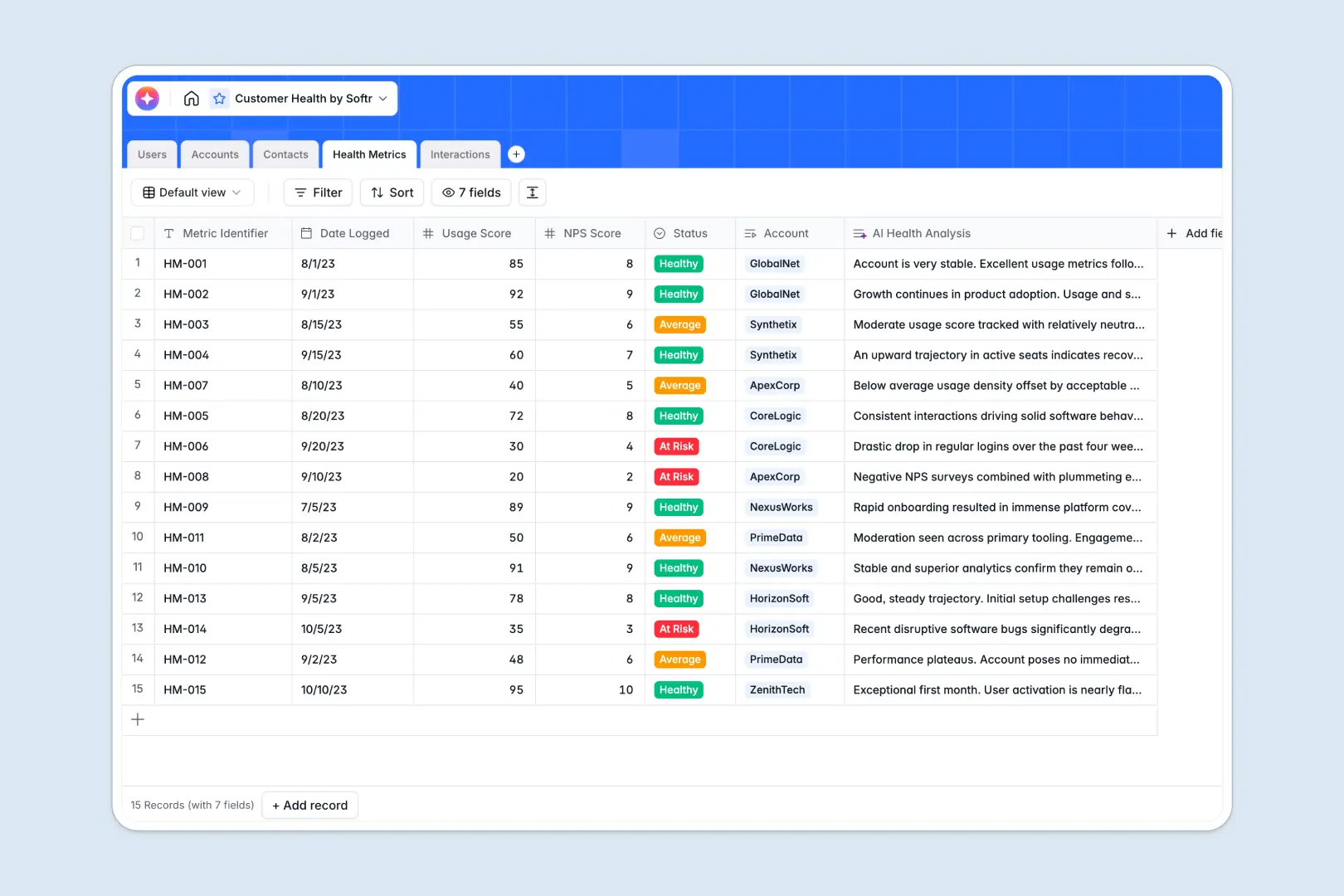
Your Customer Health Database at a glance
This template gives your Customer Success team a single source of truth to monitor account health and prevent churn. It clearly connects customers, champions, and their metrics.
The database neatly links your Accounts to specific Contacts, Interactions, and weekly Health Metrics. This means you can view an account and instantly see every past meeting or support escalation without digging through scattered files.
Built-in AI automatically drafts company overviews, evaluates churn risk based on NPS and usage scores, and extracts action items from your meeting notes.
Why tracking customer health in Excel breaks down
Spreadsheets simply aren't built to handle a complex web of accounts, stakeholders, and dozens of interactions over time. As your customer base grows, rows multiply and critical churn signals get lost in the noise.
What a structured database changes
In a relational database, data stays clean because every table has a single purpose. You manage all stakeholders in one place and connect them directly to their parent companies without dealing with fragile VLOOKUPs.
This is exactly what Softr Databases are designed for. They enforce proper column types, so email columns only hold emails, and account interactions stay explicitly linked to the right team member.
What you can do with this template
You can immediately start logging QBRs, categorizing support escalations, and tracking the champion status of key client stakeholders. Everything remains perfectly organized by account and automatically tallies total interactions.
With built-in Database AI agents, you also strip away manual work in your daily rhythm. The template automatically searches the web to enrich account profiles and turns your raw check-in notes into clear, bulleted next steps.
-
Users
Manage customer success team profiles, access roles, and portfolio assignments
-
Accounts
Track client companies with AI-generated overviews based on domains and names
-
Contacts
Maintain a directory of key stakeholders, champions, and client job titles
-
Health Metrics
Monitor account status with AI-powered risk analysis and sentiment scoring
-
Interactions
Record touch-points and use AI to extract action items from meeting notes
Who is this Customer Health database for
This template is built for teams that need strict oversight of their customer relationships and retention metrics.
- Customer Success Managers: Track individual account health scores and easily log weekly check-in calls.
- Success Leaders: Monitor the whole portfolio to identify at-risk enterprise accounts well before renewal periods.
- Account Executives: Keep track of key champions and maintain full visibility into recent support escalations.
How to take it further
You can easily tweak the database structure right away to fit your specific operations. Adjust the account tier options to match your pricing model, or add new specific interaction types tailored to your onboarding flow.
If you currently track this in Excel, you can upload a CSV to instantly populate your existing user and account lists. The transition is seamless and immediately establishes a more reliable structure.
Once your data is housed here, you can use our interface builder to turn this database into a robust Customer Success portal. Your team can securely access customized tracking dashboards instead of constantly staring at raw data rows.
Thanks to native users and permissions, you can ensure that each team member only sees the specific accounts they manage. A solid, relationally clean data foundation makes building this kind of internal tool incredibly fast.
-
1
-
2
-
3
-
4
Frequently asked questions
-
What is a customer health database?
-
Why use a no-code database to build a customer success system?
-
How can AI help managing data for customer health?
-
Can I build an app with this customer health database?
-
Is this Customer Health template free?
-
How is a customer health database different from Excel?
Start building today. It's free!
Build and launch your first app in under 30 minutes.