


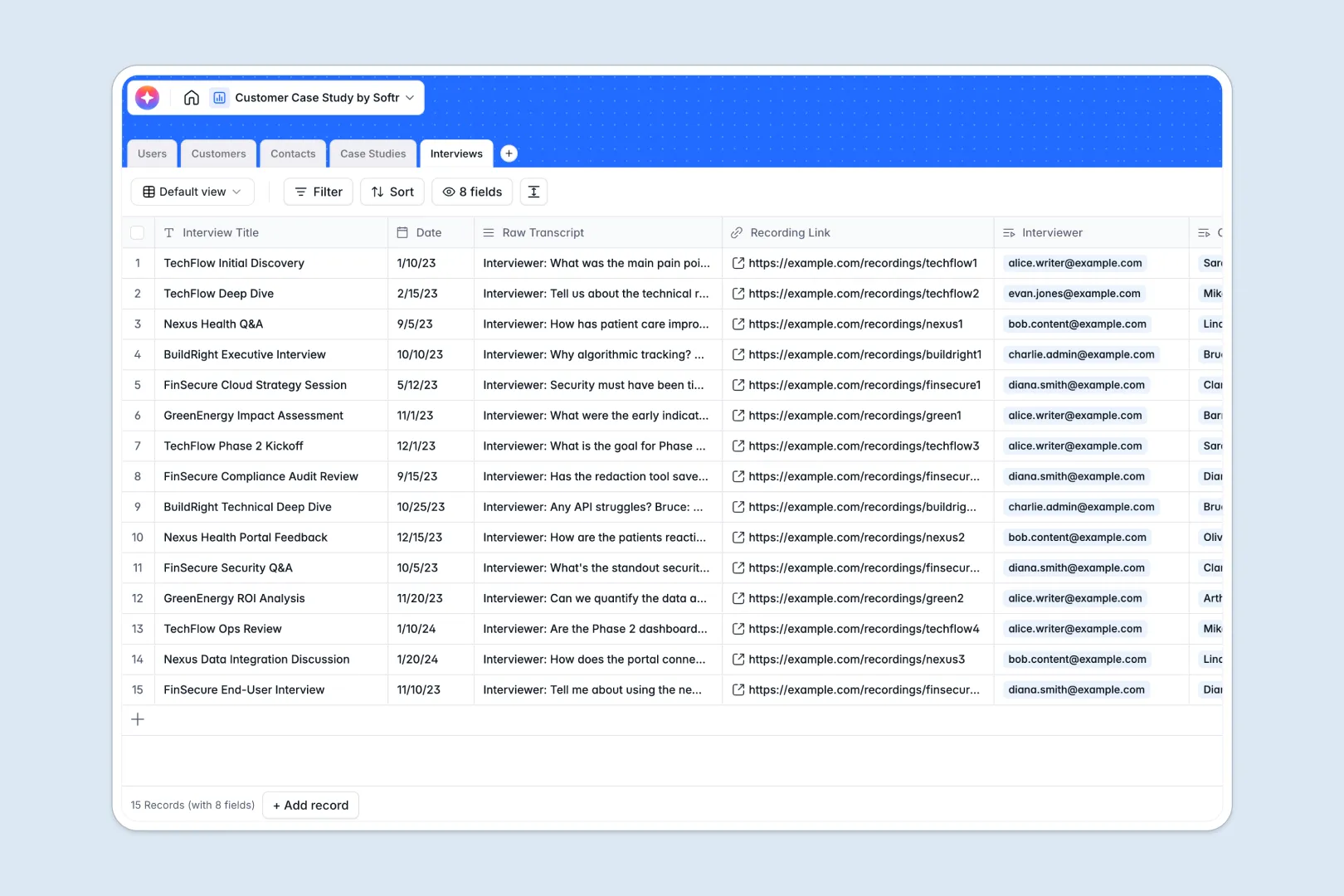
Your Customer Case Study Database at a glance
Streamline how your marketing team captures, drafts, and publishes client success stories without losing files or tracking updates manually across spreadsheets.
This setup connects customer profiles, external contacts, internal writers, and raw interview transcripts dynamically, giving everyone absolute context on every story.
Integrated AI agents automatically research target company backgrounds and synthesize lengthy transcripts into clean, actionable insights.
Why customer case study tracking gets messy in Excel
Using complex spreadsheets to track dynamic storytelling assets creates massive organization issues. Text drafts look awkward inside spreadsheet cells, key file attachments get lost, and managing team handoffs requires endless manual follow-ups.
What a structured database changes
Every column runs on defined field types, ensuring publication dates stay formatted, customer websites link cleanly, and drafts remain formatted correctly.
Instead of managing multiple tables using fragile formulas, this model connects tables natively, keeping your contacts, drafts, and companies bound together permanently.
This is exactly what Softr Databases are designed for—replacing file clutter with structured, scalable workspaces.
What you can do with this template
Track your production queue through stages from planning to publication in a transparent status timeline.
Store complete interview logs, recordings, and raw transcripts alongside your target company background information to write better stories faster.
Automate draft summaries with integrated AI fields to immediately highlight key customer pain points and success quotes.
-
Users
Manage internal staff members and their roles in creating case studies
-
Customers
Store client profiles with AI-generated research on company backgrounds
-
Contacts
Direct directory of client stakeholders and interview participants
-
Case Studies
Draft content and use AI to generate summaries from study insights
-
Interviews
Log transcripts and use AI to extract key quotes and pain points
Who is this Customer Case Study Database for
This system is customizable to fit any organization focused on converting happy customer experiences into validated social proof.
- Marketing Leaders: Track the core content production pipeline and align writer assignments with strategic target audiences effortlessly.
- Content Writers: Access company information, review raw call snippets, and write active drafts inside a highly predictable layout.
- Product Marketers: Log client interviews and capture precise user value propositions to coordinate sales assets cleanly.
How to take it further
Customize the database
Define your own workflows by modifying select fields or editorial stages to match your exact approval cycles. Add metrics tracking, update team parameters, and add custom classifications with zero effort.
Import your existing data
Moving beyond your old sheets is stress-free. Use the CSV import tool to bring your current target account lists and archived drafts directly into your new table structure.
Build a full app around it
When your team is ready, convert these tables into a live web application using Softr's interface builder. Build a custom portal where freelance writers can only access their assigned drafts, and easily customize users and permissions so client contacts can log in directly to review and approve their quotes. Running portals directly with a relational database keeps operational data secure and visually professional.
-
1
-
2
-
3
-
4
Frequently asked questions
-
What is a Customer Case Study Database?
-
Why use a no-code database to build a Customer Case Study tracker?
-
How can AI help managing data for case studies?
-
Can I build an app with this customer case study database?
-
Is this Customer Case Study Database free?
-
How is a case study database better than Excel for tracking success stories?
Start building today. It's free!
Build and launch your first app in under 30 minutes.