


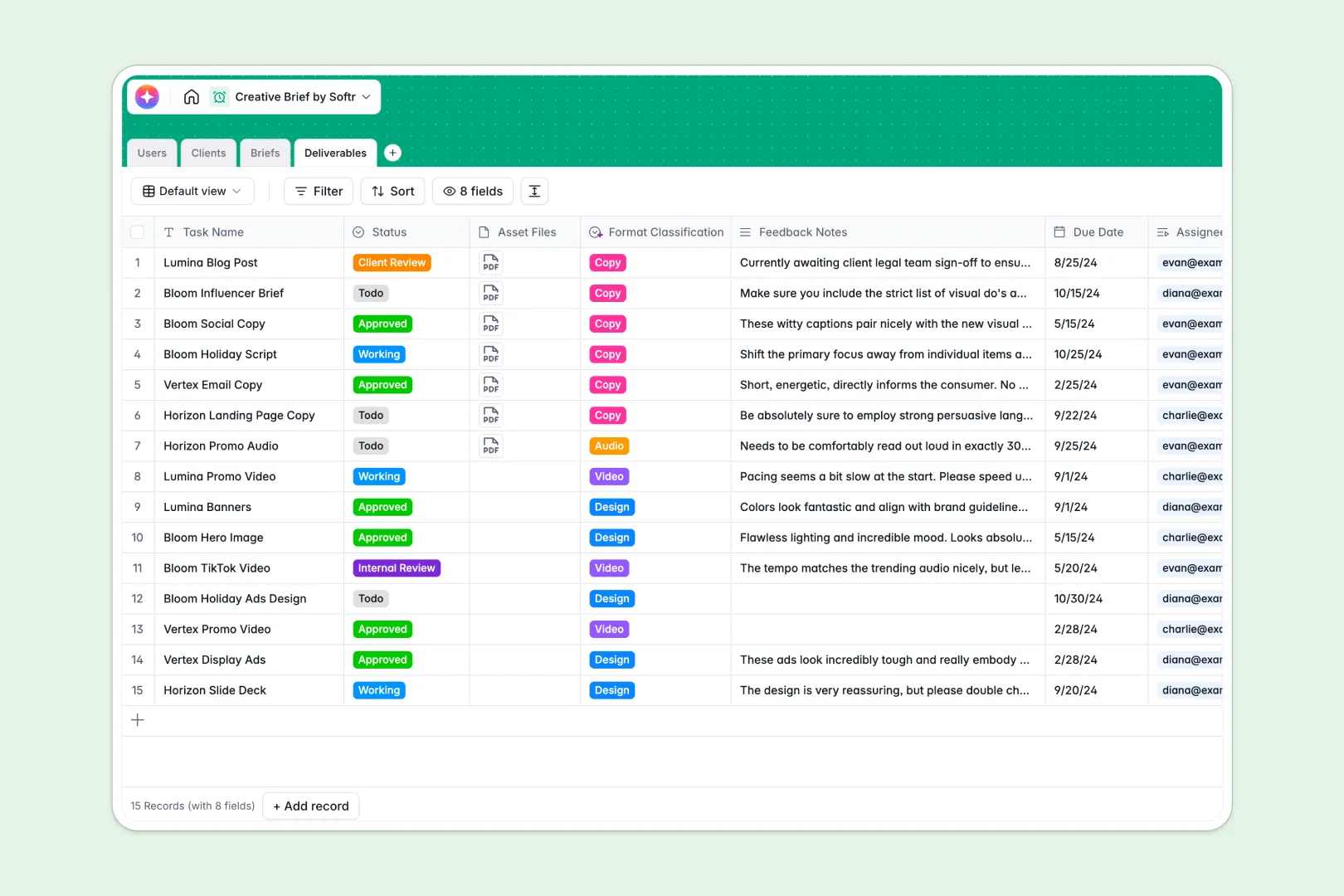
Your Creative Brief Database at a glance
This template is a structured alternative to chaotic trackers, allowing creative agencies and in-house teams to maintain alignment on overall campaign scope. It keeps campaigns, clients, assignees, and media files unified in a single dashboard.
The database connects four intuitive tables—Users, Clients, Briefs, and Deliverables—so every design task links directly back to its strategic objective. Team members and external stakeholders stay updated natively without manual copy-pasting.
Dynamic Database AI agents automatically research target brand backgrounds from website links, extract summaries from raw objectives, and auto-classify asset types.
Why managing creative briefs in Excel gets messy
Spreadsheets are designed for numbers and grids, but they lack the features needed for the rich files, multi-step review cycles, and visual assets that creative project management demands. As your campaign volume grows, mismatched columns and reference errors quickly turn shared spreadsheets into outdated logs.
What a structured database changes
A proper database provides reliable data integrity by ensuring dates stay dates, and roles like creators or clients stick to their structural rules. You can easily link multiple briefs directly to a client record without duplicating rows or relying on fragile, broken lookups.
This is exactly what Softr Databases are built for. They replace complex, flat spreadsheets with a relational framework that handles heavy campaign loads and rich media assets gracefully.
What you can do with this template
You can assign tasks to creators, track live status updates, and archive feedback notes right alongside approved client file attachments. It provides immediate structural clarity for campaign managers who need to oversee multiple designers simultaneously.
We equipped this setup with built-in Database AI agents to automate tedious status profiling and administrative tag classification work. Use it as an easy, ready-to-use starting workspace to align your team without delays.
-
Users
Manage internal staff and external clients with roles and project links
-
Clients
Store client profiles with web-sourced AI brand background enrichment
-
Briefs
Centralize campaign goals using AI to generate concise bulleted summaries
-
Deliverables
Track creative assets with AI-powered task classification and status logs
Who is this Creative Brief database for
A reliable, structural setup built for collaborative creative teams who need quick, clean coordination.
- Agency Owners: Align multi-client campaigns and track overall asset production in one place.
- Project Managers: Assign tasks and map due dates without constantly chasing status updates.
- Content Creators: Access clear campaign briefs and attach complete files directly to deliverables.
- Marketing Leads: Centralize client brand assets and coordinate feedback cycles instantly.
How to take it further
Customize this database in moments by adding custom fields, altering choices for campaign status, or adjusting format categories. Because it runs natively on Softr, altering field values or structure is completely hassle-free.
Bring in your historical campaign history easily by running a fast CSV import or connecting via API. Seamlessly mapping your existing spreadsheets into logical tables takes only a few minutes.
When your workflow scales, configure Softr's interface builder to turn this relational structure into an advanced portal. You can easily generate custom dashboard views for designers and a review portal for clients.
Granular permissions ensure that clients only view their assigned campaigns, while creators see only their active tasks. Powering your interfaces with a structured database ensures a fast, clean route to custom business applications.
-
1
-
2
-
3
-
4
Frequently asked questions
-
What is a creative brief database?
-
Why use a no-code database to build a creative brief system?
-
How can AI help managing data for creative briefs?
-
Can I build an app with this creative brief database?
-
Is this creative brief template free?
-
How does a creative brief database outperform Excel?
Start building today. It's free!
Build and launch your first app in under 30 minutes.