


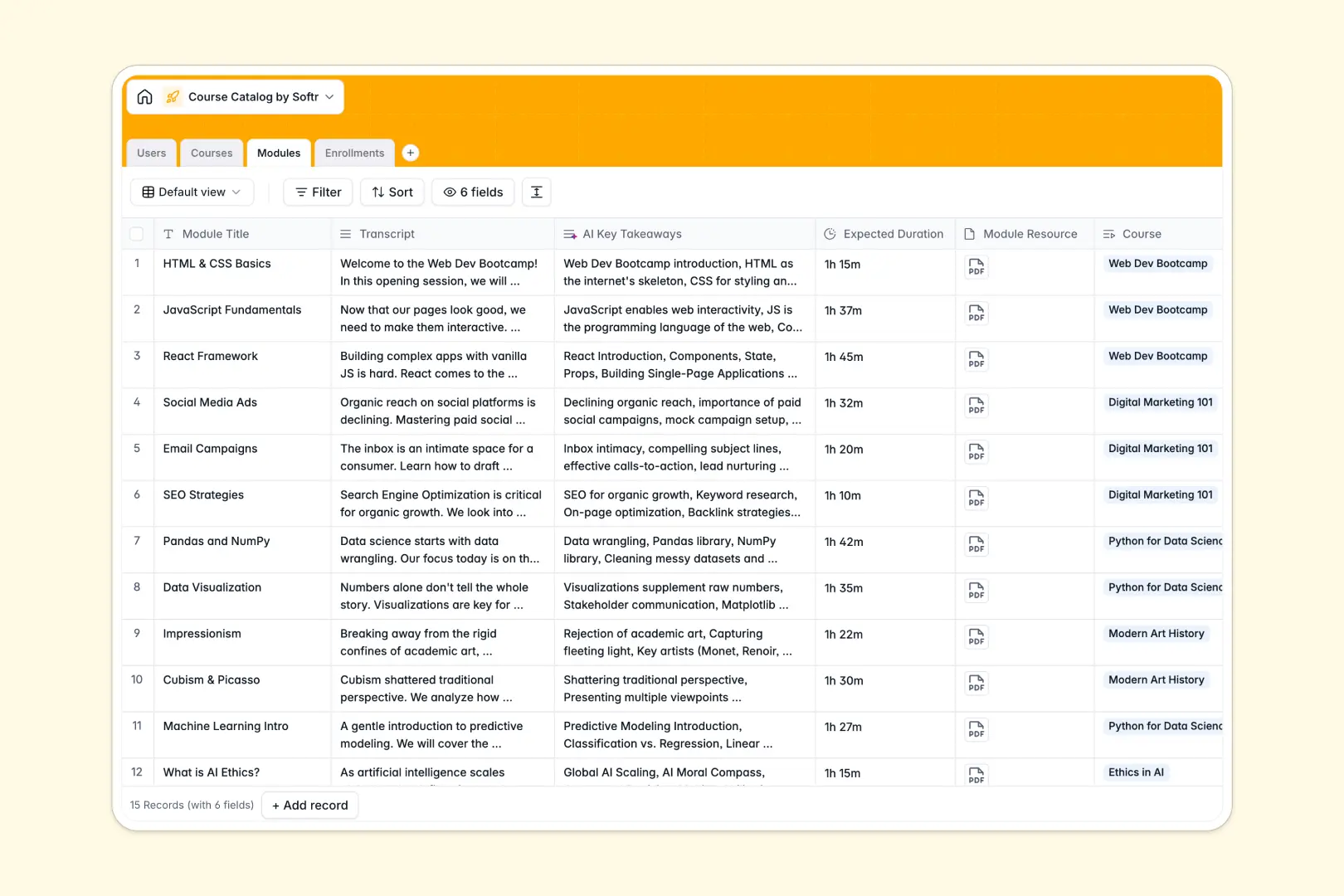
Your Course Catalog Database at a glance
The Course Catalog template centralizes your entire educational library, connecting instructors, students, and content seamlessly. It eliminates scattered files so your team can manage curriculum and track learning progress in one place.
Instead of juggling disconnected tabs, this structure uses linked tables. Your core Courses naturally connect to specific Modules, designated Users (instructors or students), and active Enrollments.
Built-in AI fields do the heavy lifting for you automatically. They instantly generate concise course summaries and extract key module takeaways directly from your raw lesson transcripts.
Why course tracking gets messy in Excel
Trying to manage a complex curriculum layout in Excel quickly becomes an administrative nightmare. Spreadsheets force you to rely on fragile VLOOKUPs to simply match students with the classes they are legally enrolled in.
What a structured database changes
A smart database enforces strict structure, meaning enrollment dates stay as dates and instructor emails stay as valid emails. You can naturally link an enrollment record to a specific student without copying and pasting data across endless rows.
This means your data grows effortlessly without breaking apart as your student base expands. This is exactly what Softr Databases are designed for.
What you can do with this template
You can immediately log your complete curriculum, tying precise durations and transcripts to individual learning modules. Tracking who is actively enrolled or who has completed a class takes seconds.
You also save hours on manual data entry by relying on smart automation. Built-in Database AI agents instantly read your lesson transcripts and automatically extract five key takeaways per module.
-
Users
Manage student and faculty profiles with contact info and role assignments
-
Courses
Register educational content utilizing AI to generate concise course summaries
-
Modules
Organize course units using AI to extract key takeaways from item transcripts
-
Enrollments
Track student participation and progress status across different courses
Who is this Course Catalog database for
This template provides immediate value to any team managing training or educational resources.
- HR & Onboarding Teams: Track required employee training and monitor module completion seamlessly.
- Educational Institutions: Keep university or school curriculum organized and effortlessly link students to the right instructors.
- Customer Success Leads: Organize product training series and measure client engagement with specific courses.
- Corporate Trainers: Manage lesson transcripts, expected durations, and attached module resources centrally.
How to take it further
Customize this database instantly to fit your exact educational administrative model. You can easily adjust the status labels for enrollments or add new course categories like "Leadership" or "Operations".
Import your historical student data and curriculum logs in minutes. By dragging and dropping a CSV file or connecting via API, your catalog will be filled and ready to use immediately.
When your team is ready, you can transform this raw data into a fully functional remote learning portal. Connecting a visual interface directly to your tables takes no technical skill.
You can easily configure strict users and permissions to control exactly what people see. This ensures students only view their active enrollments while admins safely manage the entire underlying curriculum.
-
1
-
2
-
3
-
4
Frequently asked questions
-
What is a course catalog database?
-
Why use a no-code database to build a learning tracker?
-
How can AI help managing data for educational programs?
-
Can I build an app with this course catalog database?
-
Is this Course Catalog template free?
-
How does this template handle student enrollments compared to Excel?
Start building today. It's free!
Build and launch your first app in under 30 minutes.