


Overview
Creating a professional space for your clients is easier than ever. With our Softr Client Portal, you can instantly launch a fully functional app to manage documents, conversations, and project milestones securely.
Comparison: Softr vs. Traditional Development
Traditional Development
Building a portal from scratch takes months and costs thousands of dollars. You need developers, UI/UX designers, and constant maintenance.
The Softr Advantage
Using Softr, you can connect your Airtable or Google Sheets backend directly to a beautiful frontend in minutes—no coding required.
-
Users
Manage employee profiles, security roles, and departmental responsibilities
-
Cost Centers
Track department budgets with AI-generated summaries and spending totals
-
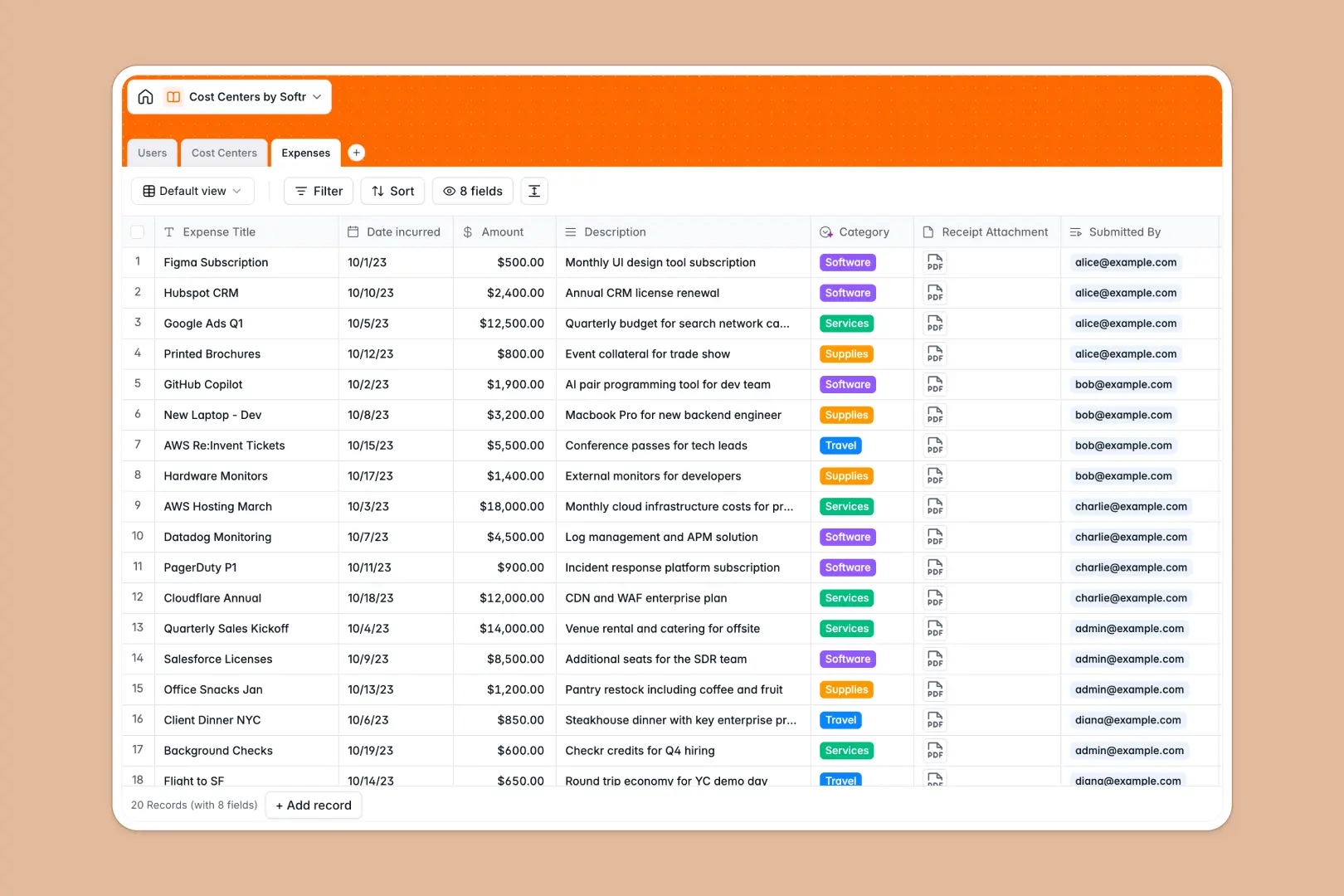
Expenses
Log financial outlays with AI-powered categorization and receipt storage
Who is this for?
This template is perfect for service-based businesses that need to share information transparently:
- Agencies: Share deliverables and track project status with clients.
- Freelancers: Invoice and manage communications securely.
- Consultants: Provide premium resources and personalized advice.
How to take it further
Once you have the basics down, explore Softr Integrations to connect Stripe for payments or Zapier for custom automations. You can also upgrade your user management using Softr's advanced permissions to ensure that each client only sees their own unique data.
-
1
-
2
-
3
-
4
Frequently asked questions
-
What is a client portal and why do I need one?
-
Do I need coding skills to build this portal?
-
Is the data in the client portal secure?
-
Can I accept payments through this template?
-
How customisable is the design of the portal?
Start building today. It's free!
Build and launch your first app in under 30 minutes.