


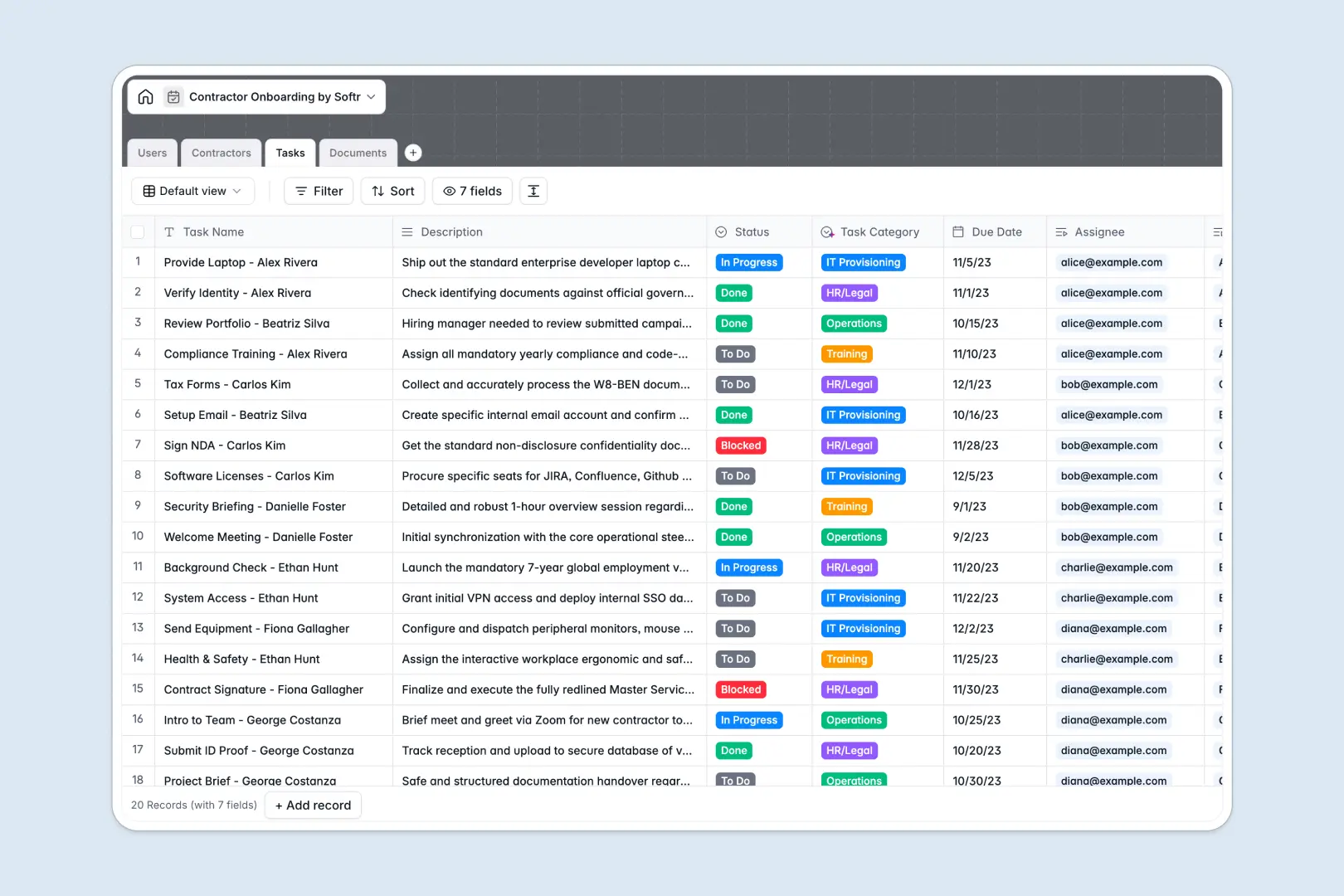
Your Contractor Onboarding database at a glance
This template replaces messy spreadsheets with a structured system to track contractor details, required tasks, and compliance documents. It keeps your HR team and external hires perfectly aligned.
It features connected tables for Users, Contractors, Tasks, and Documents. You can link a contractor directly to their assigned supervisor, see all pending tasks at a glance, and securely store necessary files.
Built-in AI features automatically pull professional bios from portfolio URLs and classify uploaded documents. This ensures your team spends less time on manual data entry and more time on operations.
Why contractor onboarding gets messy in Excel
Tracking external hires in Excel quickly turns into a nightmare of scattered files, broken links, and missed deadlines.
What a structured database changes
When you use a spreadsheet, storing attachments alongside task statuses is nearly impossible. Rows accidentally get deleted, and keeping track of who exactly needs to complete what becomes a guessing game.
A structured approach ensures every contractor has a dedicated profile natively linked to their onboarding tasks and uploaded documents. This is exactly what Softr Databases are designed for, keeping your data strictly typed and infinitely scalable.
What you can do with this template
Stop manually sorting through task lists and separated email attachments. This template naturally pairs contractors with their required forms and assigns specific actions directly to your internal managers.
Thanks to built-in AI capabilities, the system effortlessly analyzes document titles to correctly classify them as supplier agreements or background checks. It also automatically categorizes specific onboarding tasks based on their description.
-
Users
Manage internal staff and HR managers overseeing contractor workflows
-
Contractors
Profiles with AI-generated professional summaries for external talent
-
Tasks
Track onboarding actions with AI-powered task category classification
-
Documents
Centralize files using AI to automatically classify legal and tax docs
Who is this Contractor Onboarding database for
This system is built for operations and HR teams who need to scale their external workforce without losing track of compliance.
- HR Managers: Track onboarding statuses natively and ensure all required documents are collected securely.
- IT Departments: Monitor provisioning tasks and equipment assignments linked directly to new hires.
- Operations Leads: Gain full visibility into contractor readiness and upcoming project assignments.
- Compliance Officers: Verify that vital documents like NDAs and tax forms are properly stored and approved.
How to take it further
Customize the database directly to fit your exact workflow. Add new onboarding stages, adjust the task categories to match your internal departments, or easily rename expected document types.
Pull in your current contractor list via a simple CSV import. You can also connect via API to sync new contractors straight from your existing applicant tracking software.
When you are ready to stop sharing database views, you can build a secure external portal around this data. Give contractors a dedicated place to log in, view their assigned tasks, and upload their own documents directly.
Using a front-end builder lets you create custom dashboards for your HR team and external workers seamlessly. With strict users and permissions, you guarantee that contractors only see their own information while managers oversee their assigned cohort.
-
1
-
2
-
3
-
4
Frequently asked questions
-
What is a contractor onboarding database?
-
Why use a no-code database to build a contractor onboarding system?
-
How can AI help managing data for contractor onboarding?
-
Can I build an app with this contractor onboarding database?
-
Is this contractor onboarding template free?
-
Why is this database better than managing contractor onboarding in Excel?
Start building today. It's free!
Build and launch your first app in under 30 minutes.