


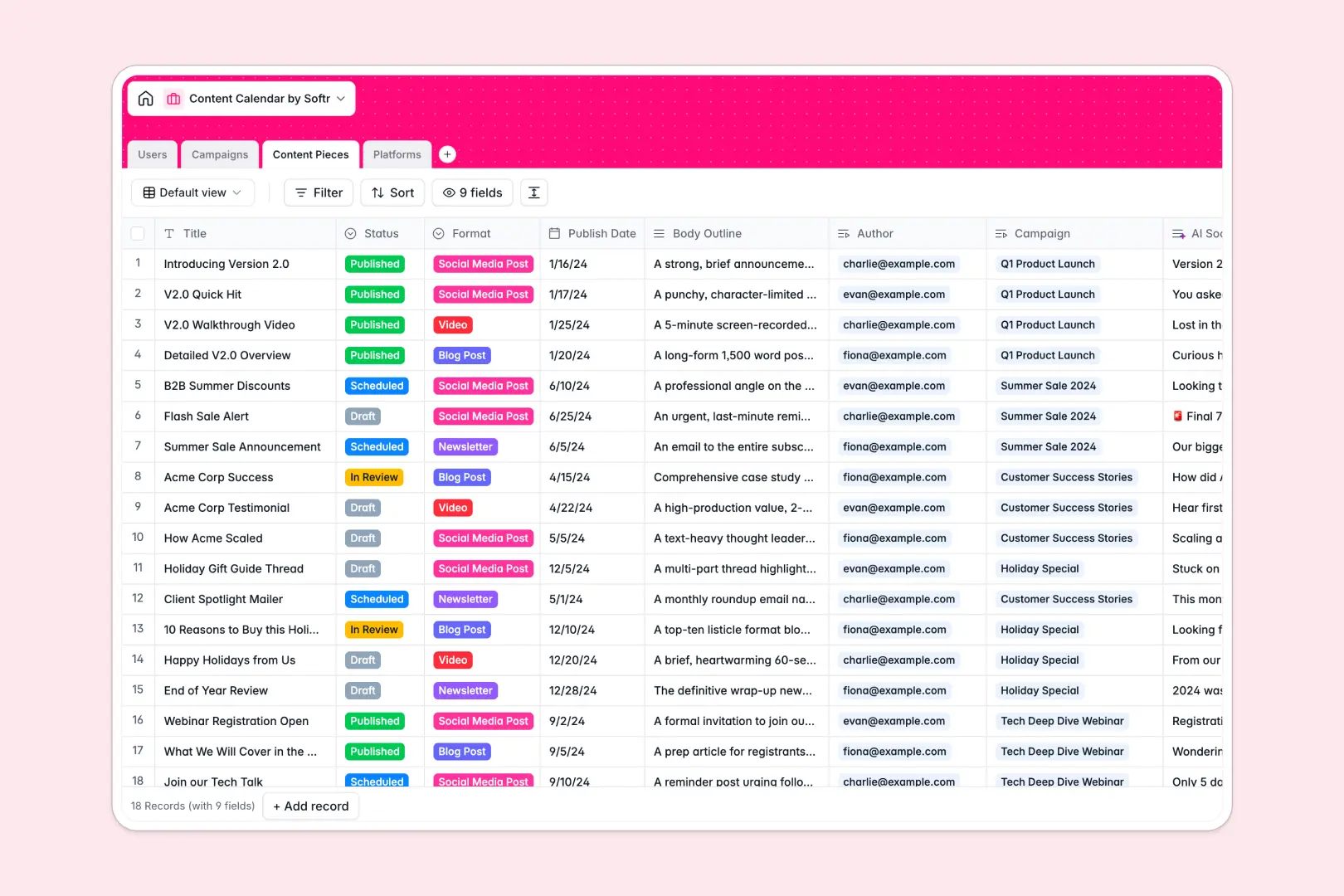
Your Content Calendar Database at a glance
This Content Calendar Database helps your marketing team plan, schedule, and track everything from blog posts to social updates. It keeps timelines clear and content moving smoothly from draft to published.
It connects your Users, Campaigns, Content Pieces, and Platforms in one unified system. Instead of detached spreadsheet rows, every content piece is naturally tied to its overarching campaign and assigned author.
Plus, built-in AI handles the heavy lifting directly in your fields. It auto-generates campaign concept ideas, summarizes outlines into catchy social snippets, and browses the web to write platform overviews automatically.
Why content planning gets messy in Excel
Tracking content pipelines in Excel usually turns into a chaotic mix of broken links, endless scrolling, and confusing color-coded statuses. When you try to link multiple posts to a broader campaign, flat spreadsheets quickly hit their limits.
What a structured database changes
A true database enforces structure so your data stays clean as your team scales. Publish dates remain actual dates, statuses are locked to specific options, and authors don't have to be manually typed out every time.
More importantly, tables connect to each other effortlessly without duplicate data. You can view all content tied to a single campaign without wrestling with fragile formulas, which is exactly why Softr Databases are incredibly reliable.
What you can do with this template
You can map out high-level campaigns and instantly drill down into the specific content pieces driving them. Rollups automatically count how many scheduled posts you have per distribution platform, giving you real-time visibility.
By leveraging Database AI agents, your content team can work faster. The second you draft a blog outline, the database instantly writes your promotional social snippet, ready for scheduling.
-
Users
Manage team contributors with roles, contact info, and content assignments
-
Campaigns
Group content strategy with timelines and AI-driven creative concept generation
-
Content Pieces
Organize individual assets featuring AI-powered social media snippet creation
-
Platforms
Control distribution channels with AI-generated overviews based on web urls
Who is this Content Calendar database for
This template provides a reliable structure for any fast-paced team managing multi-channel content operations.
- Content Managers: Oversee the entire pipeline, track production statuses, and ensure publishing deadlines are met.
- Marketing Directors: Map out campaigns and instantly monitor how many pieces of content are assigned to each.
- Writers & Creators: See exactly what they need to draft, who needs to review it, and the target platform.
- Social Media Managers: Keep distribution organized by automatically tallying scheduled content per platform.
How to take it further
You can fully customize this base to match your editorial workflow. Add new formats like "Podcasts" or "Webinars" to the dropdowns, or adjust the AI prompts to match your specific brand voice.
If you already have months of planned content stuck in flat files, simply import your existing CSVs. Your historical data will instantly map into this structured format so you don't skip a beat.
When you are ready to scale, you can build an app directly on top of this data to serve as a secure contributor portal. By configuring granular permissions, external freelancers can safely edit their assigned drafts while your broader strategy stays private.
Starting with a clean, well-structured relational database makes creating these fully-functional apps intuitive and frictionless.
-
1
-
2
-
3
-
4
Frequently asked questions
-
What is a content calendar database?
-
Why use a no-code database to build a content management tool?
-
How can AI help managing data for content planning?
-
Can I build an app with this content calendar database?
-
Is this Content Calendar template free?
-
How is a content calendar database different from Excel?
Start building today. It's free!
Build and launch your first app in under 30 minutes.