


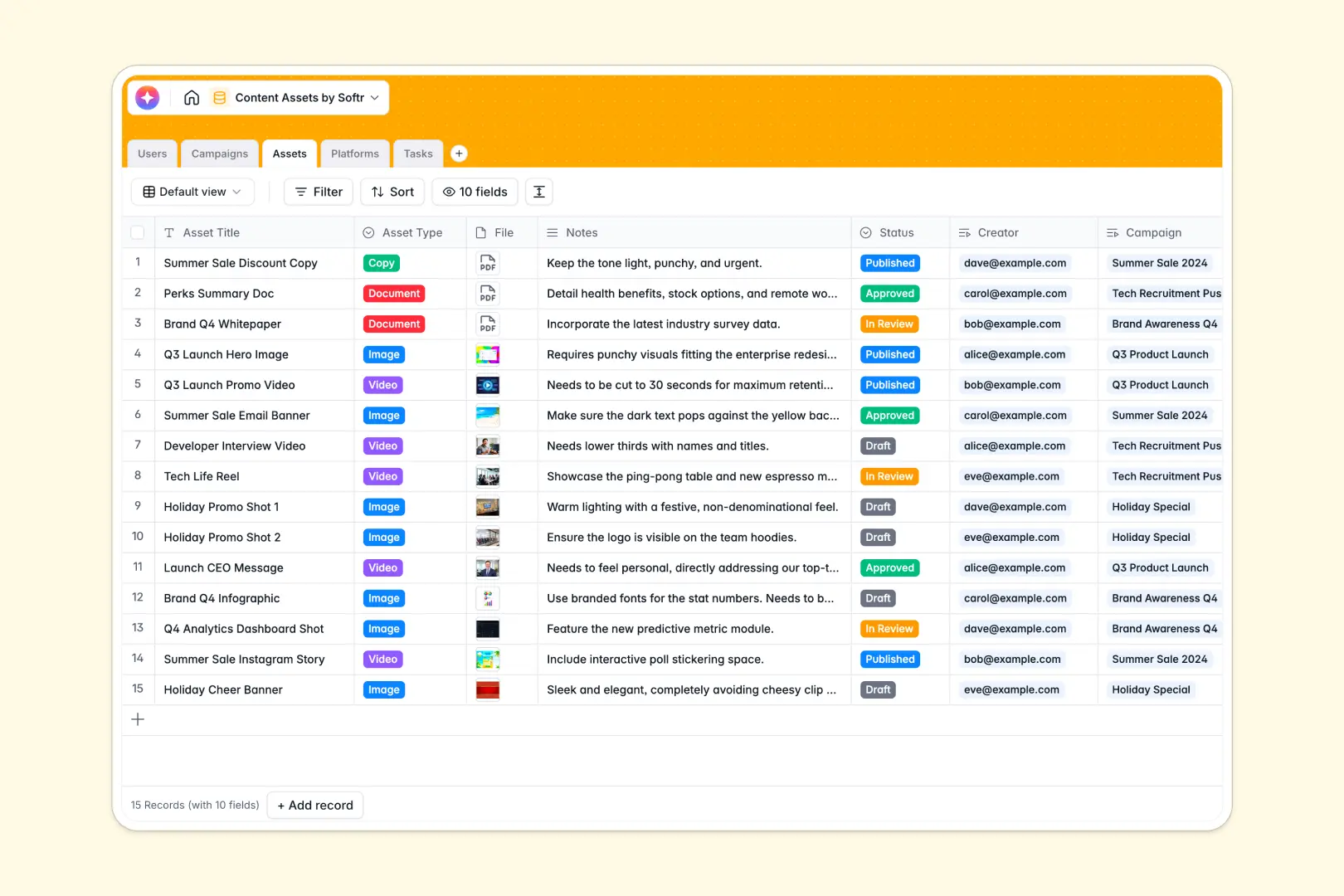
Your Content Assets database at a glance
This template provides a centralized hub for managing campaigns, individual assets, and production tasks without relying on fragile spreadsheets. It brings order to your content pipeline.
The system works by naturally linking different stages together. High-level campaigns connect directly to specific images or documents, which automatically track their assigned platform destinations and individual creator tasks.
Built-in AI features automate the busywork. The database can automatically read a long campaign brief to extract the top three goals, and instantly draft accompanying copy based on asset titles and notes.
Why tracking content assets gets messy in Excel
Spreadsheets quickly turn into chaotic, unmanageable lists when managing content. File links get detached from their campaigns, version control becomes impossible, and keeping track of task statuses across multiple tabs leads to missing final assets.
What a structured database changes
In a relational setup, every image, video, and document stays permanently linked to its parent campaign and assigned creator. Instead of pasting URLs across multiple tabs, Softr Databases let you connect records naturally.
Your data maintains its integrity as your library grows. Status columns remain standardized, due dates function properly, and file attachments are securely stored directly inside the record—not scattered as loose links.
What you can do with this template
Track the complete lifecycle of your marketing content from a single view. You can draft initial campaign briefs, assign specific production tasks, and verify when an asset is ready for its target platform.
Leverage built-in Database AI agents to speed up execution. The system automatically reads your strategy notes and drafts final copy, turning your storage system into an active production assistant.
-
Users
Manage team profiles, roles, and linked asset creation responsibilities
-
Campaigns
Organize campaign goals and use AI to summarize briefs into key objectives
-
Assets
Store media files and leverage AI to draft creative copy from asset notes
-
Platforms
Track distribution channels and categorize assets across different web URLs
-
Tasks
Coordinate production deadlines and task assignments for specific content pieces
Who is this Content Assets database for
This template is built for marketing teams, agencies, and media companies needing a reliable single source of truth for their content pipeline.
- Marketing Managers: Track entire campaigns from planning to completion and monitor overall asset production timelines.
- Content Creators: See exactly what tasks are assigned, review the campaign brief securely, and upload final files.
- Social Media Managers: Know immediately which approved copy and visuals are ready for distribution across specific platforms.
- Reviewers: Easily evaluate draft assets, leave notes, and change statuses to approved without digging through email threads.
How to take it further
Customize the database to match your exact editorial workflow. You can easily add new platform categories, tweak the review status dropdown options, or add new columns to track specific asset formats.
Import your historical content logs in minutes. You can upload a CSV to bulk-add past campaigns, existing assets, and user profiles so your team experiences immediate value.
When your team needs dedicated views, turn this data into a secure app using the drag-and-drop interface builder. A structured database makes it incredibly easy to build a front-end portal.
You might create a streamlined dashboard where external freelance creators can upload deliverables. By leveraging custom users and permissions, you guarantee they only see their assigned tasks while hiding high-level campaign strategies.
-
1
-
2
-
3
-
4
Frequently asked questions
-
What is a content assets database?
-
Why use a no-code database to build a content management tool?
-
How can AI help managing data for content assets?
-
Can I build an app with this content assets database?
-
Is this Content Assets database free?
-
Why is an Excel alternative necessary for asset management?
Start building today. It's free!
Build and launch your first app in under 30 minutes.