


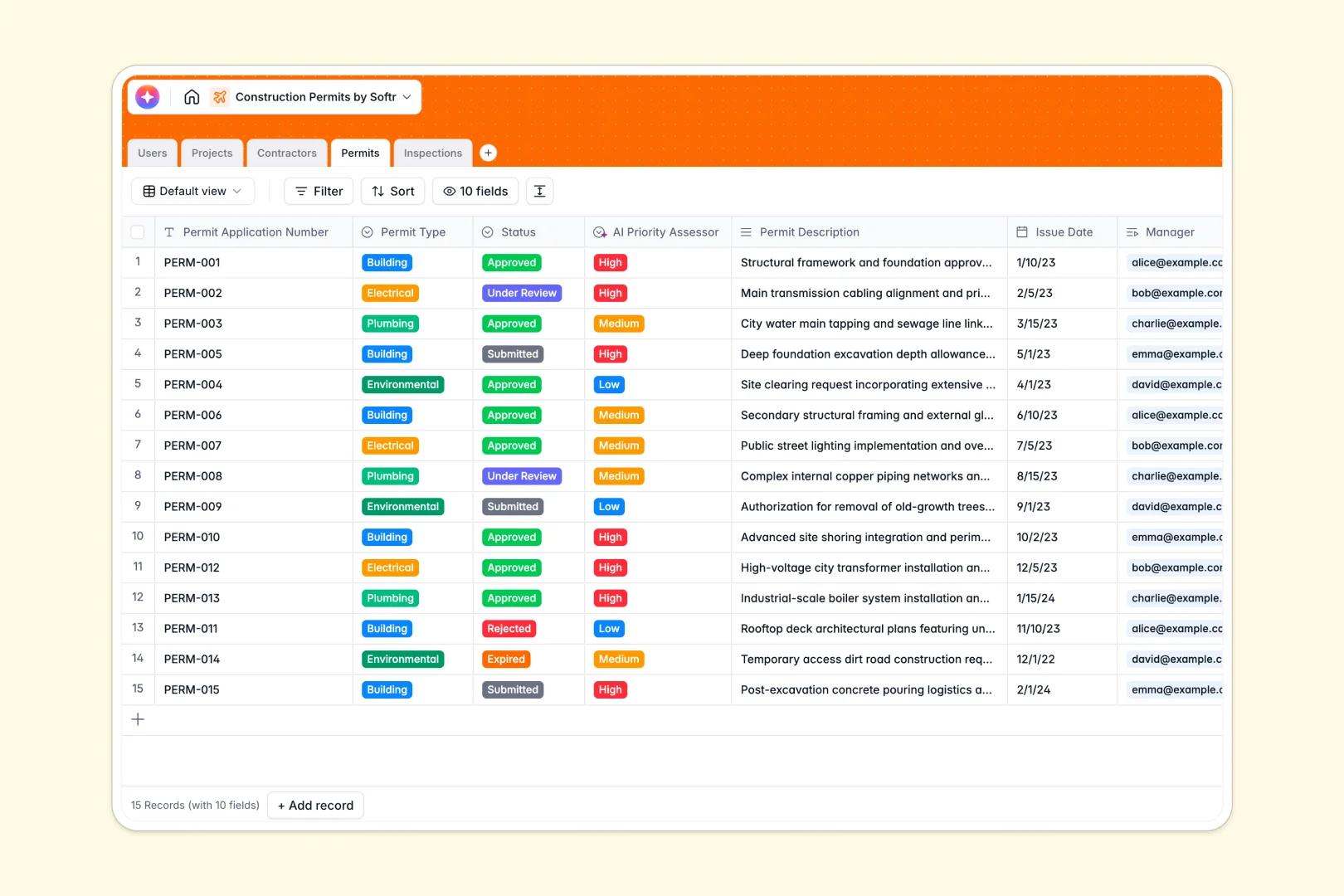
Your Construction Permits database at a glance
This template connects your active projects, external contractors, and field inspections directly to their required permits. It eliminates the scattered tracking that typically slows down construction teams.
The structure links everything logically so no details slip through the cracks. Every building or electrical permit ties directly to an assigned inspector, project address, and scheduled field assessment.
AI works in the background to automatically prioritize permits and summarize lengthy inspection notes. It even searches the live web to build company overviews for your connected contractors without manual data entry.
Why tracking construction permits gets messy in Excel
Managing vital construction credentials across multiple Excel tabs inevitably leads to skipped inspections and expired approvals.
What a structured database changes
Spreadsheet rows can't safely handle multiple dates, inspection photos, and external contractor details without breaking. Structured columns ensure dates remain actual dates, and attachments stay safely locked to specific records.
You can securely connect an incoming field inspection to its parent permit without writing fragile VLOOKUPs. This is exactly what Softr Databases are designed for.
What you can do with this template
Keep a reliable, real-time log of every submitted, approved, or rejected permit. Log field assessment photos and scheduling outcomes seamlessly without worrying about accidentally deleting a crucial row.
Built-in automation instantly analyzes incoming requests and flags high-priority applications based on their descriptions. Your team immediately sees what needs urgent attention before the project stalls.
-
Users
Manage administrative staff and inspectors with assigned permit records
-
Projects
Centralize construction sites and use AI to generate concise project titles
-
Contractors
Store external vendor details with AI-powered web-sourced company overviews
-
Permits
Track applications and use AI to assess permit priority based on complexity
-
Inspections
Log site visit outcomes and use AI for summarized executive reporting
Who is this Construction Permits database for
This template provides immediate structure for teams managing continuous builds and strict compliance requirements.
- Project Managers: Track start dates and associated permit statuses to prevent costly site delays.
- Permit Administrators: Keep incoming applications formally organized by type, status, and urgency.
- Field Inspectors: Log scheduled site visits, safely attach field photos, and record immediate pass or fail outcomes.
How to take it further
Start by customizing the database to fit your local jurisdiction. You can quickly add new permit types to the select menus or adjust the assigned inspector roles to match your team.
Bring in your active projects and contractor lists via CSV import or API. You can populate the entire system in minutes to start seeing immediate workflow improvements.
When your team is ready, building a full portal around this structured data is the natural next step. You can assign specific users and permissions to give your external contractors a secure dashboard to track their active permits. A well-organized database makes spinning up these internal tools entirely painless.
-
1
-
2
-
3
-
4
Frequently asked questions
-
What is a construction permits database?
-
Why use a no-code database to build a permits tracking tool?
-
How can AI help managing data for construction permits?
-
Can I build an app with this construction permits database?
-
Is this Construction Permits template free?
-
How is a construction permits database different from Excel?
Start building today. It's free!
Build and launch your first app in under 30 minutes.