


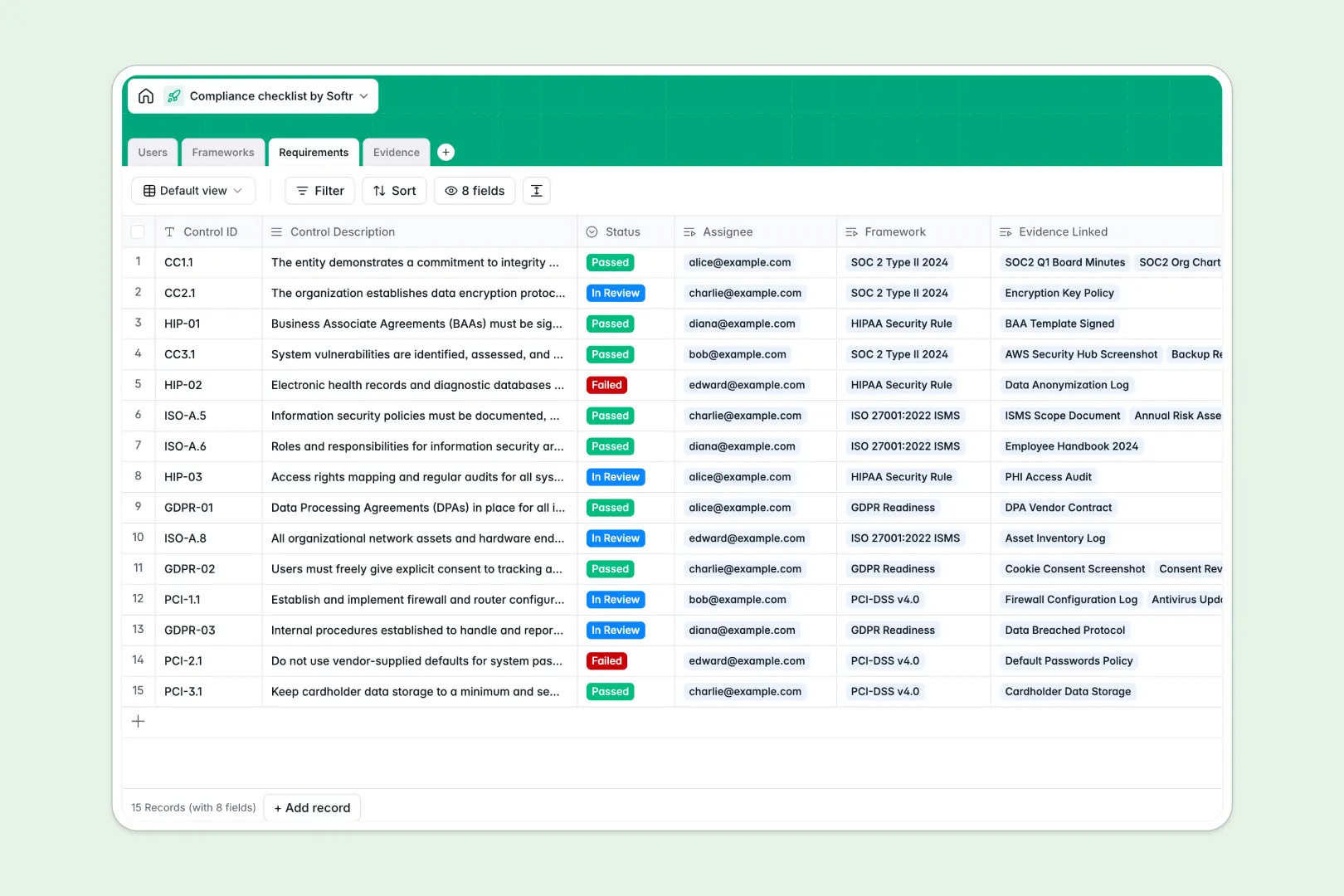
Your Compliance Checklist Database at a glance
This template replaces scattered compliance checklists with a secure, centralized system for tracking frameworks, controls, and evidence.
Frameworks like SOC 2 are broken down into specific requirements and assigned to team members. When evidence is uploaded, it automatically links to the exact control it proves, keeping audits perfectly organized.
Built-in AI automatically summarizes next steps for missing controls, generates framework overviews, and categorizes your uploaded evidence without manual data entry.
Why tracking compliance gets messy in Excel
Managing serious audits across multiple tabs, scattered file folders, and email threads is a massive risk. Excel simply isn't built to handle the strict relationships required between policies, controls, and proof.
What a structured database changes
A structured database enforces relationships so your data stays reliable. Instead of pasting links to evidence in a spreadsheet cell, files are securely uploaded and permanently tied to specific requirements.
It also ensures that statuses automatically update across the board when approvals happen. This is exactly what Softr Databases are designed for.
Nothing gets accidentally deleted, and auditors can see a clear path from a high-level framework down to individual screenshots and access logs.
What you can do with this template
You can assign specific controls to team members and track missing evidence in real time. The template gives you a clear view of what’s compliant, what’s pending review, and what needs immediate action.
Because it uses Database AI agents, the system can even auto-classify your evidence as policy documents or access logs the moment they are uploaded.
-
Users
Manage compliance team members, auditors, and staff with roles and access
-
Frameworks
Group audits and leverage AI to summarize goals and completion progress
-
Requirements
Track control items using AI to generate compliance status synopses
-
Evidence
Store documentation while using AI to automatically classify evidence types
Who is this Compliance Checklist database for
This template is built for teams that need to maintain strict standards without getting buried in administrative busywork.
- Compliance Managers: Track progress across multiple frameworks like SOC 2 and GDPR in a single view.
- IT & Security Teams: Upload access logs and screenshots directly to the controls they validate.
- External Auditors: Review cleanly linked requirements and evidence without digging through messy shared drives.
How to take it further
Customize this template by adding new compliance frameworks or adapting the evidence approval statuses. Since it is a native Softr Database, adding new columns for specific audit dates takes seconds.
Bring your current controls right in via CSV import. You can map your existing spreadsheet columns to the structured database fields instantly to keep working without interruption.
When your team is ready, you can build an app on top of this database to create a dedicated compliance portal.
This lets you securely define users and permissions so that employees only see the controls assigned to them, while auditors get read-only access to completed frameworks. A clean, structured database makes launching these custom interfaces incredibly easy.
-
1
-
2
-
3
-
4
Frequently asked questions
-
What is a compliance checklist database?
-
Why use a no-code database to build a compliance tracking system?
-
How can AI help managing data for compliance?
-
Can I build an app with this compliance checklist database?
-
Is this Compliance Checklist Database free?
-
How does a compliance database differ from Excel?
Start building today. It's free!
Build and launch your first app in under 30 minutes.