


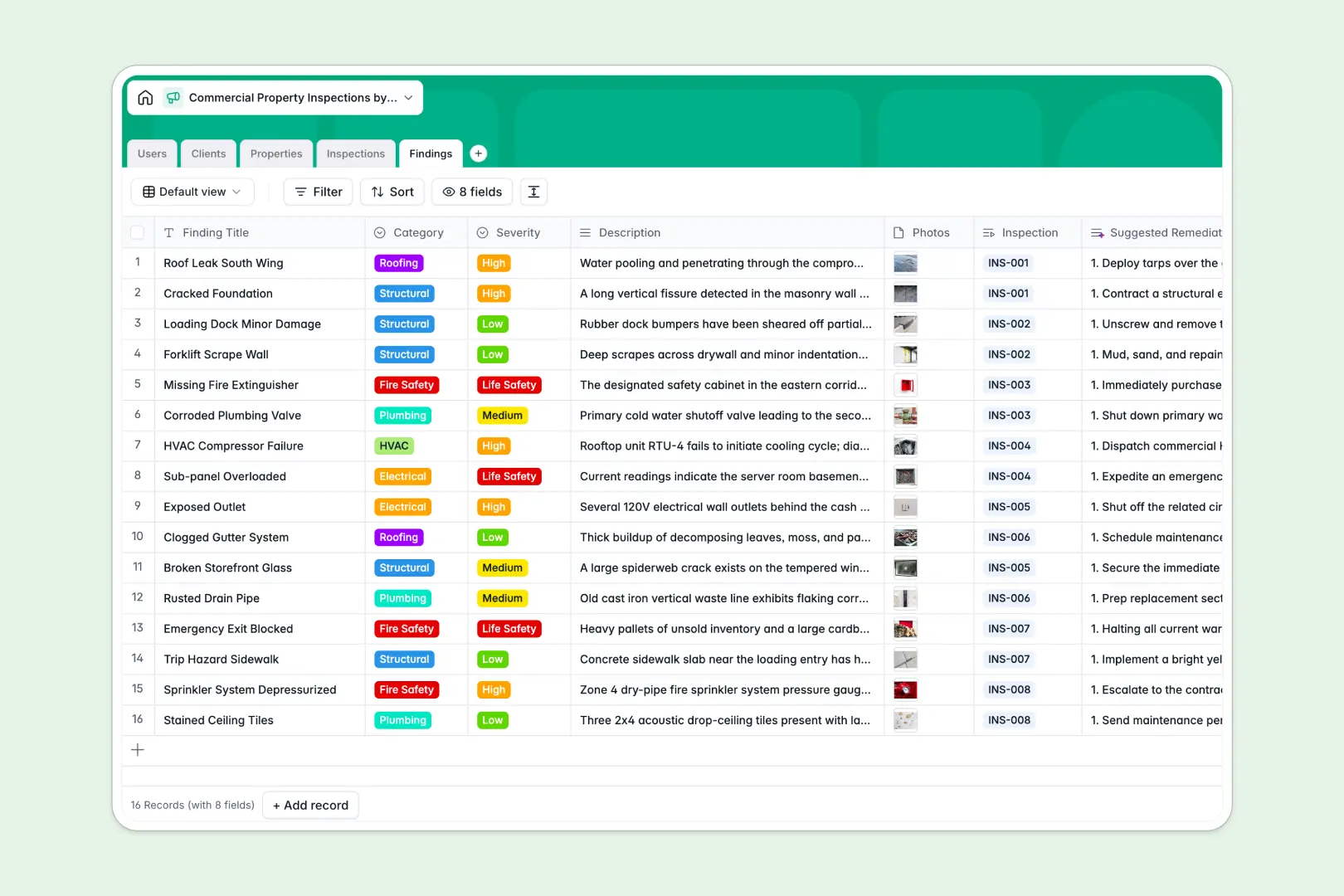
Your Commercial Property Inspections Database at a glance
This template tracks every commercial building inspection, client detail, and specific deficiency in one centralized workspace. It eliminates the chaos of scattered spreadsheets and keeps your site teams perfectly aligned.
It works by connecting separate lists for Properties, Clients, Inspections, and specific Findings naturally. When an inspector logs a high-severity plumbing issue, it links directly to the property address and the scheduled inspection record instantly.
Better yet, built-in AI automatically searches the web for property background history and generates complete executive summaries from raw findings. It even suggests step-by-step remediation plans for recorded deficiencies without any manual typing.
Why property inspection logs get messy in Excel
Tracking multi-site commercial inspections in spreadsheets quickly becomes a nightmare for operations teams. Important site photos, severity ratings, and client details get buried in thousands of identical, hard-to-read rows.
What a structured database changes
A true structural shift happens when every piece of data has a dedicated home. Dropdowns stay consistent, expected dates cannot be broken by formatting errors, and photos are seamlessly attached right next to the deficiency records.
Instead of running complex formulas to match a property with its inspection history, tables link together natively. This is exactly what Softr Databases are designed for.
You can easily pull up a property and instantly see every past electrical, roofing, or structural finding associated with that exact address, neatly categorized.
What you can do with this template
You can instantly log structural or HVAC findings, assign a severity scale, and attach visual evidence without toggling between multiple files. Everything is structured logically for immediate use.
Thanks to built-in Database AI agents, this template will automatically draft professional executive summaries based entirely on your logged findings. It acts as an expert assistant, providing immediate property history context while your team is still out in the field.
-
Users
Manage internal staff profiles, access roles, and assigned site visits
-
Clients
Store commercial landlord profiles, contact details, and managed assets
-
Properties
Track site details and use AI to research building history and context
-
Inspections
Schedule site visits and use AI to generate executive summary reports
-
Findings
Log hazards with AI-generated remediation steps and repair suggestions
Who is this Commercial Property Inspections database for
This streamlined tracking system is built strictly for commercial real estate and maintenance professionals.
- Inspection Firms: Track assigned site visits effortlessly while standardizing how field teams report defects and hazards.
- Property Managers: Keep a clear, historical log of all multi-family or office repairs, audits, and preventative maintenance tasks.
- Facilities Teams: Prioritize high-severity remediation tasks and monitor life safety findings efficiently across warehouse and industrial spaces.
How to take it further
You can easily customize this template right away to better fit your specific operations. Add new finding categories, adjust hazard severity levels, or track new types of specialized properties without touching complex formulas.
If you already have historical inspection logs, simply import your existing data via CSV. You can map your old spreadsheet columns directly into this structured system in seconds to see immediate value.
When your team is ready, you can transform this data into a secure app using the interface builder. Create a custom front-end where field inspectors log findings on their mobile devices, and property owners log in to download signed executive summaries.
By leveraging users and permissions, you can ensure landlords only see safety findings related to their own specific retail or office portfolios. A well-structured database makes building these robust, interconnected applications totally effortless.
-
1
-
2
-
3
-
4
Frequently asked questions
-
What is a commercial property inspections database?
-
Why use a no-code database to build an inspection system?
-
How can AI help managing data for commercial property inspections?
-
Can I build an app with this property inspections database?
-
Is this Commercial Property Inspections template free?
-
How is this database different from tracking inspections in Excel?
Start building today. It's free!
Build and launch your first app in under 30 minutes.