


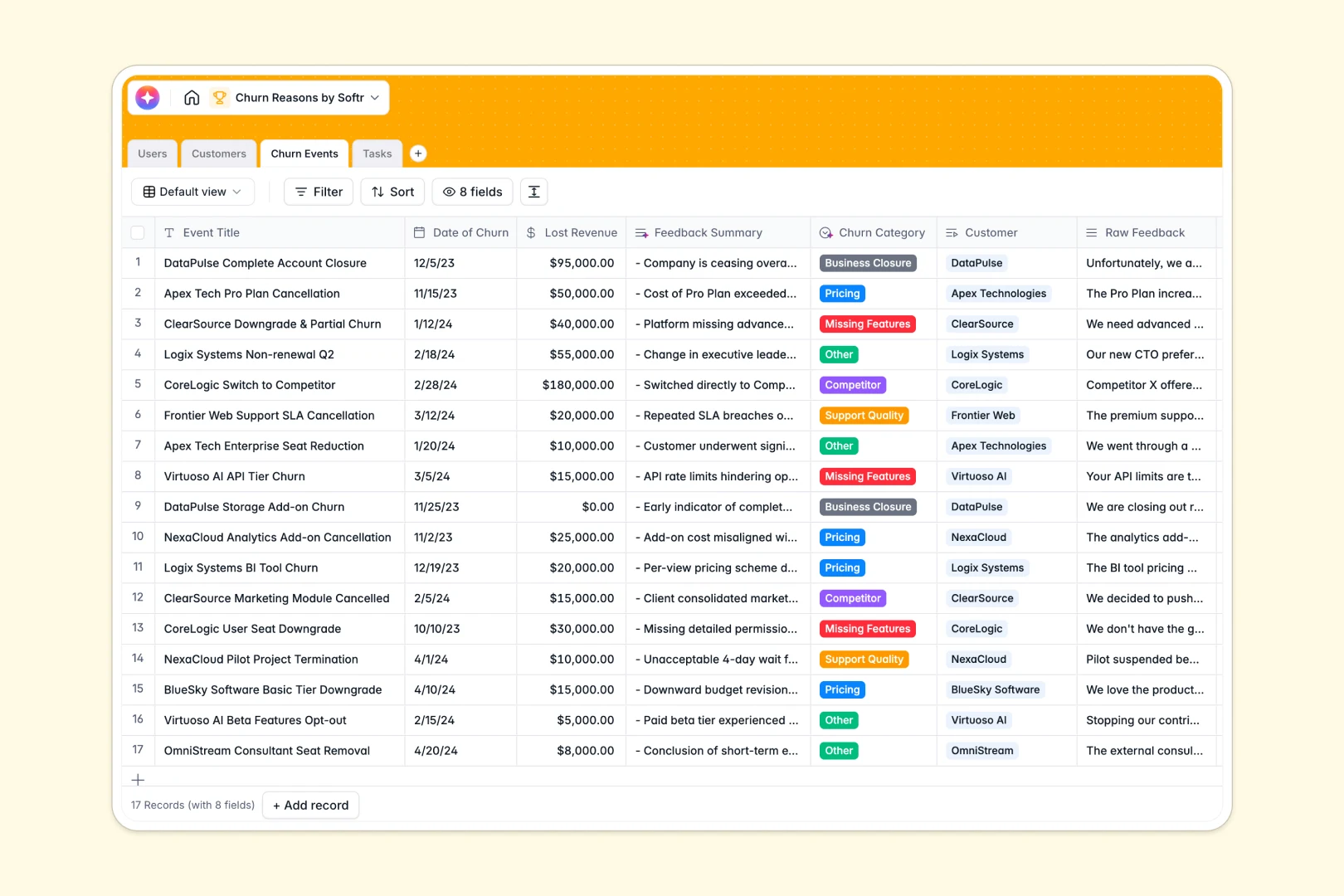
Your Churn Reasons database at a glance
This template replaces messy Excel files with a centralized system to log cancellations and uncover why customers leave. It connects your customer health data directly to actionable retention tasks.
Instead of scattered tabs, dedicated tables for Customers, Churn Events, and Tasks link natively. When an account churns, you can log the lost revenue and instantly assign follow-up tasks to Customer Success Managers.
Built-in AI does the heavy lifting by summarizing raw feedback into crisp bullet points. The database can even categorize the exact reason for churn and draft automated follow-up emails for your team.
Why analyzing churn reasons breaks down in Excel
Tracking cancellations in spreadsheets quickly becomes a nightmare of endless scrolling through massive blocks of raw text. You can't easily link a churn event back to a company's total revenue without complex VLOOKUPs breaking.
What a structured database changes
A structured database enforces clean data types, ensuring dates stay dates and financial data remains explicitly accurate. You can link a churned customer directly to their history without copying and pasting text across rows.
As your volume of feedback grows, everything stays beautifully organized and perfectly connected. This is exactly what Softr Databases are designed for.
What you can do with this template
Log every lost customer and visualize their exact ARR impact in one clean view. You can trace back revenue leaks instantly without wrestling with fragile pivot tables.
With native Database AI agents, messy feedback is automatically sorted into clear categories like "Pricing" or "Missing Features." The AI will even research the customer's website to build a full company profile automatically.
-
Users
Manage internal staff roles and track assignments for customer success workflows
-
Customers
Monitor account health and financial data with AI-generated company profiles
-
Churn Events
Log cancellations using AI to categorize reasons and summarize customer feedback
-
Tasks
Coordinate follow-ups and use AI to draft action plans or emails for the team
Who is this Churn Reasons database for
This template is built for revenue and product teams who need clear visibility into why customers leave.
- Customer Success Managers: Track at-risk accounts, log raw feedback, and organize recovery tasks seamlessly.
- Product Managers: Spot trends in missing features and prioritize roadmaps based on real lost revenue.
- Founders & Executives: Monitor total churn impact and review standardized feedback summaries in seconds.
How to take it further
You can easily modify the database by updating the churn category dropdowns to match your specific product flaws. Because it's a native Softr Database, adding new columns for custom retention metrics takes only a few clicks.
Bring your historical cancellations over instantly using a simple CSV import tool. You can also use the Softr API to sync new churn events directly from Stripe or your preferred CRM natively.
When your team needs a dedicated workspace, you can easily use an interface builder to create a custom internal portal. Give your CS and Product teams their own dashboard to review feedback securely without exposing the backend.
By setting up users and permissions, you can ensure reps only see the customers they manage. Starting with a structured database makes launching these powerful internal apps entirely effortless.
-
1
-
2
-
3
-
4
Frequently asked questions
-
What is a churn reasons database?
-
Why use a no-code database to build a churn analysis system?
-
How can AI help managing data for churn tracking?
-
Can I build an app with this churn reasons database?
-
Is this churn reasons template free?
-
How is a churn reasons database different from Excel?
Start building today. It's free!
Build and launch your first app in under 30 minutes.