


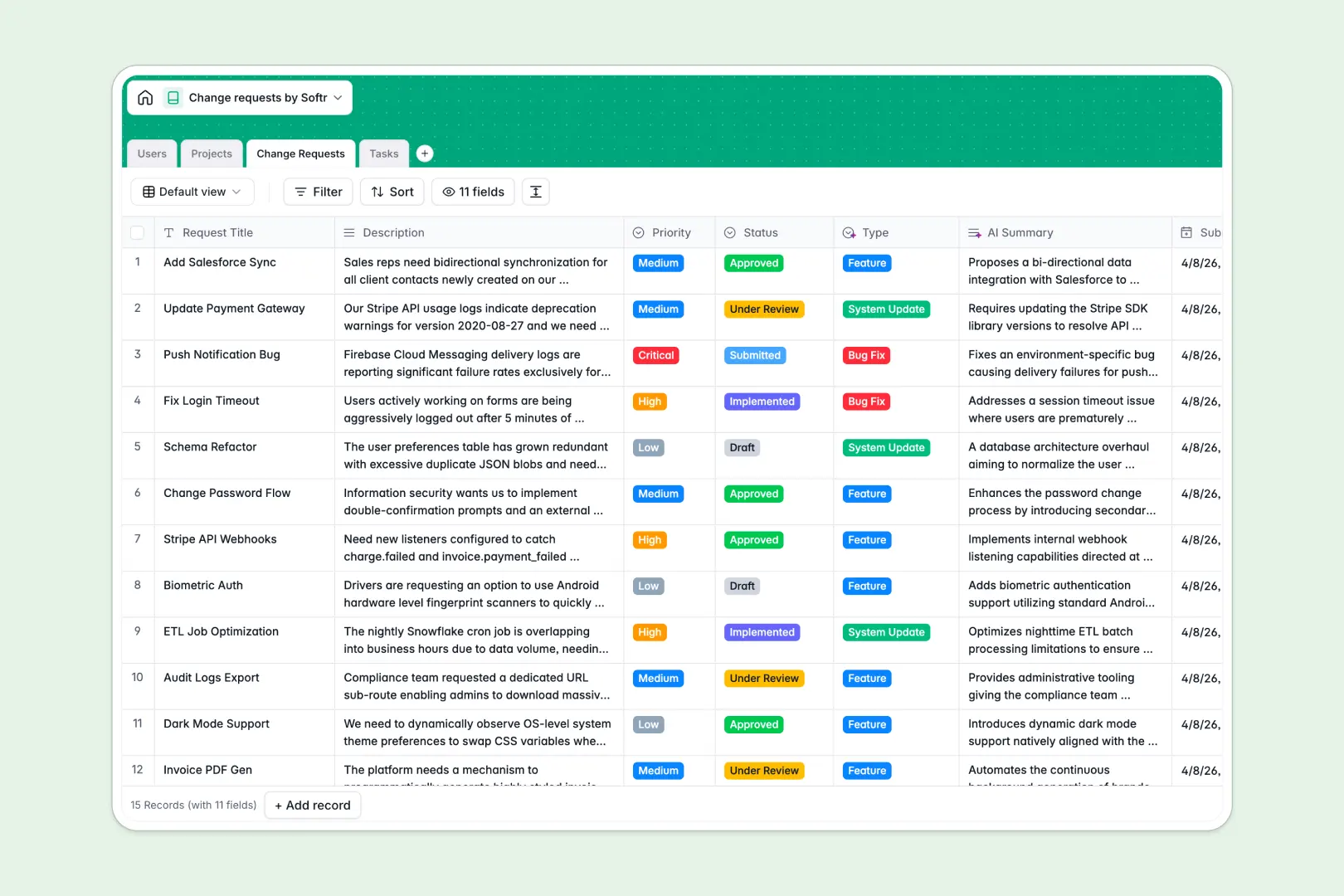
Your Change Requests Database at a glance
This template organizes your entire change management process into one scalable system. It eliminates the confusion of scattered emails and disconnected spreadsheets by giving every request a clear status and owner.
The database connects four main pieces automatically: Users, Projects, Change Requests, and actionable Tasks. When you log a new request, it securely links directly to the relevant project and the team members assigned to review and execute it.
Instead of reading through long descriptions, built-in AI summarizes the requests and automatically assigns the right category. It even generates a proposed execution plan for the tasks linked to each request.
Why managing change requests in Excel breaks down
Tracking system updates or feature requests across spreadsheets quickly becomes chaotic. As your list grows, formulas break, files get locked, and it becomes impossible to see how a specific task connects back to the original request without messy duplicate rows.
What a structured database changes
In a proper relational system, your data stays perfectly organized because every column has a strict purpose. Dates stay dates, statuses rely on standardized dropdowns, and you never have to worry about mixed data types ruining your workflow.
Instead of relying on fragile VLOOKUPs, tables connect to each other naturally. A single project can cleanly link to dozens of individual change requests, and those requests smoothly link to assignees without copy-pasting values.
This stable, scalable architecture is exactly what Softr Databases are designed for. You get a robust foundation that handles complexity seamlessly, avoiding the missing files and deleted cells common in spreadsheet-heavy operations.
What you can do with this template
You can immediately start tracking requests with a clear view of what’s in draft, under review, or being implemented. The template calculates open requests per project automatically, giving project owners instant visibility into their team's active workload.
Thanks to native Database AI agents, the template does the heavy lifting for you. Simply paste a long request description, and the AI will immediately condense it into a neat summary and tag it as a Bug Fix, System Update, or Feature.
It goes even further by analyzing the assigned change request description and automatically generating a concrete execution plan for the actionable tasks.
-
Users
Manage internal staff profiles, access roles, and project assignments
-
Projects
Track active systems and departments undergoing updates with owners
-
Change Requests
Log requests with AI-generated summaries and automated type detection
-
Tasks
Execute work items using AI-powered implementation plans and tracking
Who is this Change Requests database for
This template is designed for operations personnel and technical leaders who need to process requests systematically without drowning in administrative work.
- Project Managers: Track requests linked directly to your active initiatives without relying on disjointed status meetings.
- IT Support Leads: Organize incoming system updates to accurately assign reviewers and maintain a clean task backlog.
- Product Owners: Automatically tally the open change requests per project to prioritize upcoming implementation sprints.
- Operations Teams: Ensure every system change follows a completely standardized process from initial submission to final completion.
How to take it further
You can easily adapt this template to match your precise organizational review process. Add new choices for task statuses, or customize the AI prompt to extract specific technical requirements unique to your industry.
Getting started is simple, as you can seamlessly import your existing backlog from an Excel file via CSV. All your historical change requests will instantly populate the correct columns and maintain a permanently structured format.
When you are ready to collaborate across departments, you can turn this database into a fully functional app using Softr's interface builder. You can create an intuitive portal where stakeholders can log requests directly, tracking approvals securely without touching the raw database.
By incorporating granular permissions, you guarantee that basic requesters only see their own submissions. Meanwhile, assigned reviewers are granted full access to update task statuses and modify implementation plans.
-
1
-
2
-
3
-
4
Frequently asked questions
-
What is a change requests database?
-
Why use a no-code database to build a change request system?
-
How can AI help managing data for change requests?
-
Can I build an app with this change requests database?
-
Is this Change Requests database free?
-
How is a change request database different from Excel?
Start building today. It's free!
Build and launch your first app in under 30 minutes.