


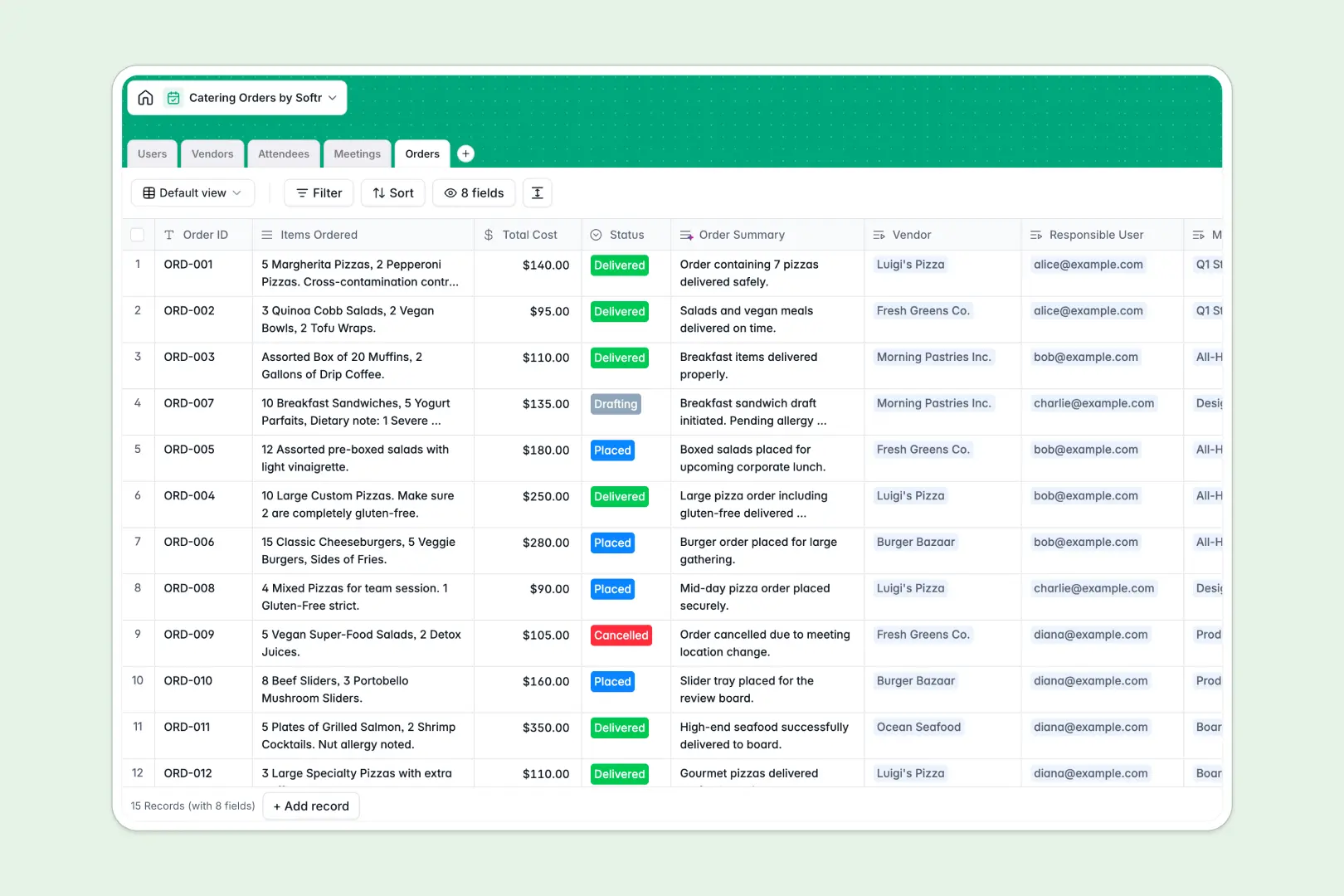
Your Catering Orders Database at a glance
This template replaces messy spreadsheets with a structured system to plan meetings, track food orders, and manage vendor relationships in one place. It ensures everyone gets the right meal precisely when they need it, without the manual chaos.
The database links your data automatically and reliably. You can easily connect Attendees and their specific dietary needs directly to Meetings, and link exact Orders to the Vendors fulfilling them.
Built-in AI automatically reads vendor websites to draft company descriptions, perfectly categorizes complex dietary restrictions into standard tags, and generates crisp catering briefs as order statuses change.
Why managing catering orders in Excel gets messy
Tracking scheduled events, food vendors, and severe allergies across multiple spreadsheet tabs quickly turns into a logistical nightmare. Rows get copied incorrectly, vendor details go out of date, and crucial dietary restrictions get lost in endless columns.
What a structured database changes
Instead of relying on fragile VLOOKUPs to match your attendees to their meals, a relational system keeps your data inherently clean. Every single object lives in its own table, meaning you never type the same vendor's name or attendee's allergy twice.
This is exactly what Softr Databases are designed for. You get complete, rigid structure, preventing mixed data types and ensuring your meeting schedules and order records stay relentlessly reliable as your company scales.
What you can do with this template
Track every internal meeting, aggregate attendee counts flawlessly, and monitor total catering costs without writing a single fragile formula.
Leverage Database AI agents to automatically categorize incoming dietary requirements like "Gluten-Free" or "Severe Allergies" from raw text, eliminating dangerous human error.
-
Users
Manage internal staff roles and track the catering orders they organize
-
Vendors
List catering partners with AI-generated profiles founded on web data
-
Attendees
Log participants and use AI to classify dietary needs for food safety
-
Meetings
Schedule events requiring catering and track the total attendee count
-
Orders
Manage food costs and status with AI-generated order briefing summaries
Who is this Catering Orders database for
This ready-to-use template is built for teams organizing events, managing internal meetings, and handling corporate meals.
- Office Managers: Track daily lunches, handle recurring vendors, and monitor catering budgets effortlessly.
- Event Organizers: Keep your meetings, attendee counts, and specific food orders tightly synced without confusion.
- HR Teams: Safely record employee dietary restrictions and severe allergies to ensure zero handling mistakes.
How to take it further
Customizing your database structure takes seconds. You can easily modify the built-in catering categories, update order statuses to match your workflow, or add fresh columns to track delivery instructions.
Bring your current operation up to speed fast by importing your existing vendor CSVs or attendee lists directly. Everything maps perfectly into your new, clean workspace.
When your team expands, you can build an app directly on top of this catering database. Create a streamlined internal portal where employees can log in to place orders, RSVP to meetings, and securely update their own allergies.
With native users and permissions, you can ensure standard employees only see their own meetings or orders, while office admins keep full overarching control over order approvals and vendor costs. Starting with perfectly structured data makes launching this portal incredibly simple.
-
1
-
2
-
3
-
4
Frequently asked questions
-
What is a catering orders database?
-
Why use a no-code database to track catering instead of Excel?
-
How can AI help manage catering and vendor data?
-
Can I build a portal with this catering orders database?
-
Is this Catering Orders database free?
-
Why does managing dietary restrictions in spreadsheets fail?
Start building today. It's free!
Build and launch your first app in under 30 minutes.